
A Step-by-Step Guide to Relinking Photoshop Layers in After Effects
Introduction to Relinking Photoshop Layers in After Effects
Working with both Adobe Photoshop and After Effects is a common process in video editing and motion design. However, maintaining the connection between Photoshop layers when importing files into After Effects can sometimes be tricky. Relinking layers efficiently ensures that your animations and designs stay intact, saving you from the hassle of manually reconnecting each layer. This guide will walk you through the process of relinking Photoshop layers in After Effects, helping you streamline your workflow and focus on creativity.
Step 1: Organize and Name Your Photoshop Layers
Before moving your project into After Effects, start by organizing and naming your layers in Photoshop. It’s essential to give each layer a descriptive name and group them logically. This organization makes it easier to identify and relink the layers once they’re imported into After Effects. Properly named layers also help reduce confusion when editing complex projects with multiple assets.
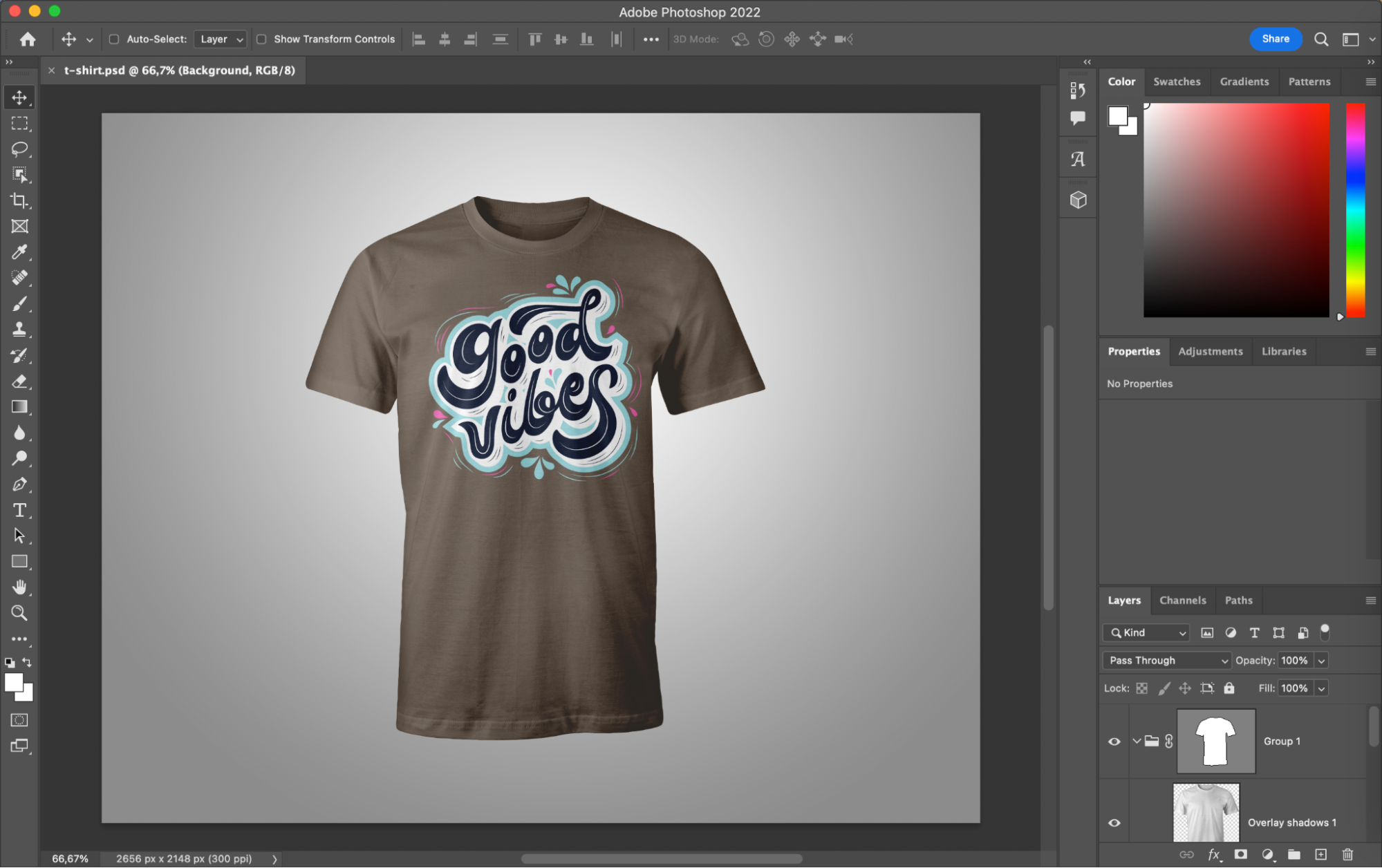
Step 2: Save Your Photoshop File Correctly
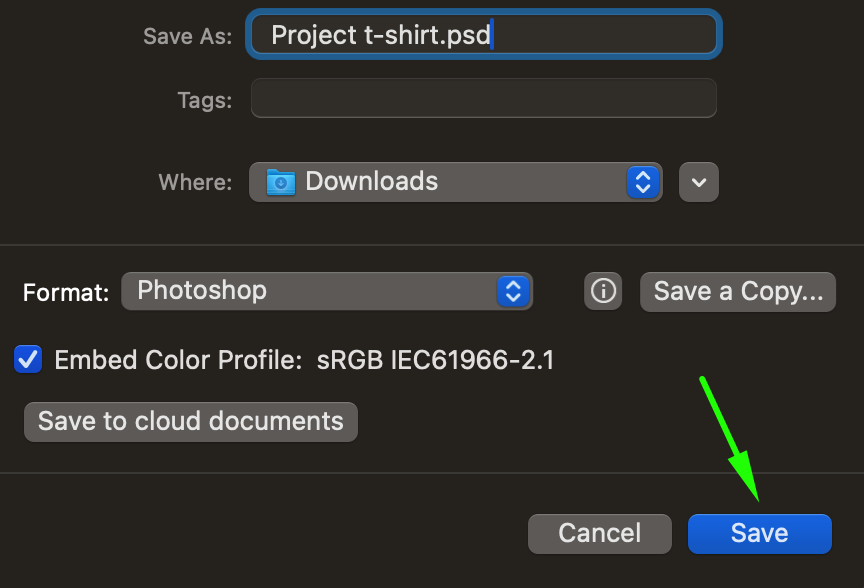
Once you’ve organized your layers, it’s time to save the Photoshop file in the correct format. Go to the File menu and choose Save As. In the dialog box, select Photoshop as the file format. Name your file appropriately, choose the destination folder, and click Save. This step ensures that all the layers remain editable when imported into After Effects.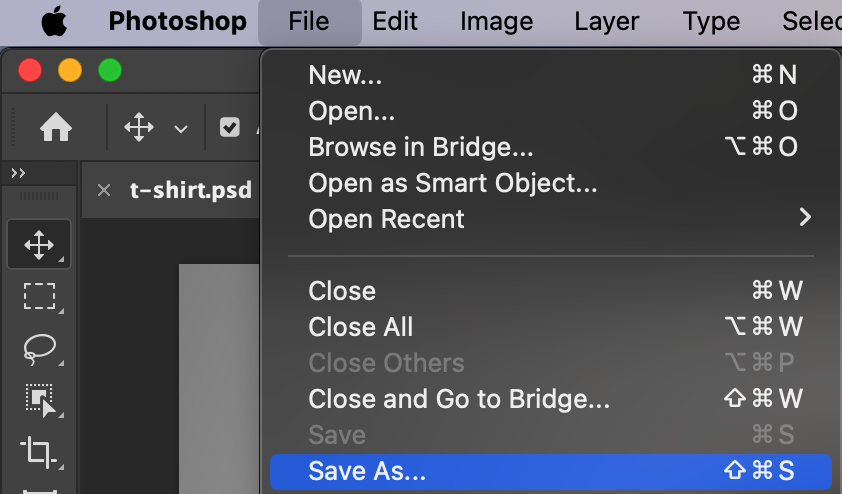
 Step 3: Import the Photoshop File into After Effects
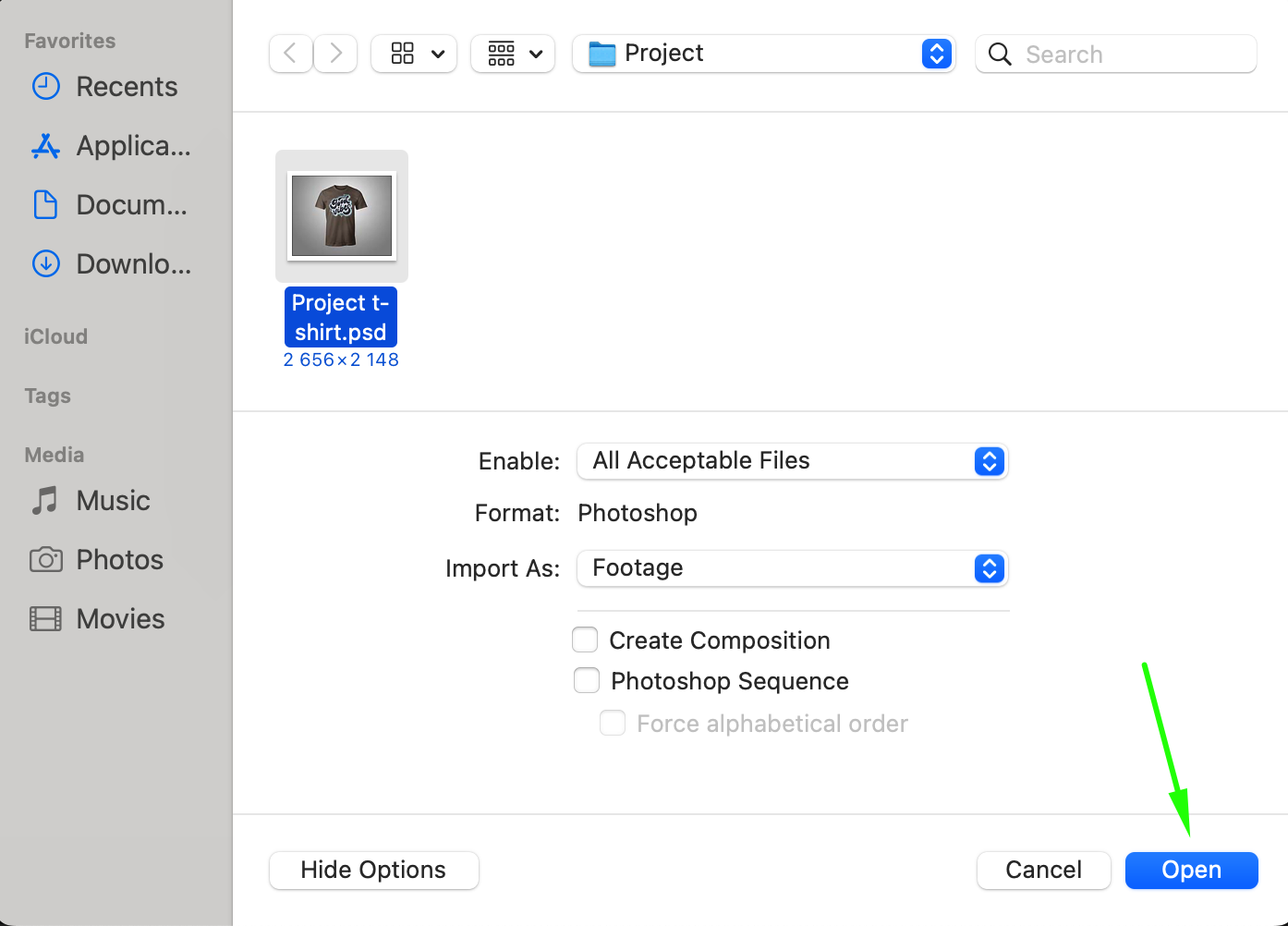
Now, switch over to After Effects. To import your Photoshop file, go to the File menu, then select Import > File. In the file browser window, locate your saved Photoshop file and click Open. This will bring your file into After Effects, ready for further editing and animation.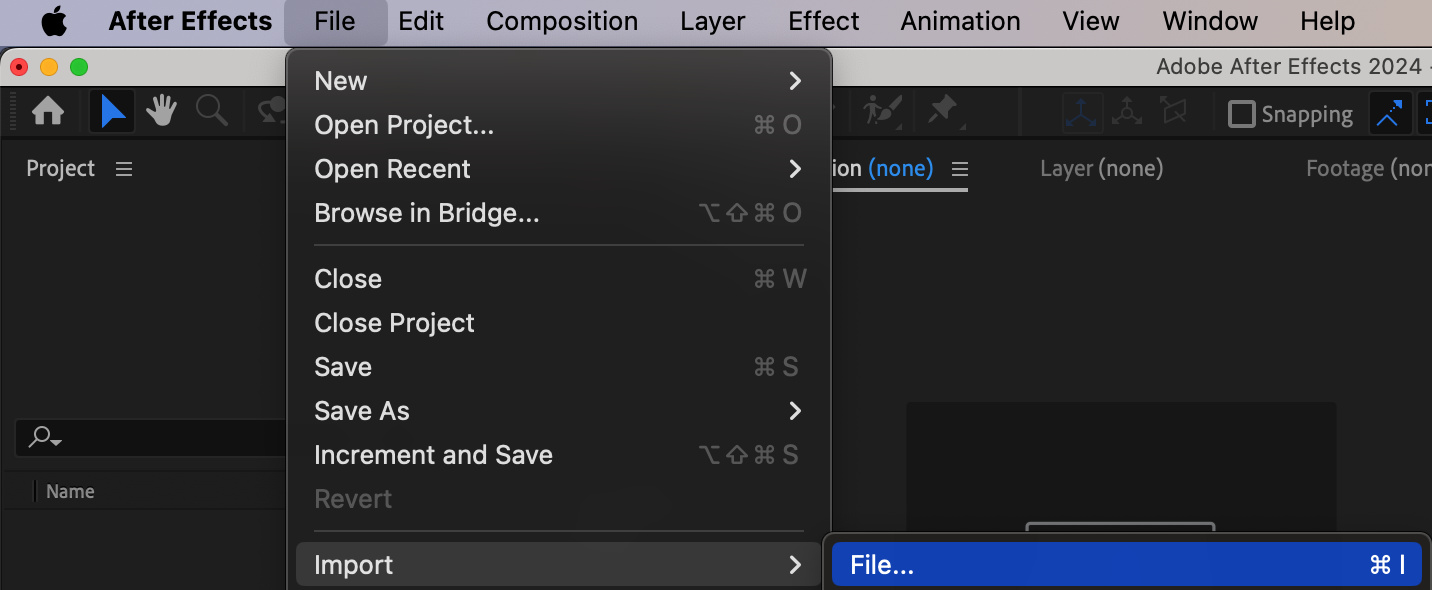
 Step 4: Choose Import Settings for Photoshop Layers
After selecting your file, an import settings dialog box will appear. For Import Kind, choose Composition – Retain Layer Sizes to ensure each layer remains in its original size. Under Layer Options, select Editable Layer Styles to keep all layer styles from Photoshop editable within After Effects. This allows for flexibility when adjusting or animating your layers.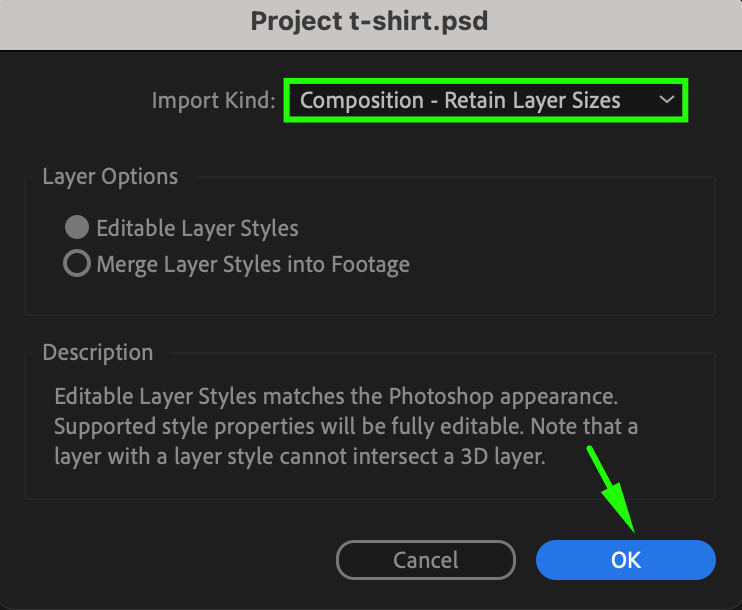 Step 5: Open the Imported Composition in After Effects
Once imported, your Photoshop file will appear as a composition in After Effects. Double-click the composition to view all your Photoshop layers, now available in the Timeline panel. You can begin working on these layers, apply animations, or make any necessary changes. Since the layers have been preserved, you can directly start customizing or animating them.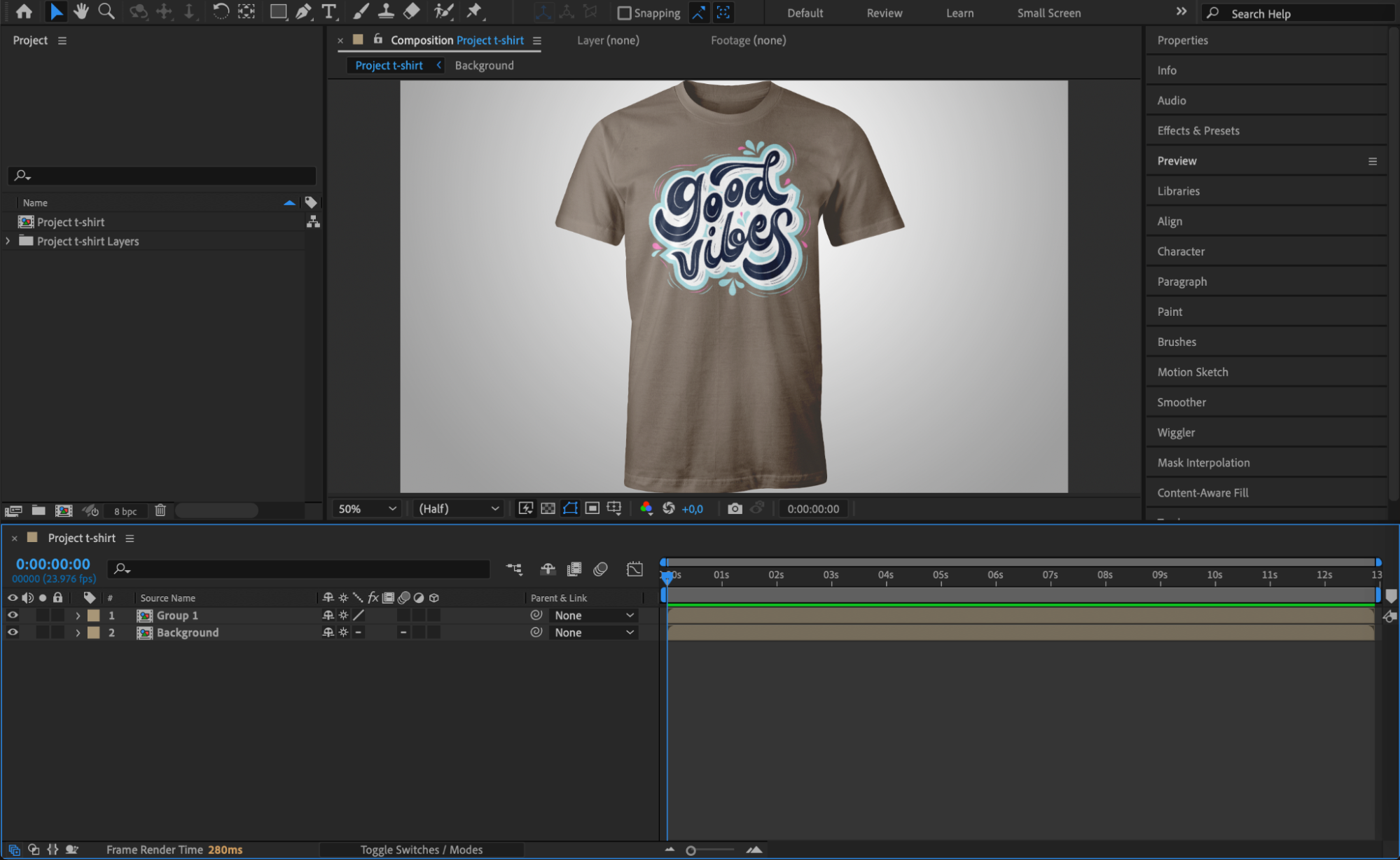
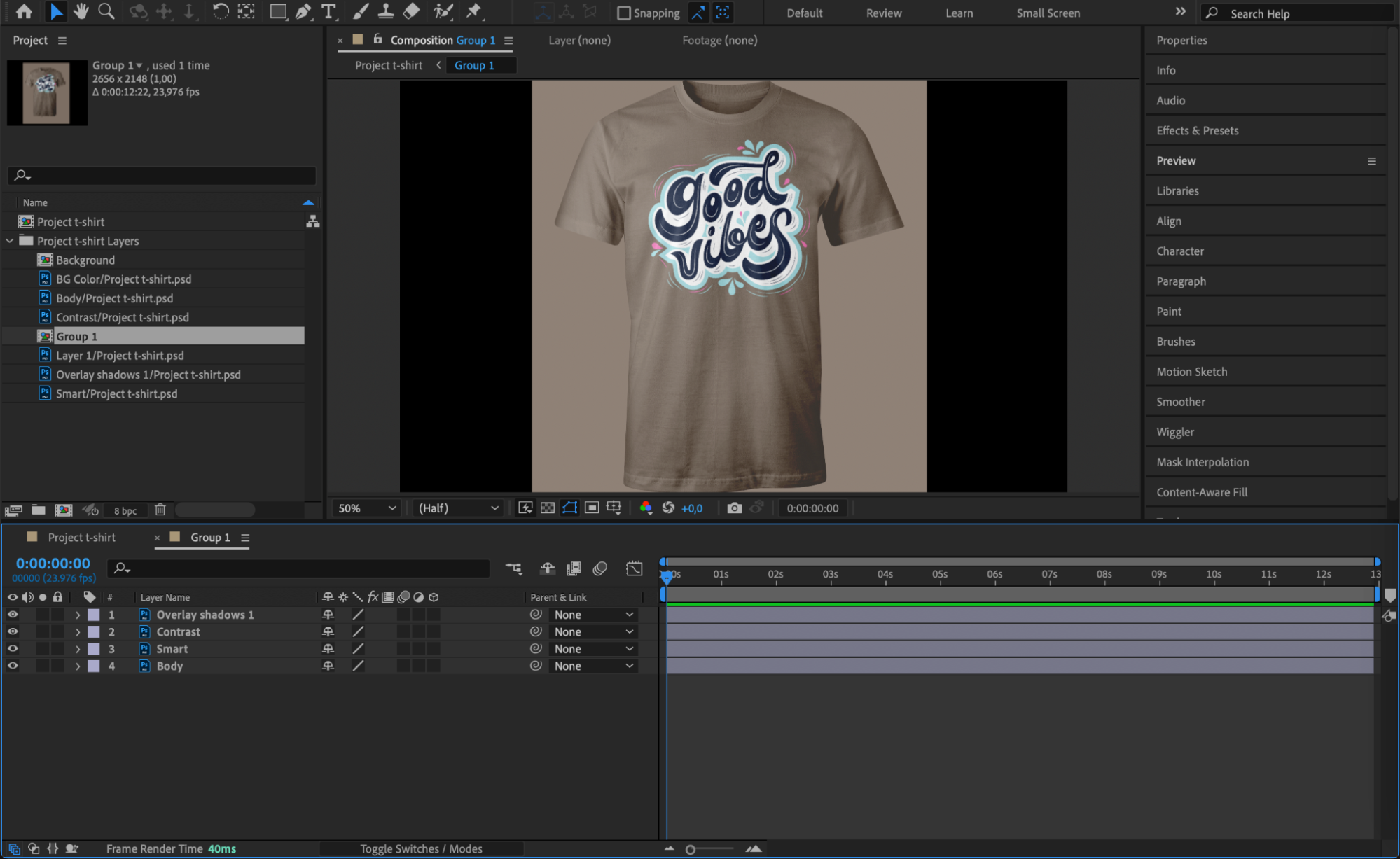 Step 6: Customize Layers and Apply Effects
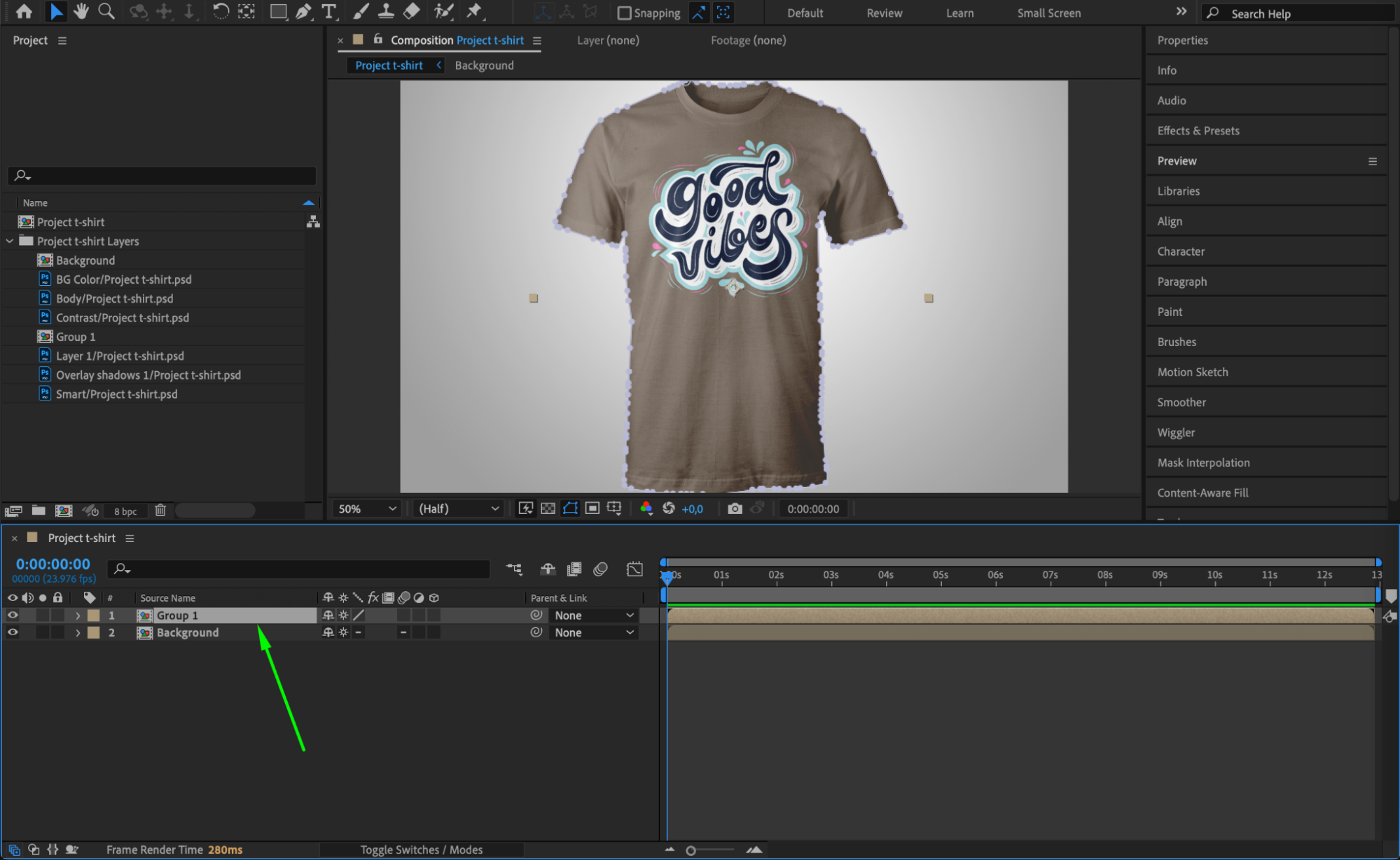
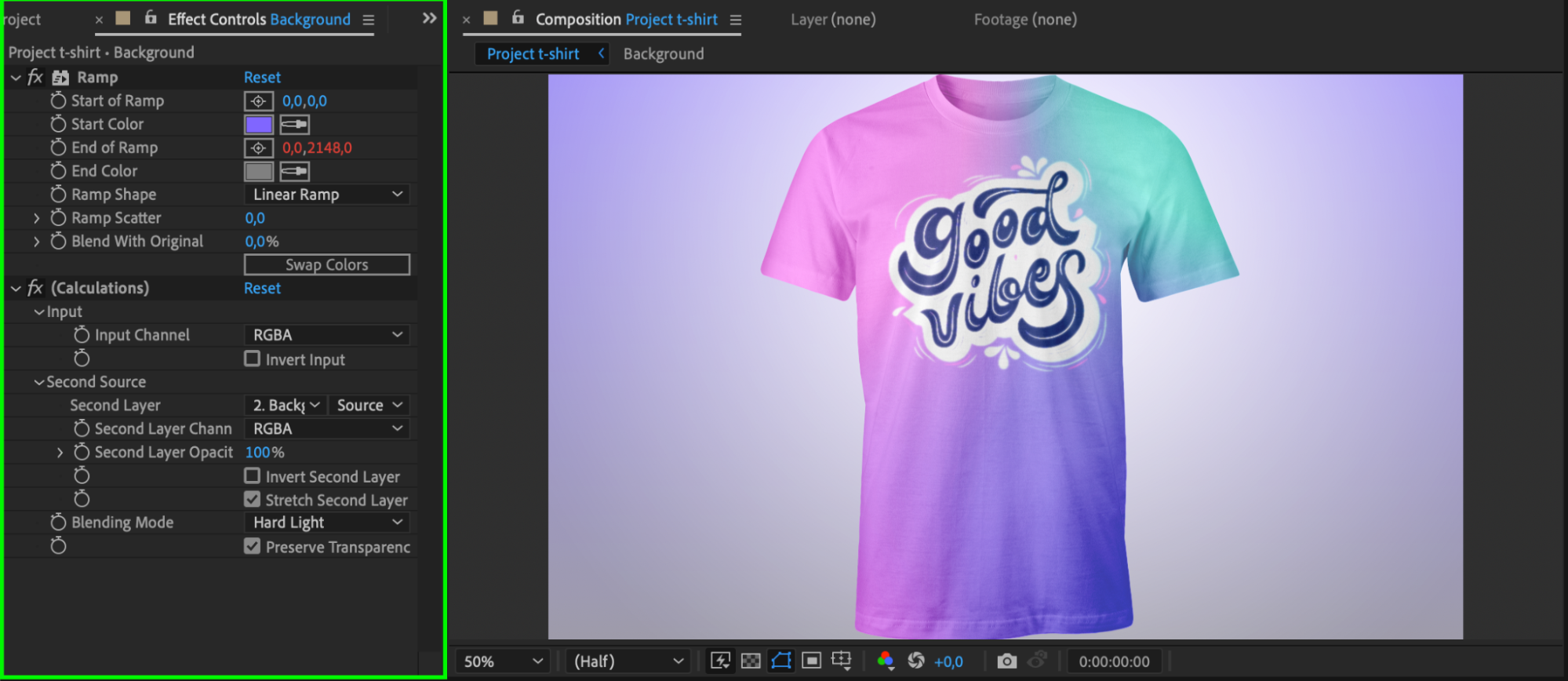
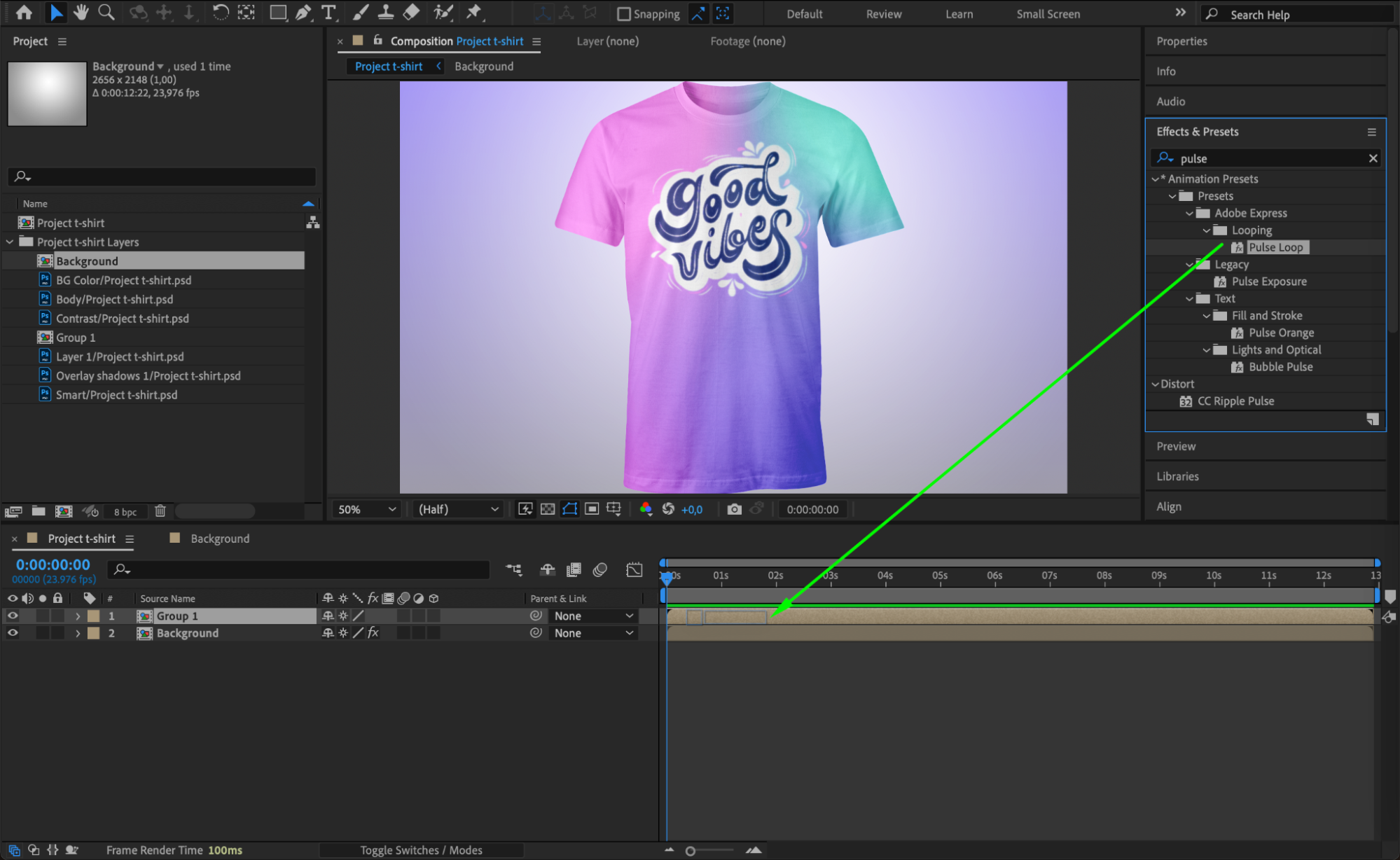
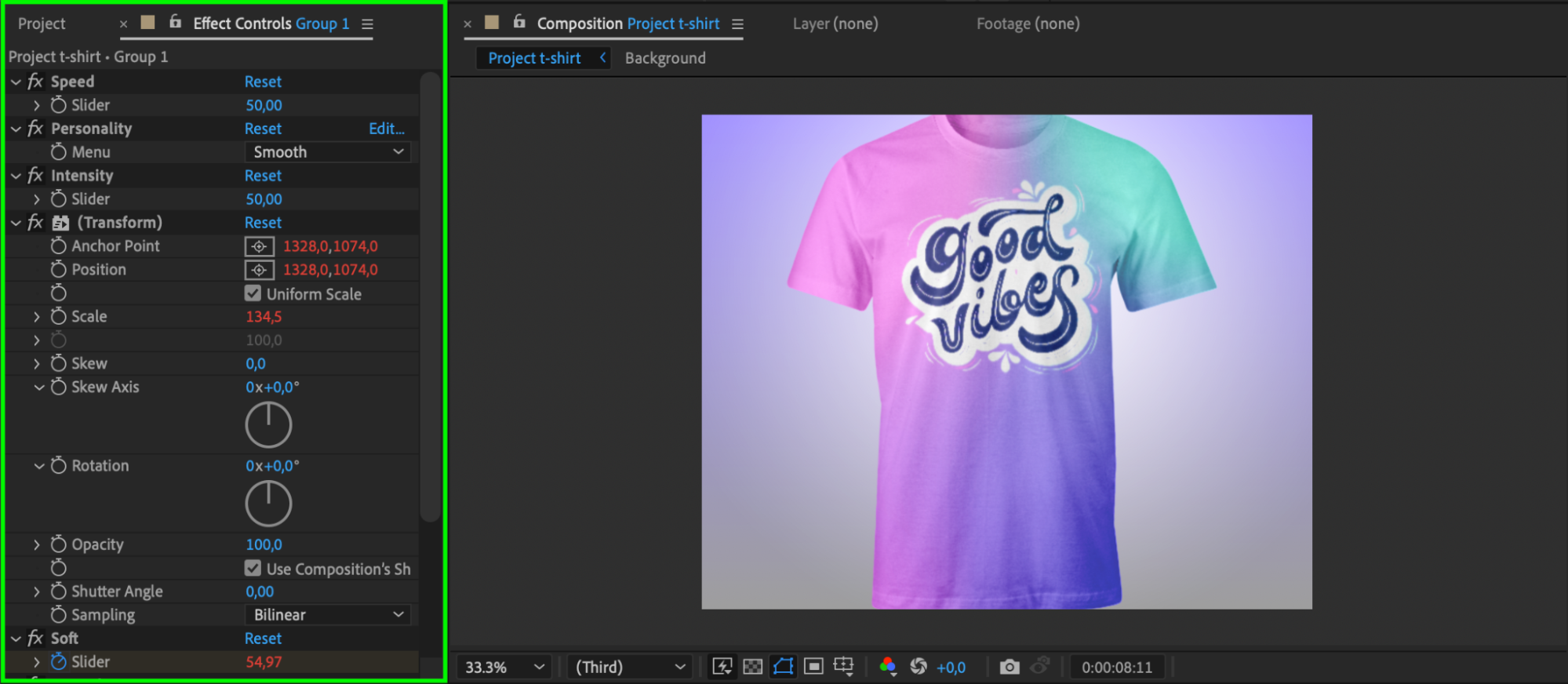
With your layers properly linked, you can now begin the creative process. Use the Effects & Presets panel to apply effects and animations to your layers. Since the layers are still editable, you can fine-tune their appearance or add dynamic motion to suit your project. This step allows you to enhance the visuals and ensure that each element fits your intended design.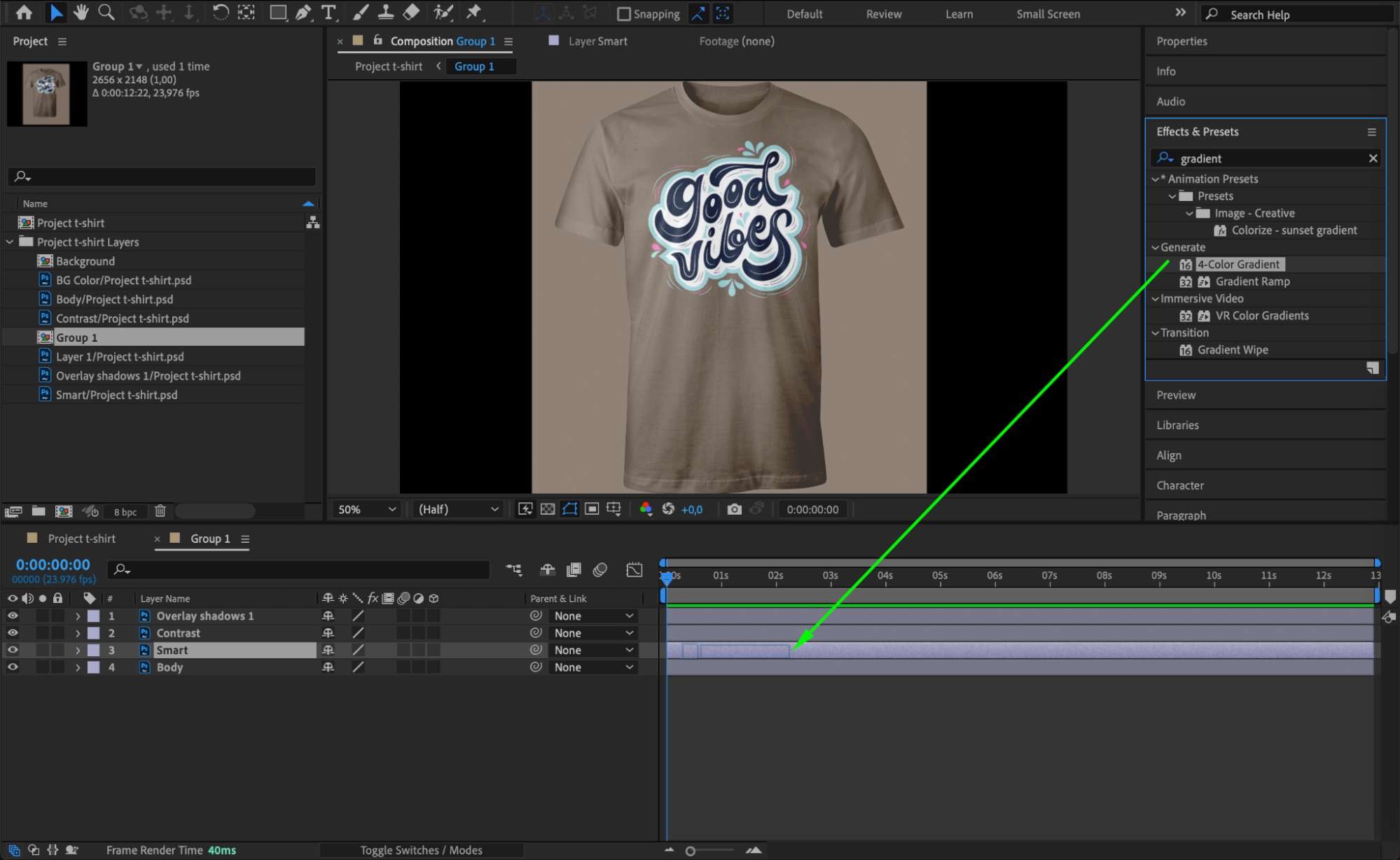
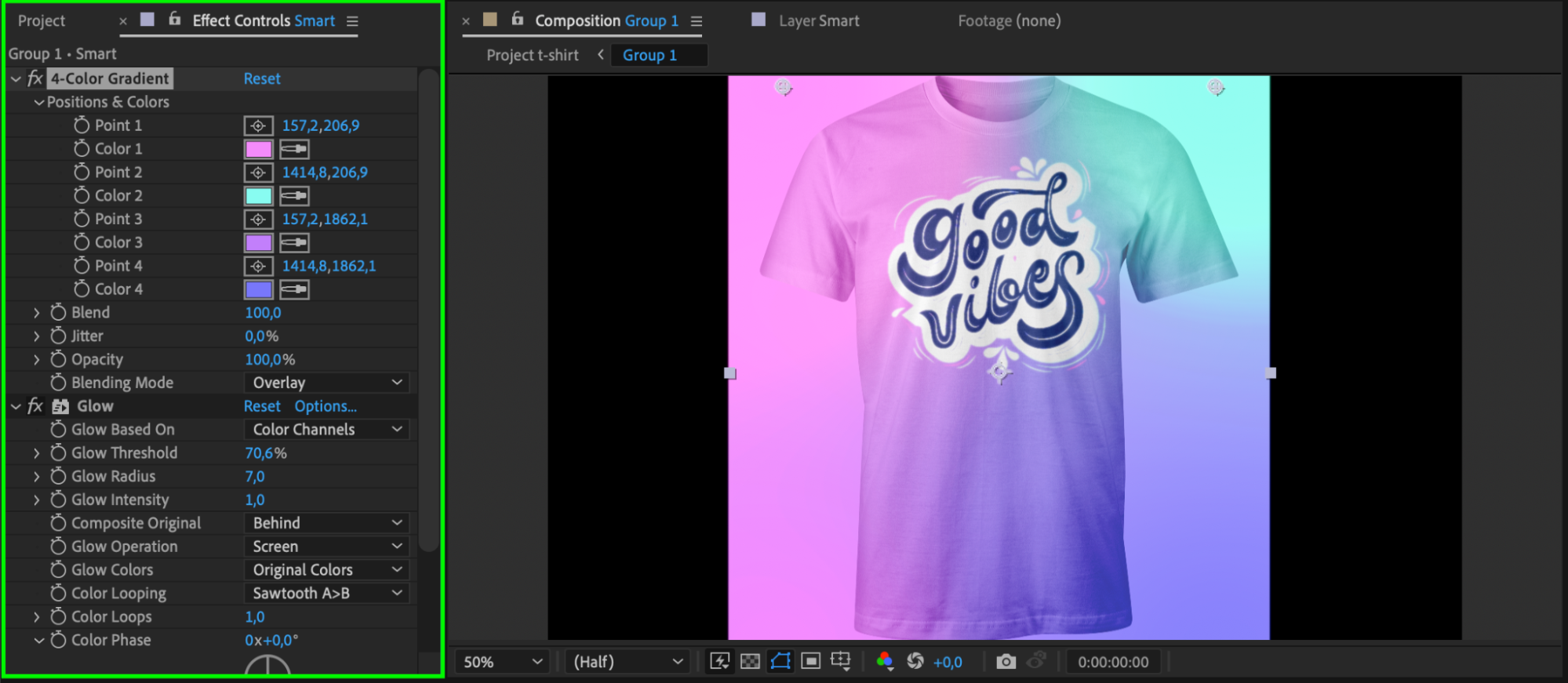
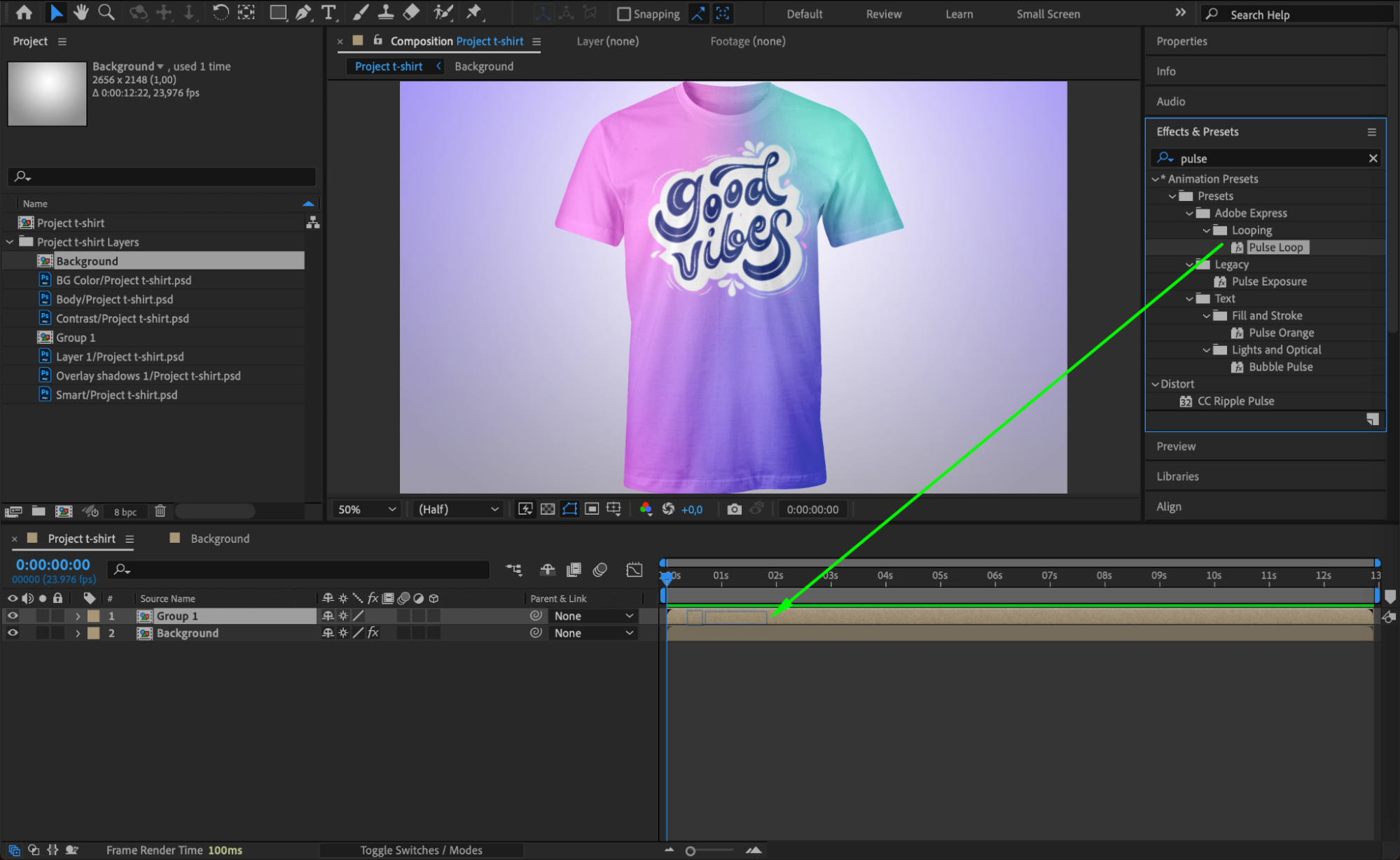
Step 7: Preview Your Work
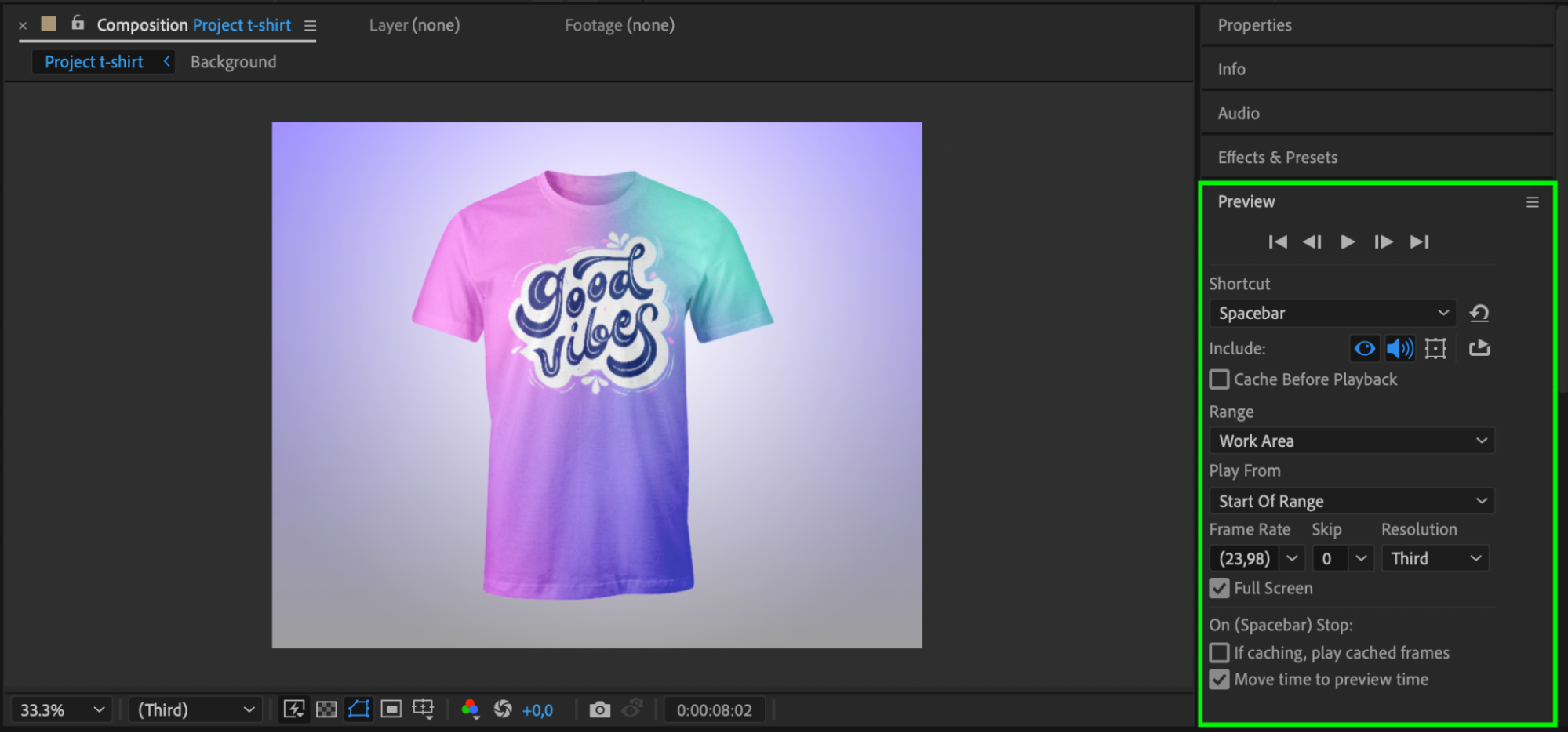
Before finalizing, it’s always a good idea to preview your project. Press the spacebar to view your composition in real-time. Make sure everything looks good, and the layers are functioning as expected. If any adjustments are needed, you can go back and fine-tune the layers or effects as necessary.
Conclusion
By following this step-by-step guide, you can easily relink your Photoshop layers in After Effects, ensuring that all elements remain editable and functional. No more wasting time manually reconnecting layers – this process allows you to maintain an efficient workflow and focus on the creative side of your project. With the right techniques, you can seamlessly integrate Photoshop and After Effects to take your designs to the next level!
Our Bestsellers
Our Bestsellers


