
Fixing Color Banding in Gradients and Dark Scenes in After Effects
Introduction
Color banding happens when smooth color transitions turn into visible lines or steps, especially in gradients or dark color combinations. This issue is common when working with effects like Gradient Ramp, and it can reduce the visual quality of your work. In this guide, you’ll learn how to remove or reduce banding artifacts in After Effects using several easy and effective methods.
Step 1: Use Ramp Scatter in Gradient Ramp
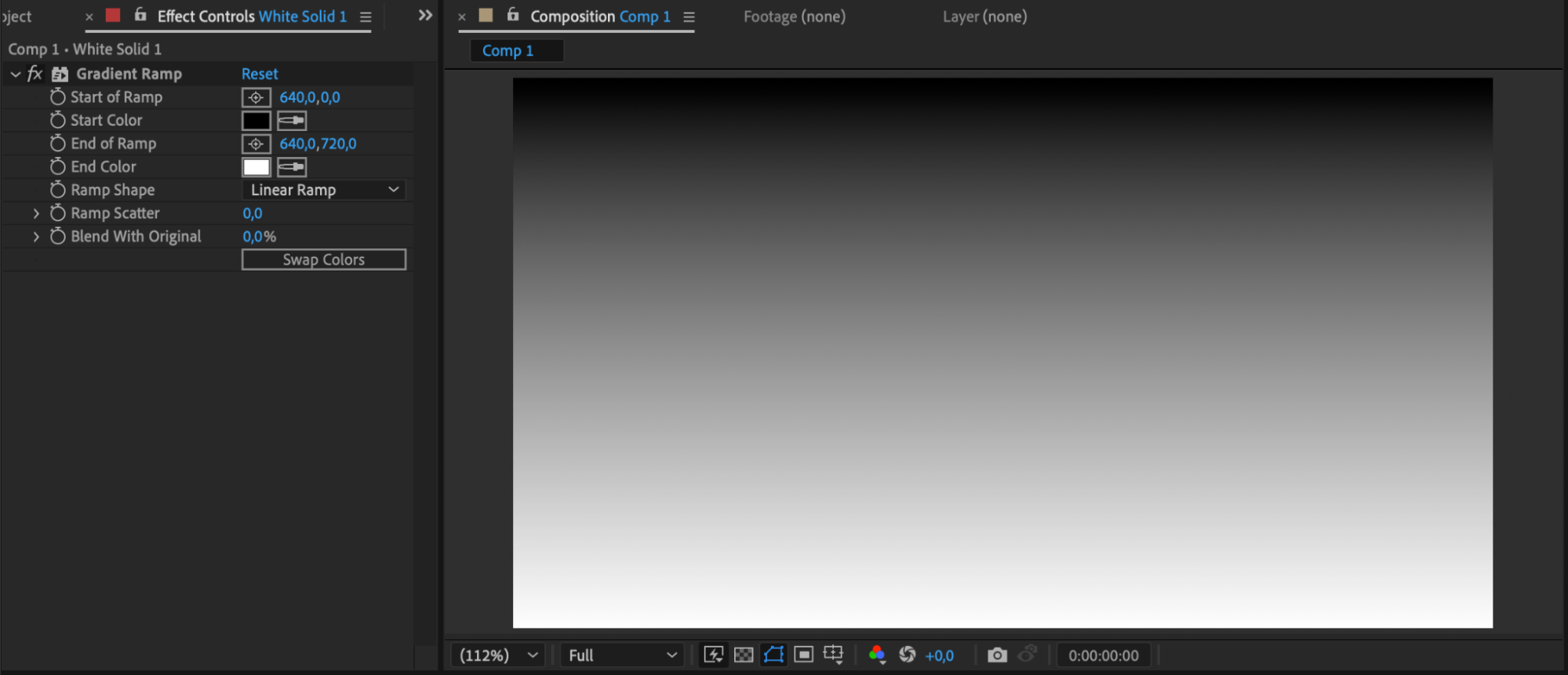
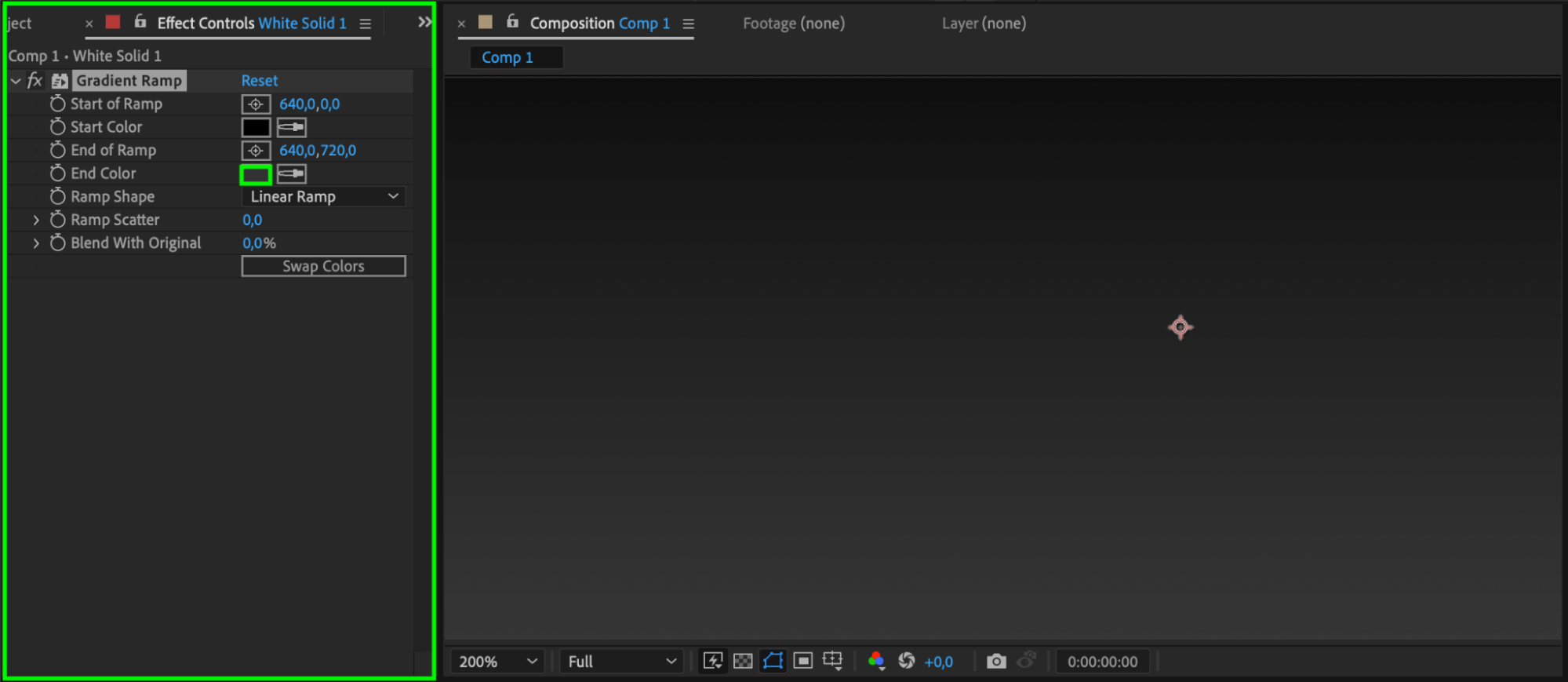
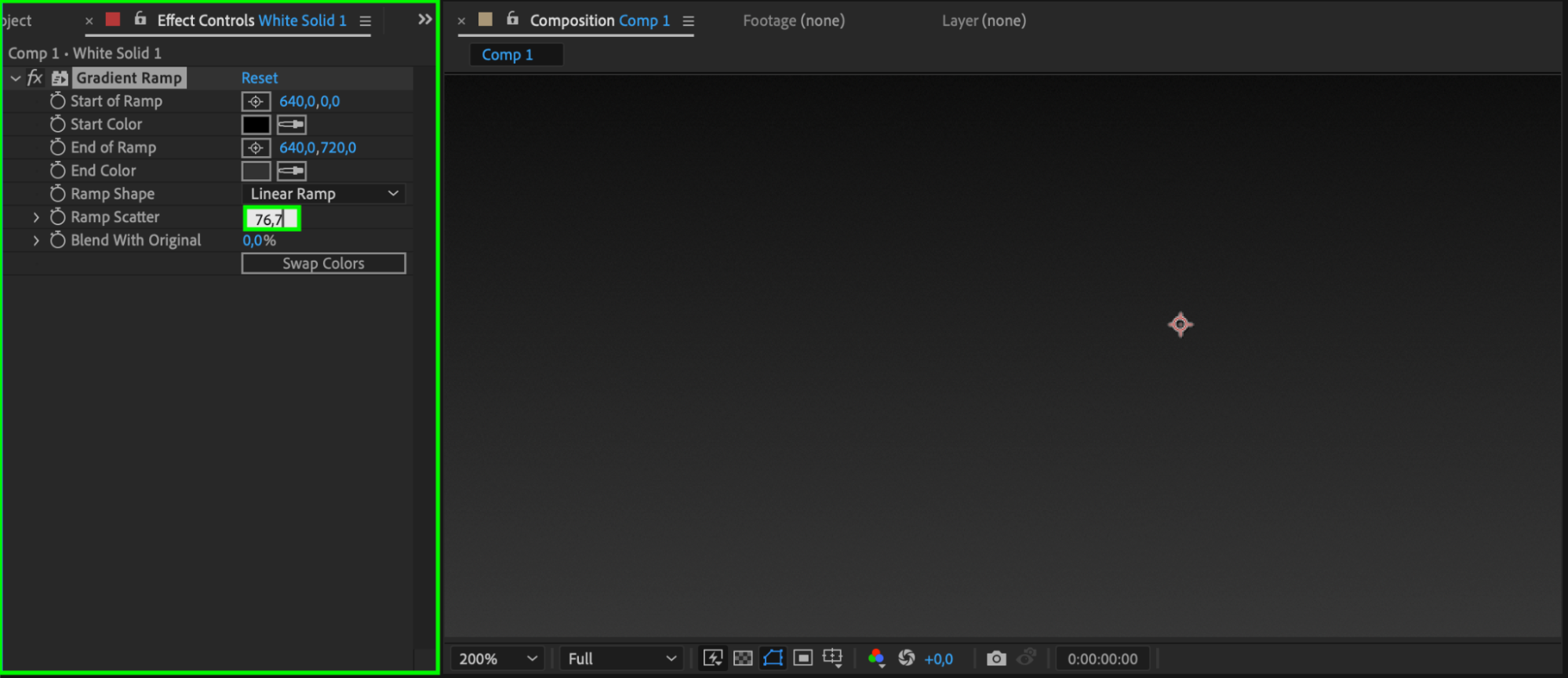
If you’re using the Gradient Ramp effect and your colors are very close (like black and dark gray), you may see unwanted banding lines. To reduce this, go to the Ramp Scatter setting in the Gradient Ramp effect and increase the value to around 76. This adds subtle noise to break up the bands and create a smoother transition.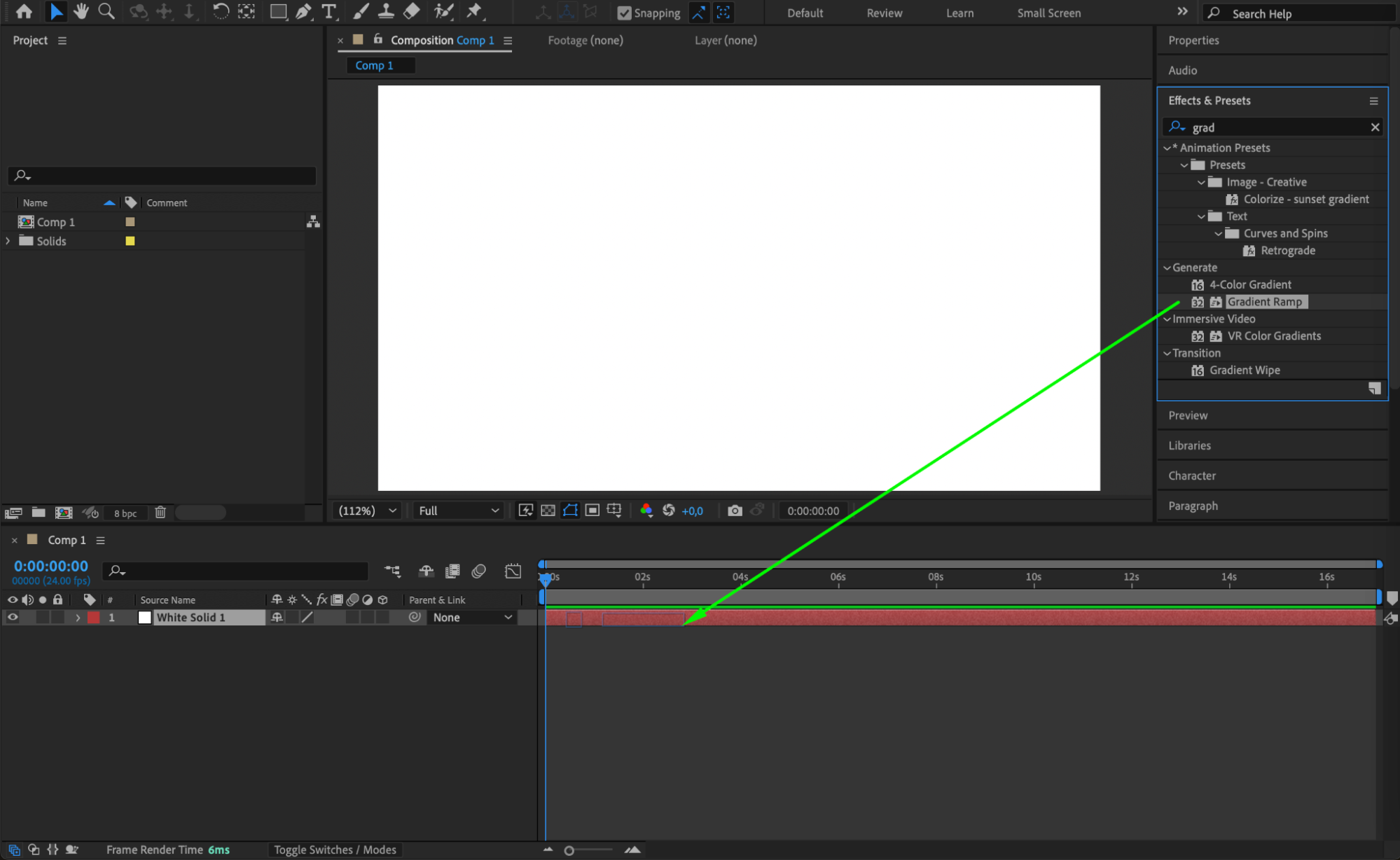
Step 2: Increase Project Bit Depth
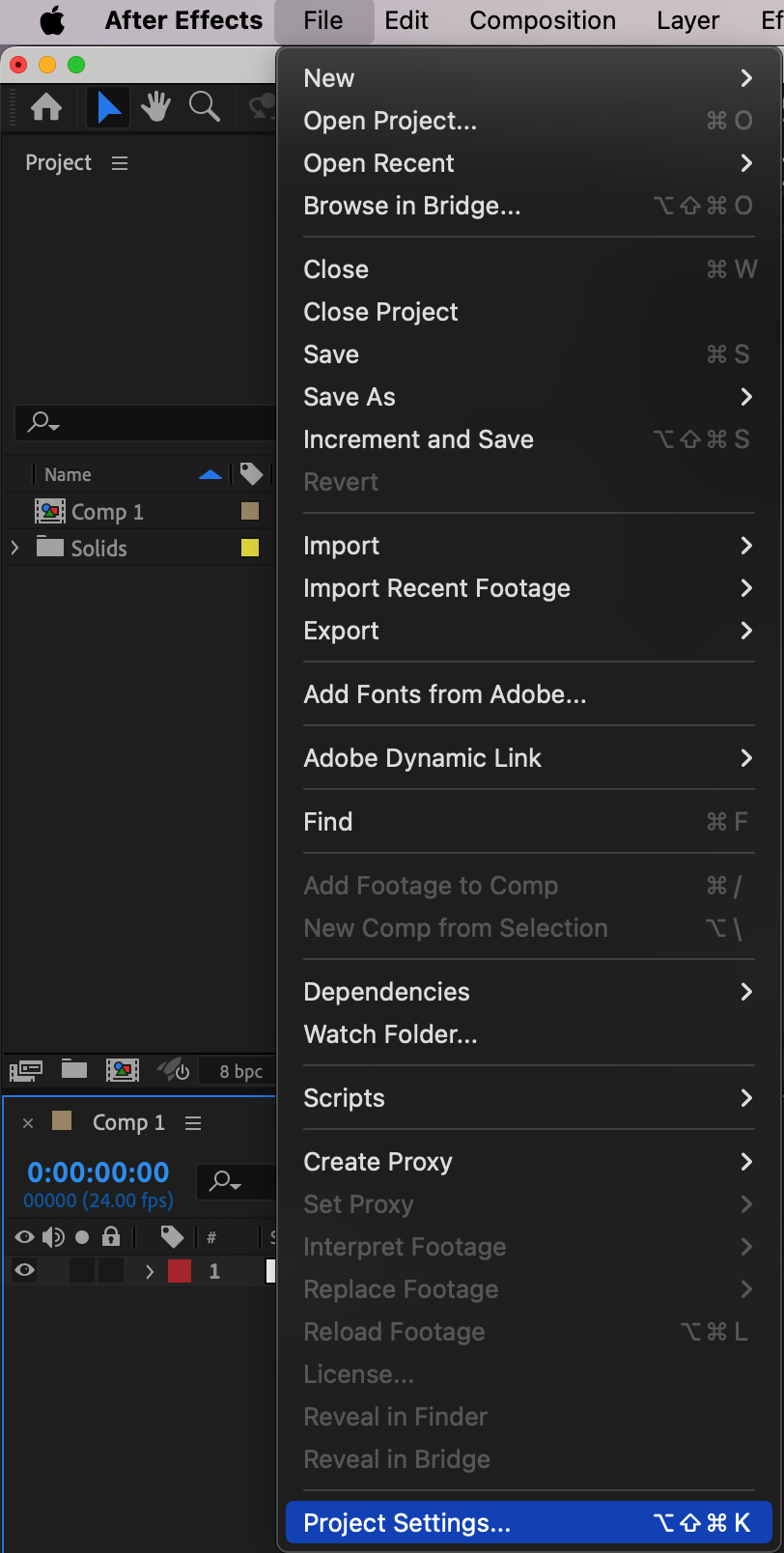
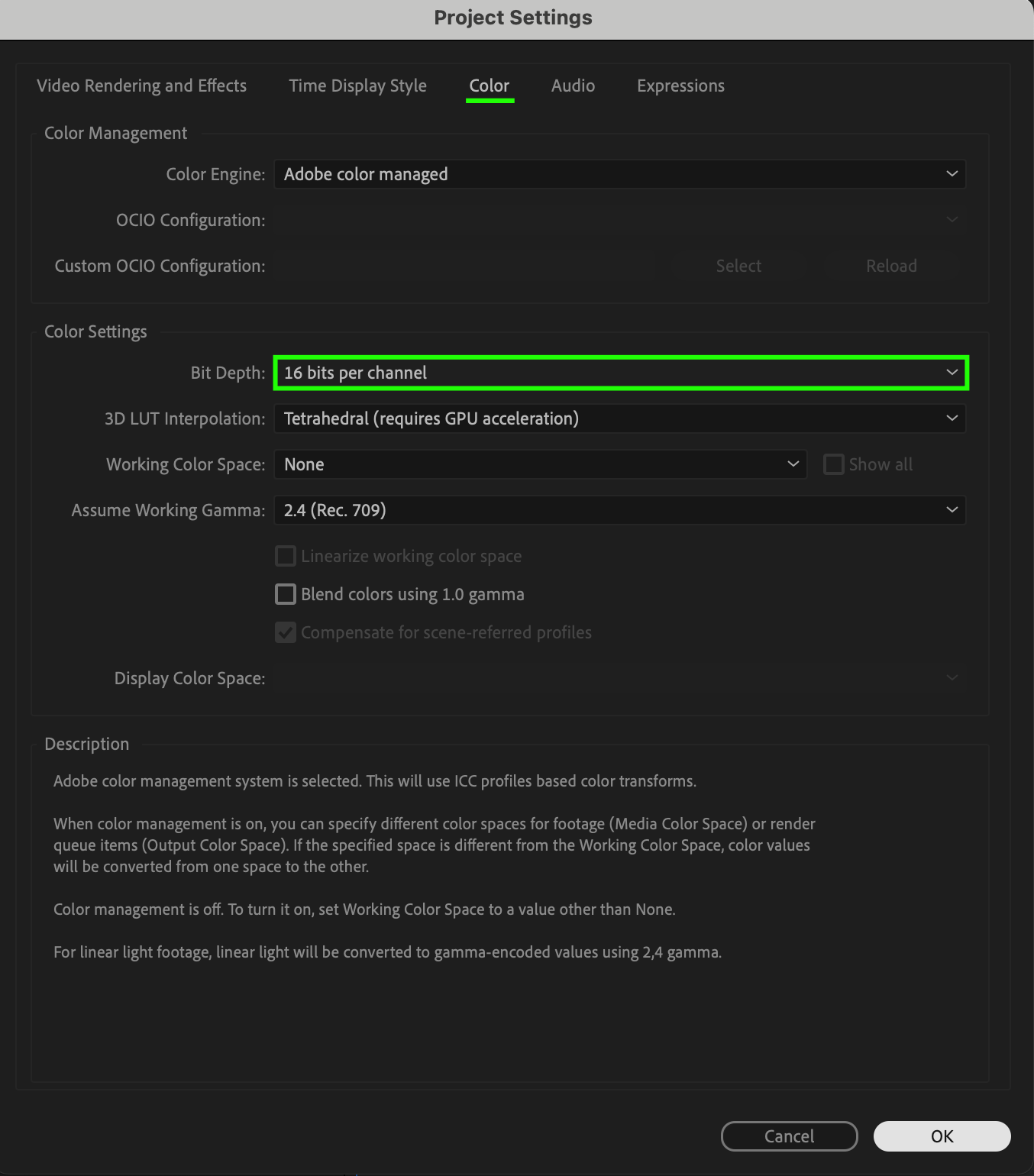
Go to File > Project Settings, then find the Depth setting and change it to 16 bits per channel or 32 bits per channel. Higher bit depth allows for smoother gradients and better color precision, which helps reduce banding across your project.
Step 3: Apply Noise Effect
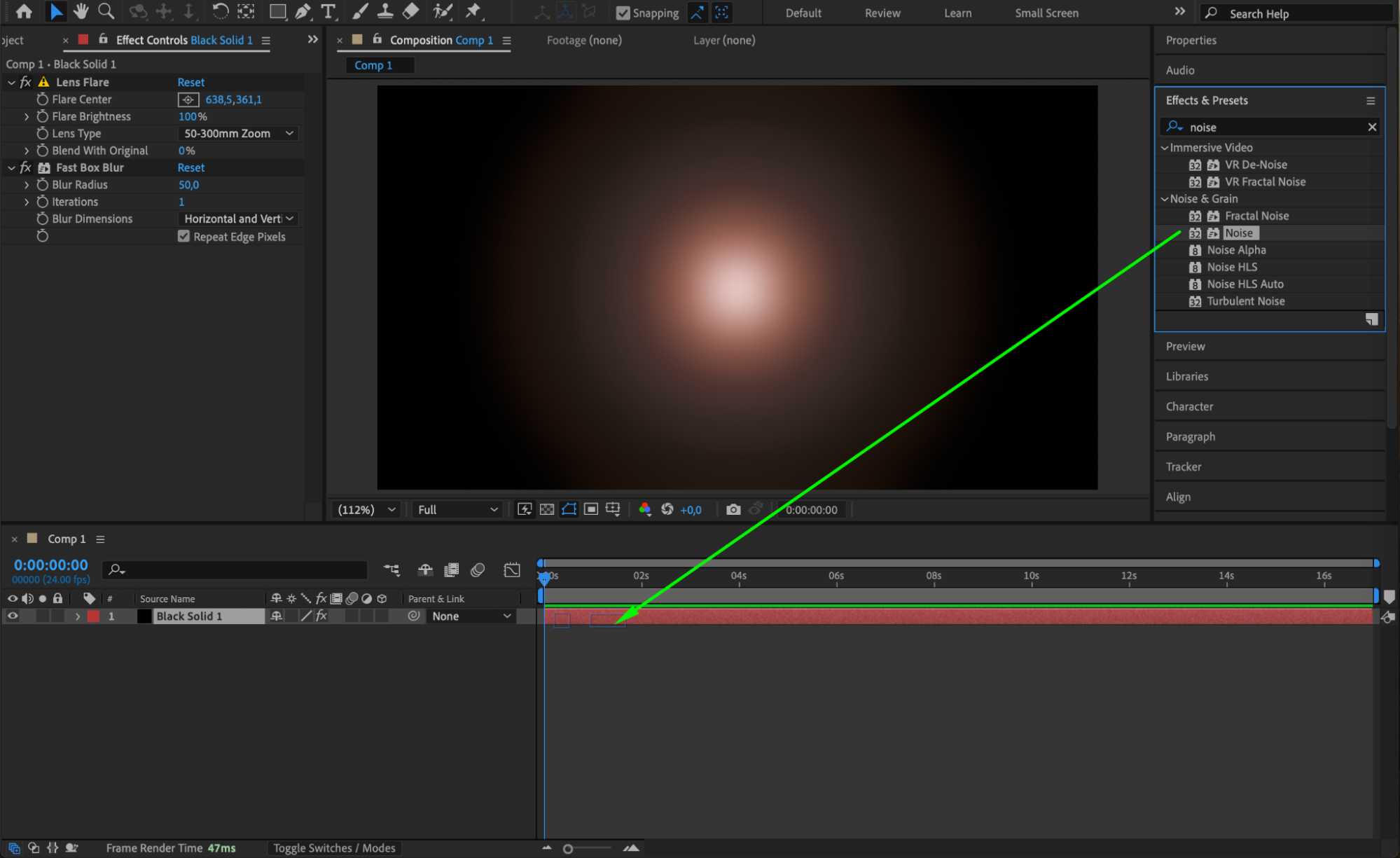
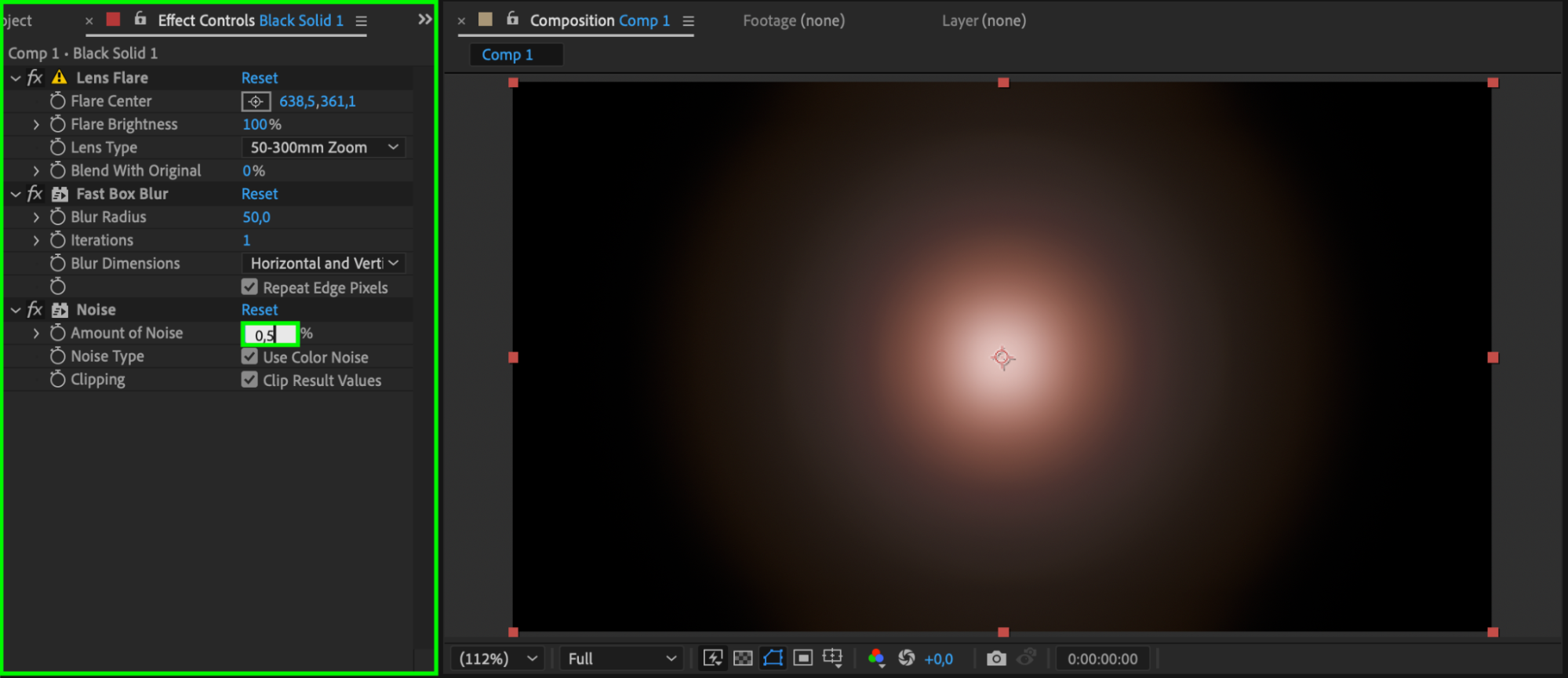
Another effective method is to add a small amount of noise. Go to the Effects & Presets panel and apply the Noise effect to your layer. Set the Amount of Noise to about 0.5%. Make sure Use Color Noise is enabled to prevent color artifacts. This technique helps mask the banding by introducing random pixel variation.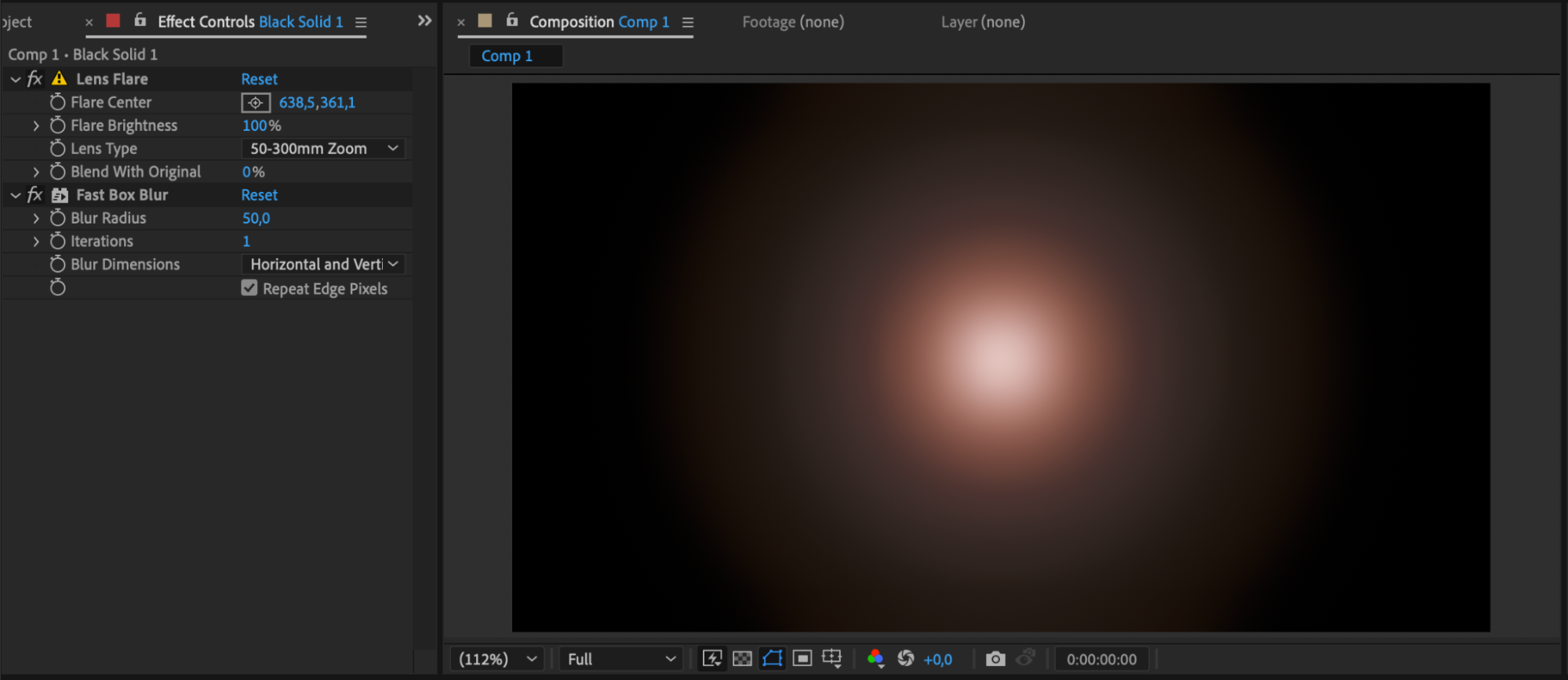
Step 4: Use Curves for Smoother Contrast
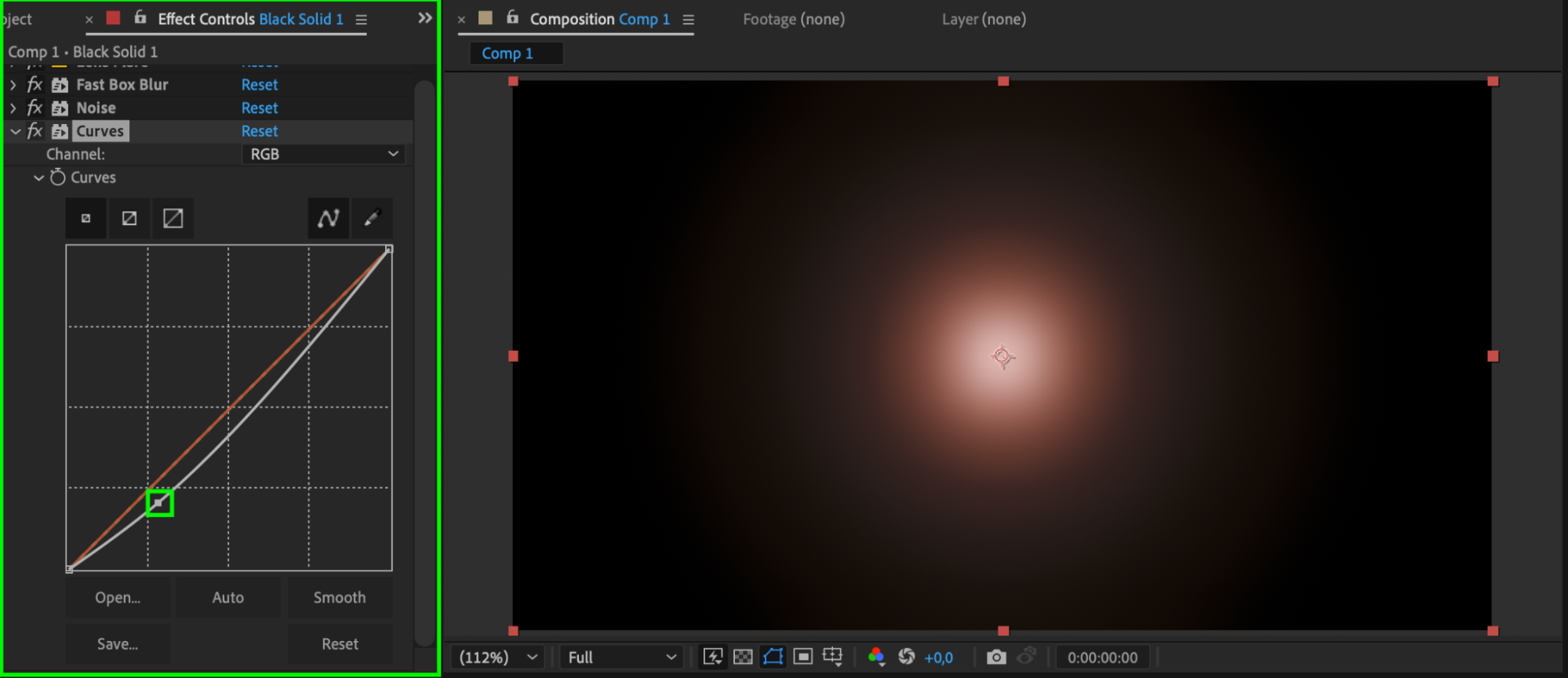
The Curves effect allows you to control contrast and brightness more smoothly than standard tools. By gently adjusting the curves, especially in the shadows or midtones, you can minimize sudden jumps in color that often lead to banding in dark areas.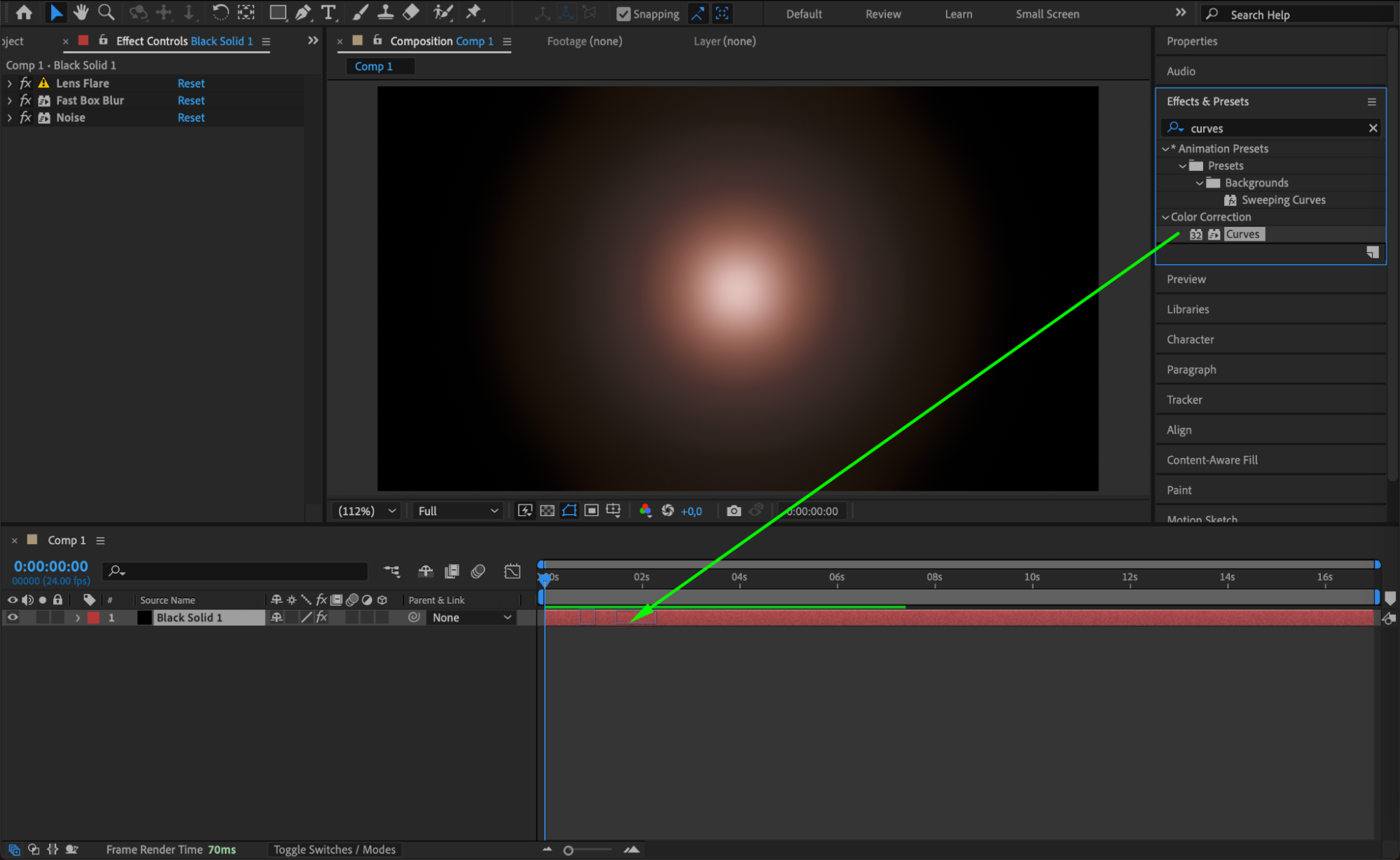
 Step 5: Add Grain for a Natural Look
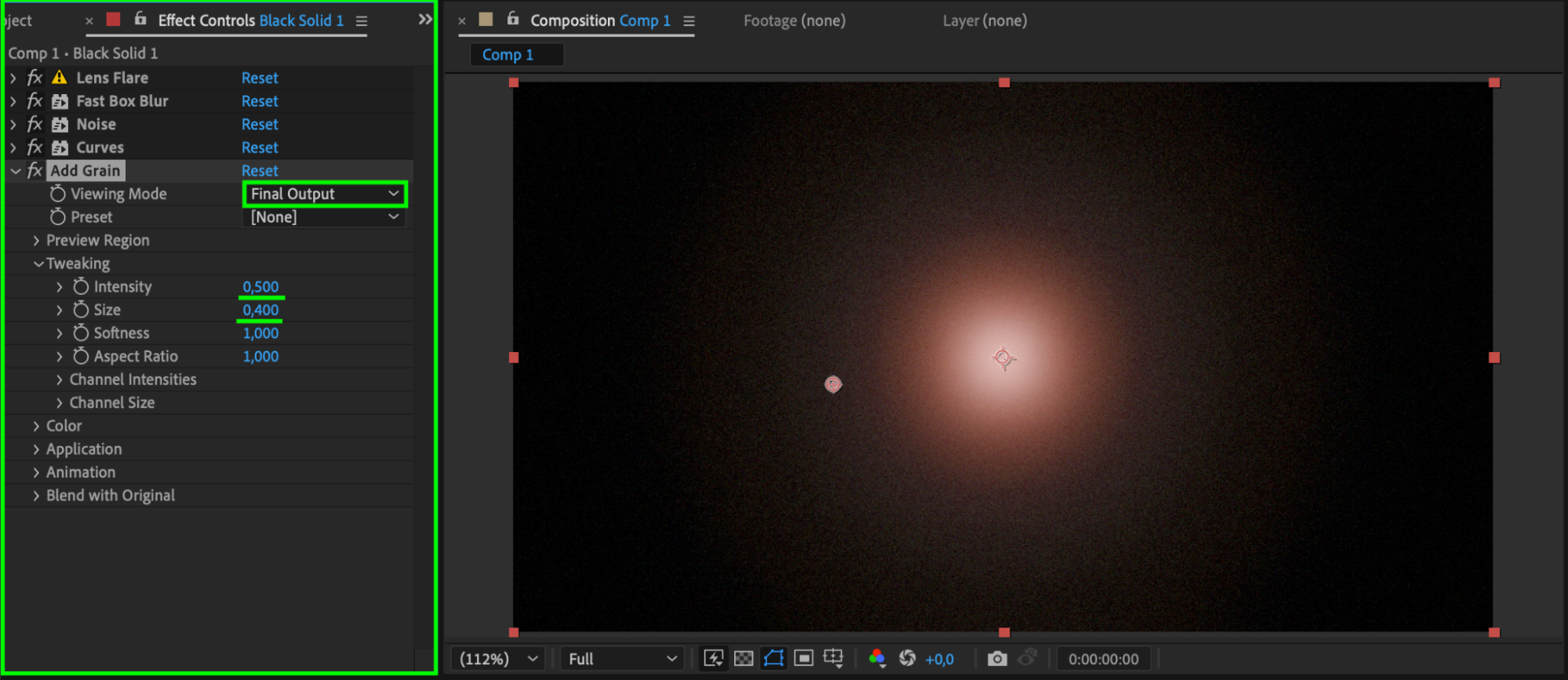
You can also apply the Add Grain effect from the Effects & Presets panel. This adds a film-like texture that hides color banding and adds depth to your visuals. Be sure to adjust the grain settings so it’s subtle and doesn’t overpower your design.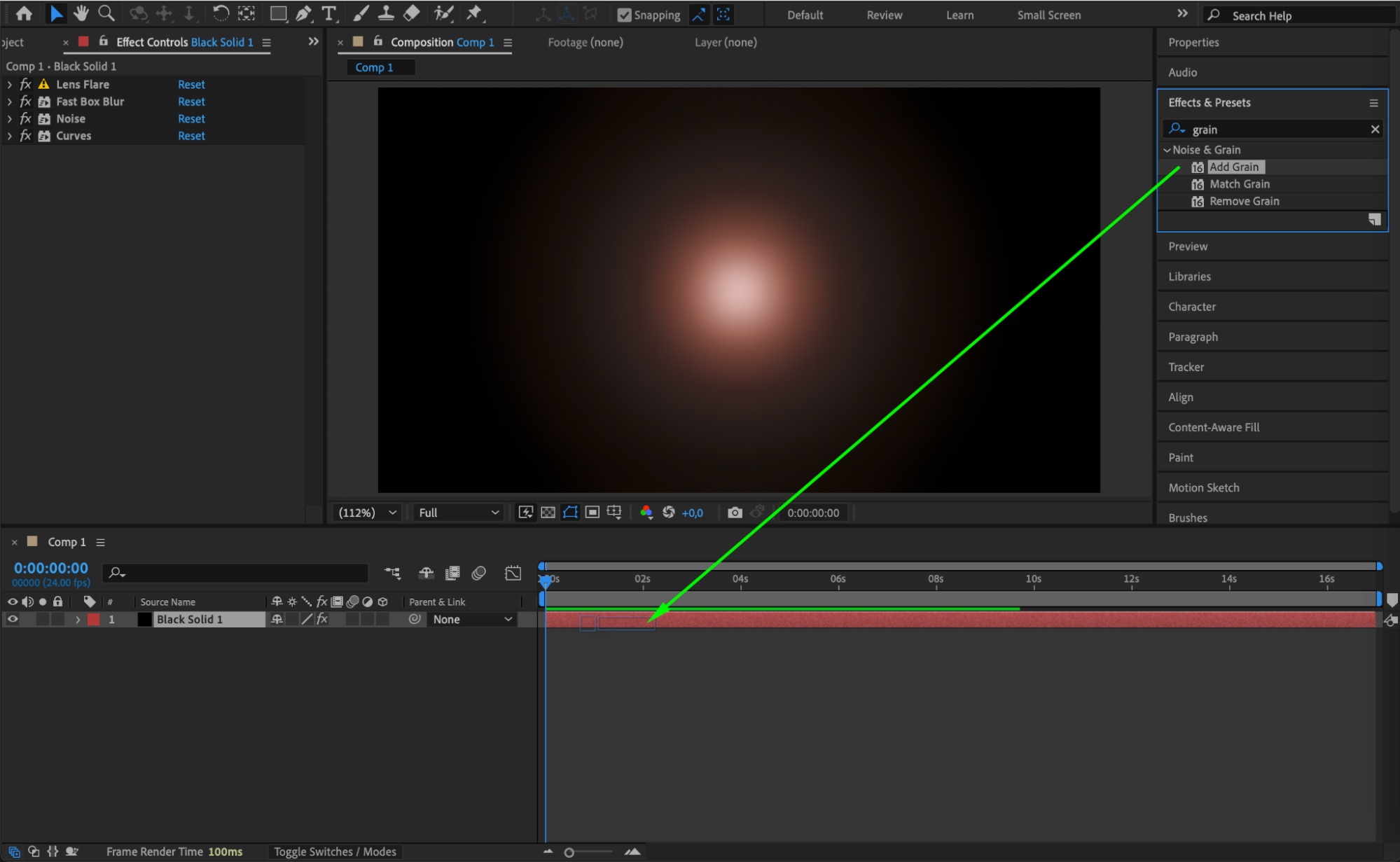
 Conclusion
Banding can seriously affect the quality of your video, especially in gradients and dark backgrounds. Fortunately, you can remove or reduce banding in After Effects by increasing bit depth, using ramp scatter, and applying effects like Noise, Curves, and Add Grain. With these techniques, your colors will look smoother and more professional, even in challenging scenes.
Our Bestsellers
Our Bestsellers


