
How to Reverse a Video Clip in Adobe After Effects
Introduction to Reversing a Video in After Effects
Reversing a video is a simple but powerful technique in Adobe After Effects that can add unique effects to your project. Whether you’re looking to create a cool visual rewind or need to reverse part of a video for storytelling purposes, this guide will walk you through the steps to reverse a video clip in After Effects.
Step 1: Import Your Video into After Effects
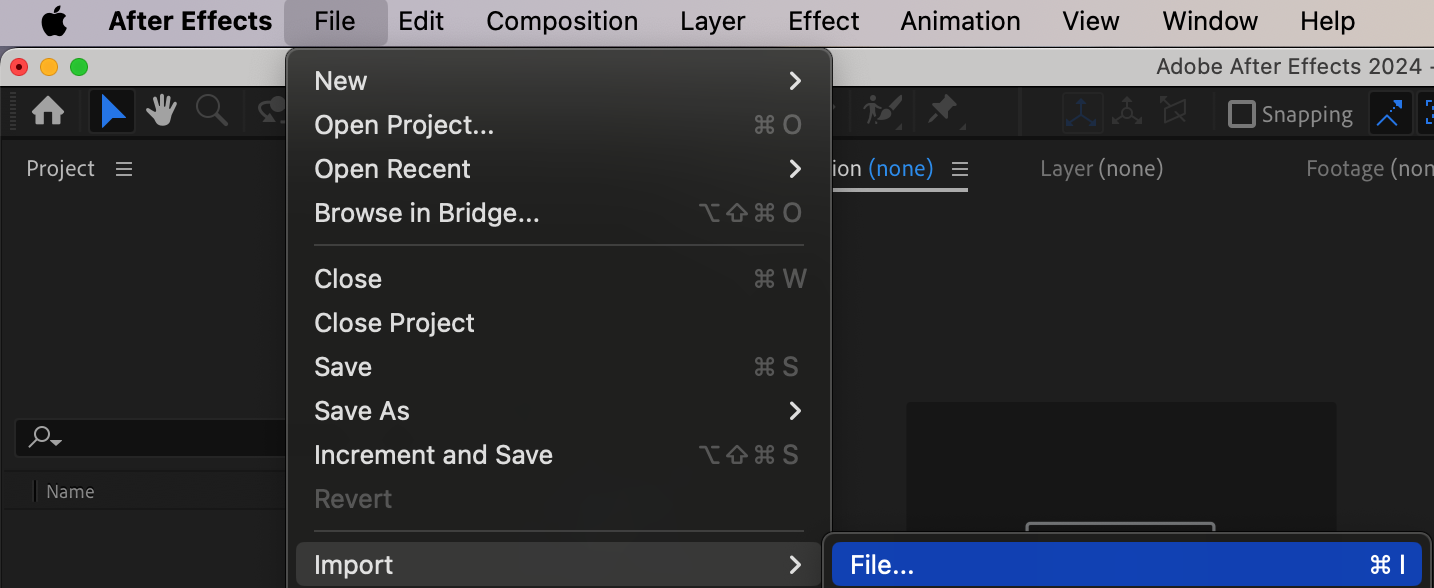
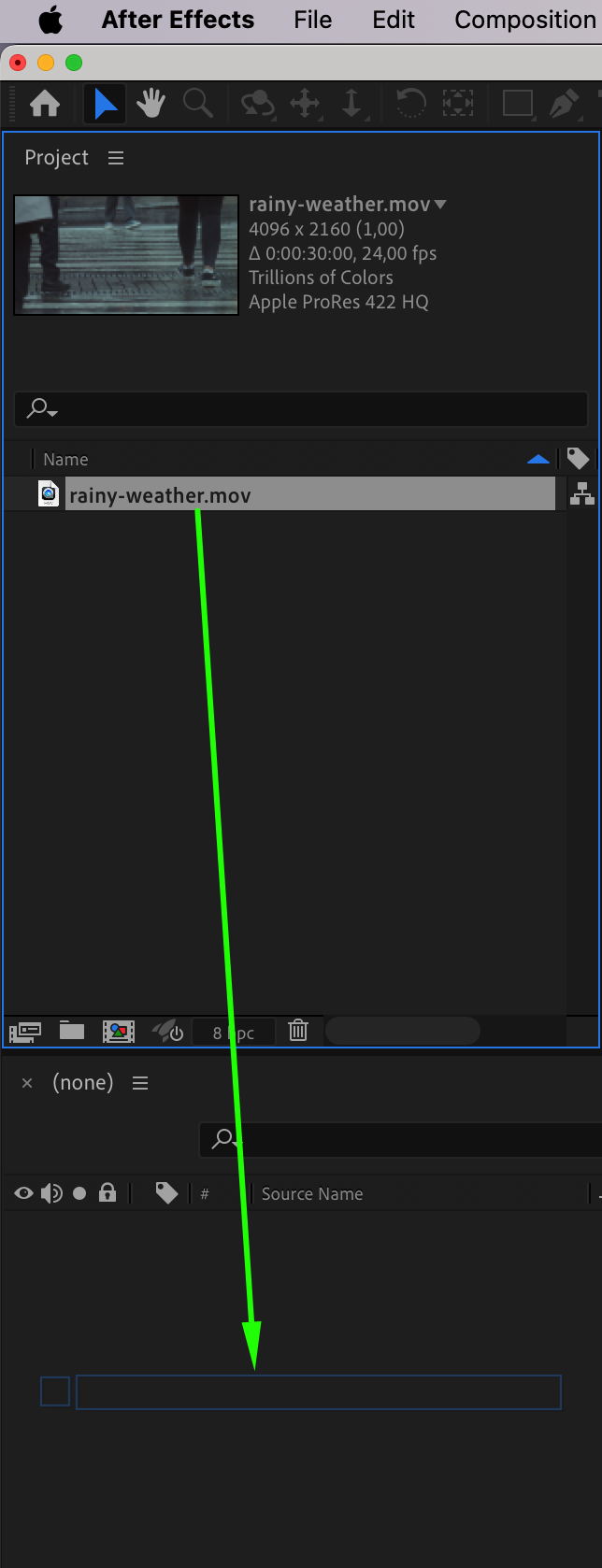
The first step is to import your video into After Effects. Open your project or create a new one, and then drag your video file into the Project Panel. From there, drag the video onto your Timeline to create a new composition or add it to an existing one. Ensure that your video is properly placed on the timeline before proceeding.
Step 2: Reverse Your Video Layer
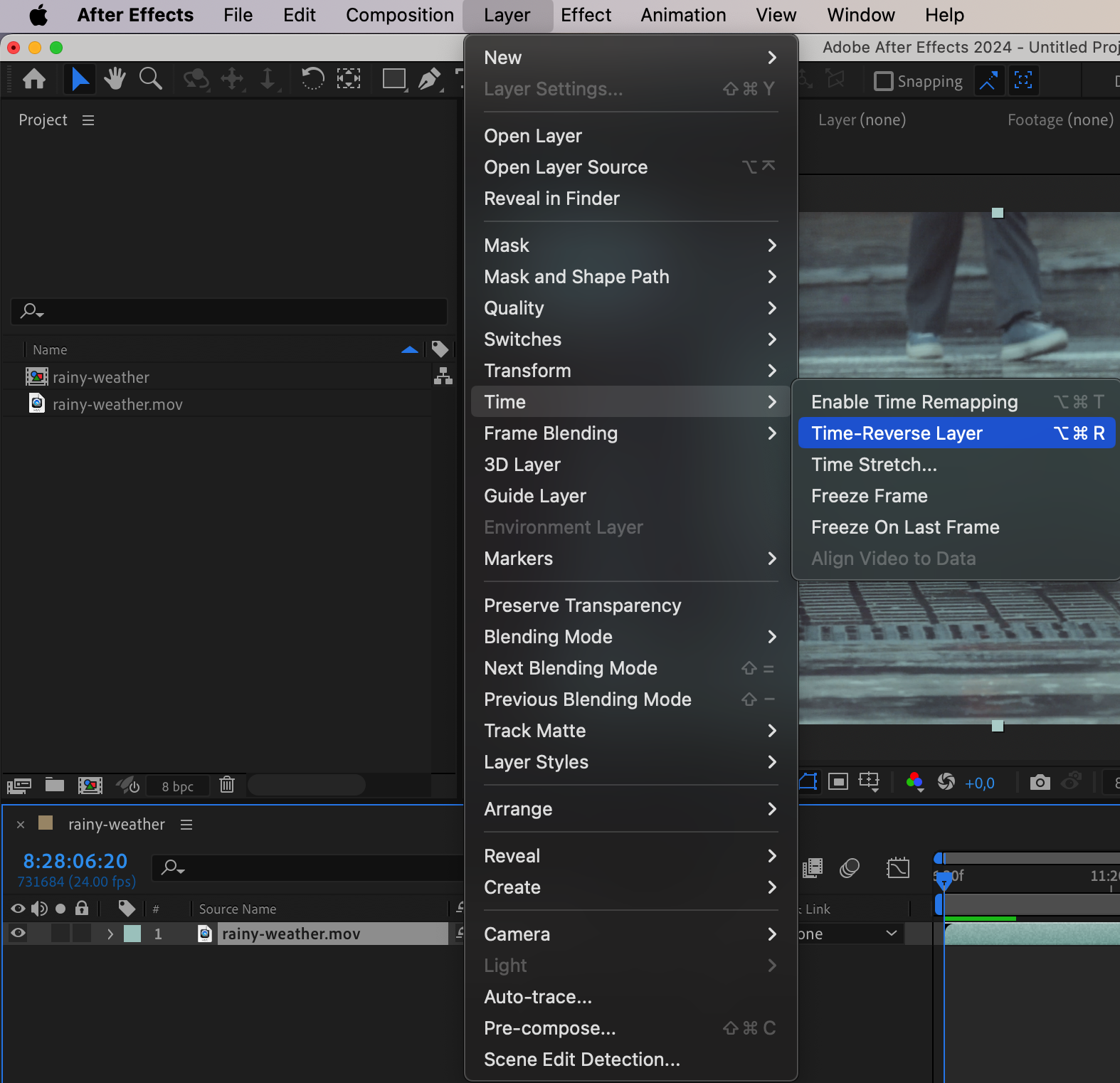
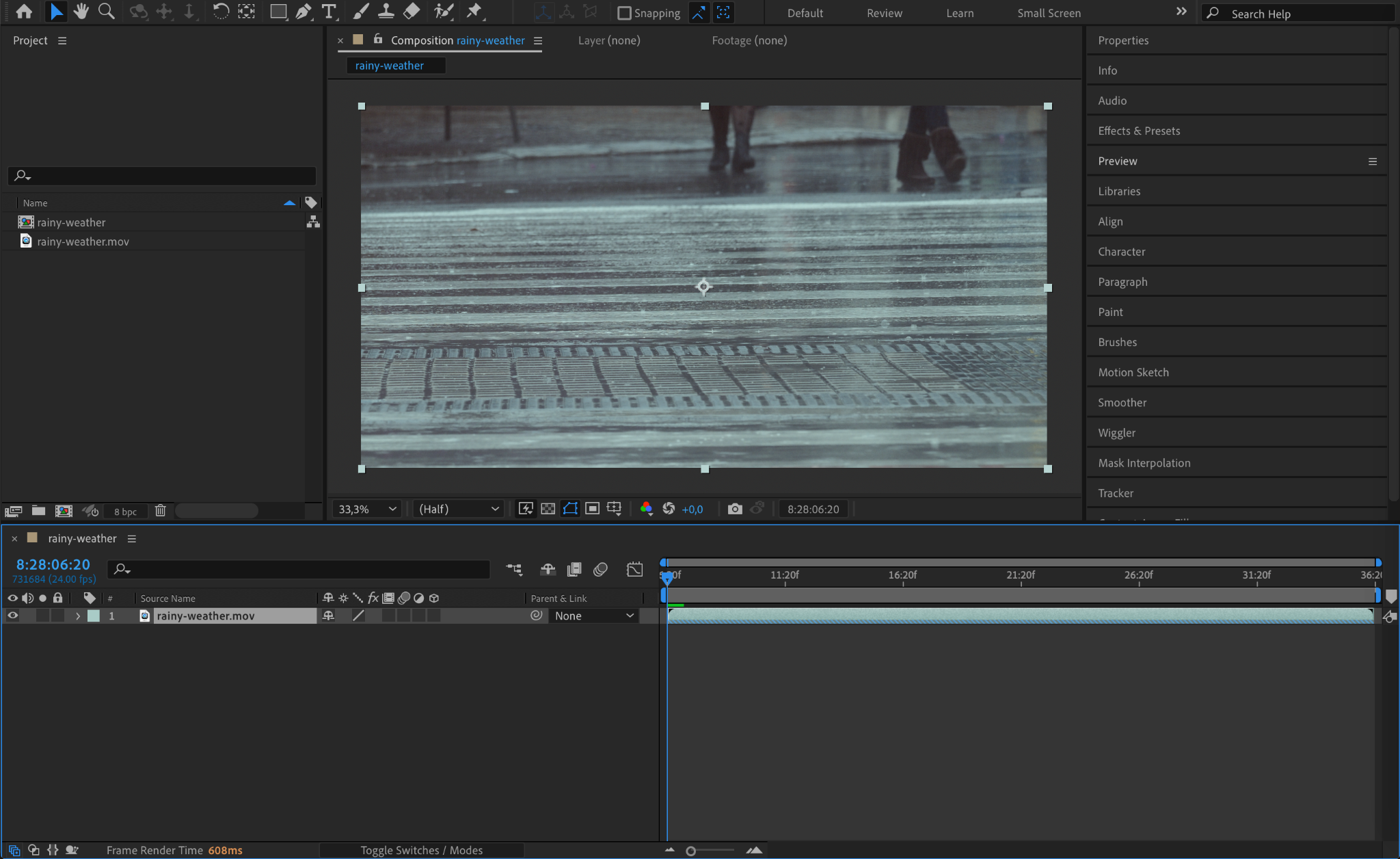
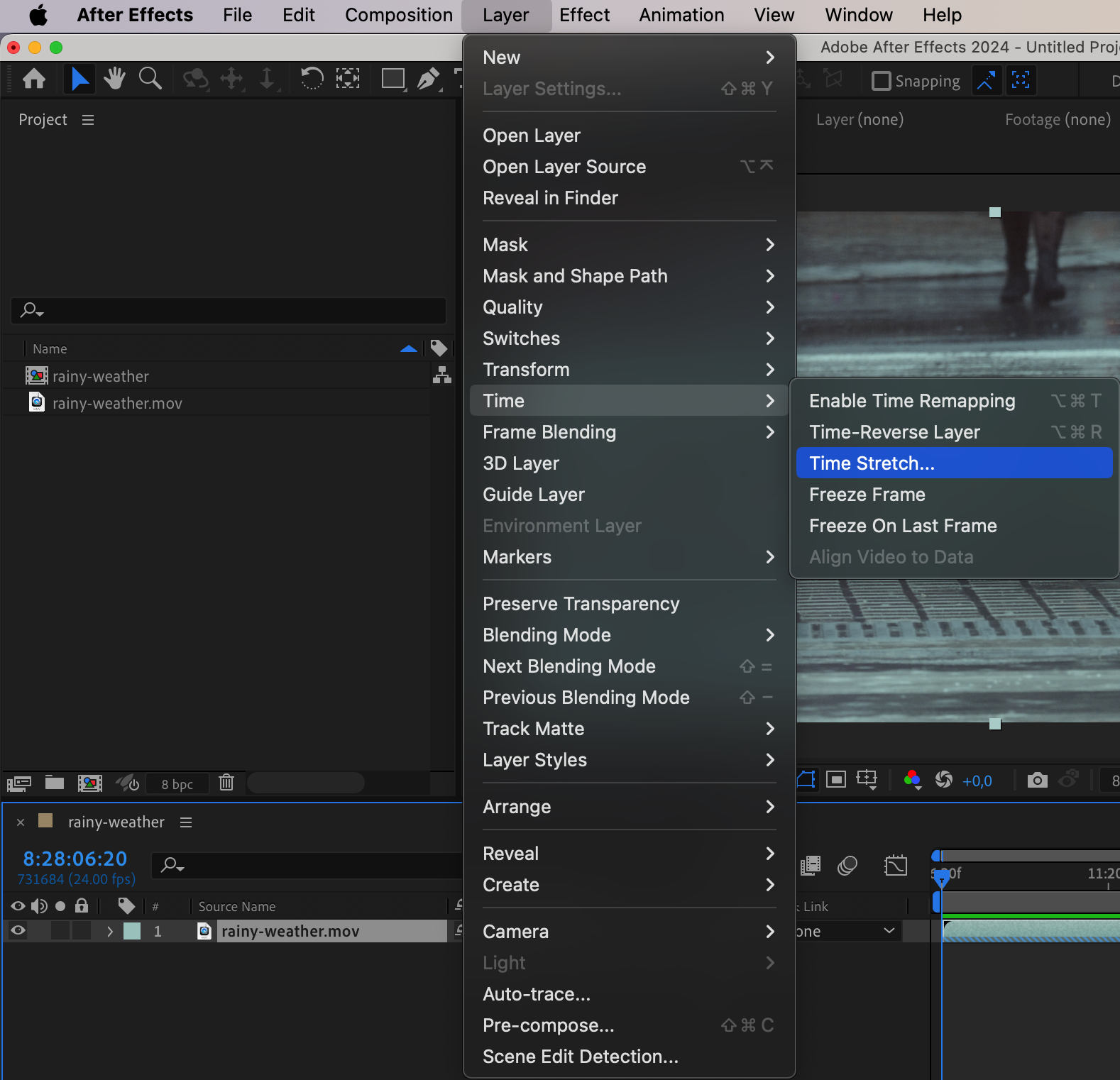
To reverse your video, go to the Layer menu at the top of the screen. Navigate to Time and then select Time-Reverse Layer. This action will instantly reverse the playback of the video, making the clip play from the end to the beginning. You’ll notice the direction of the video change in the timeline.
Step 3: Adjust the Timing (If Necessary)
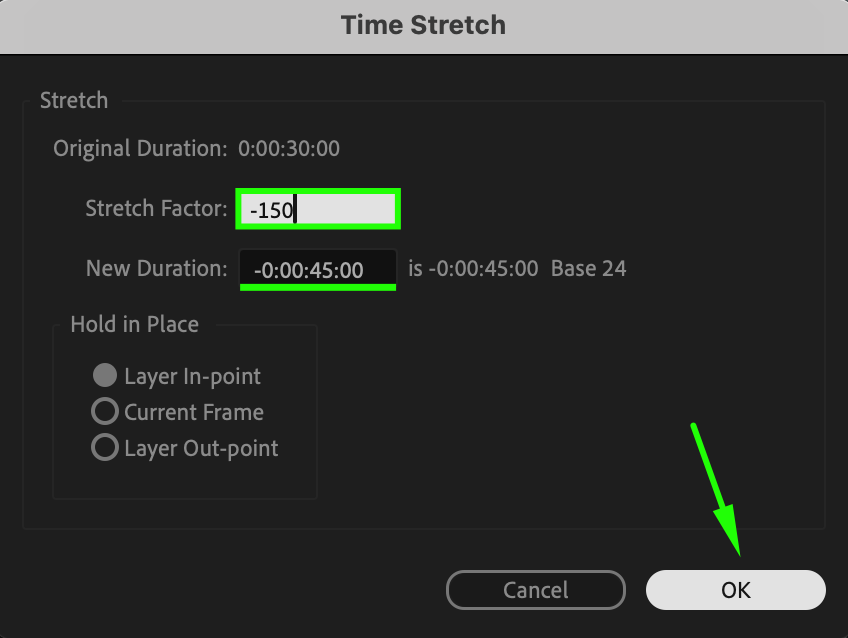
Once your video is reversed, you might notice that the length of the clip changes based on its reversed timing. If you want to speed up or slow down the reversed video, go to the Layer menu for the video layer again, navigate to Time, and select Time Stretch. You can adjust the stretch factor of the video to either stretch or compress the timing. A lower value speeds up the video, while a higher value slows it down.
Step 4: Preview Your Reversed Video
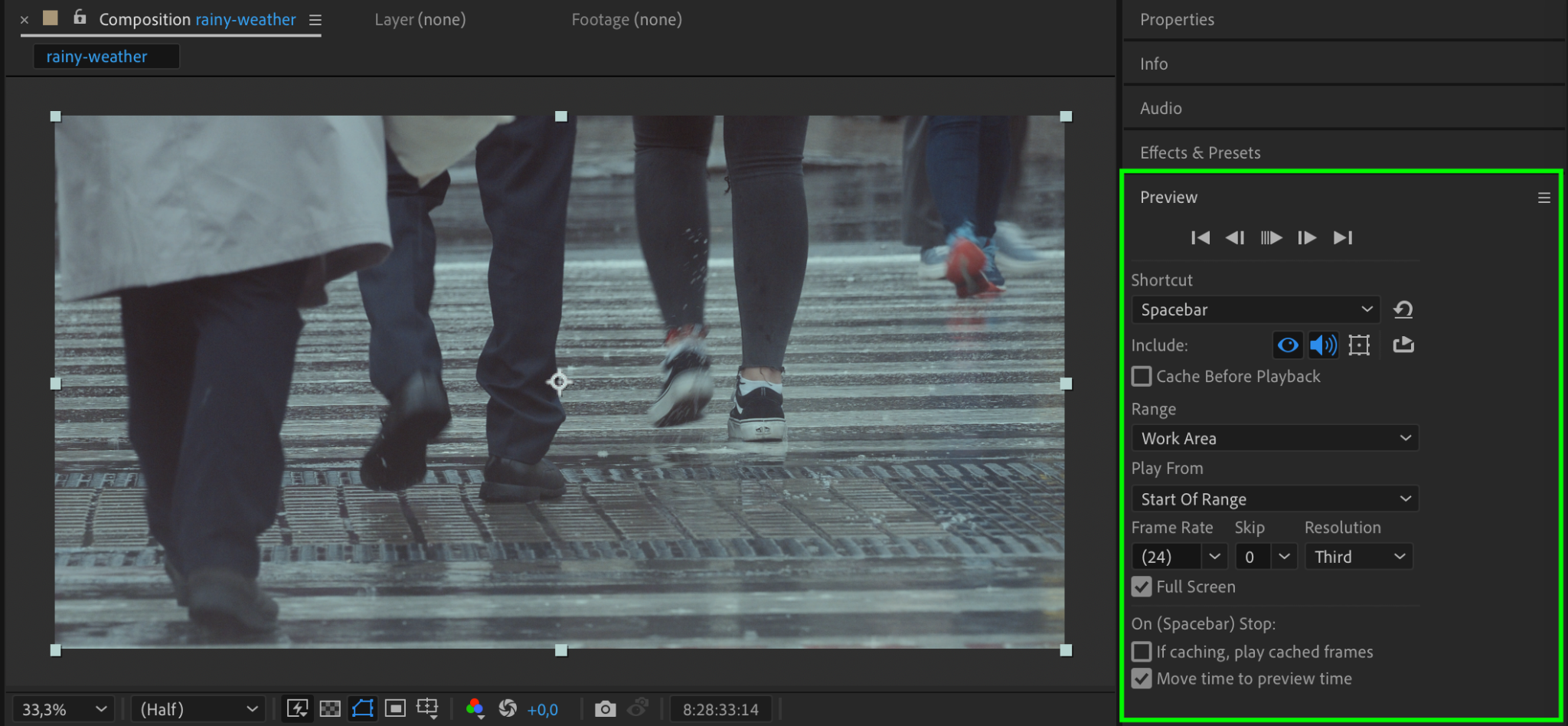
Press the Spacebar to preview your reversed video. Make sure the reversed playback is smooth and fits well into your composition. If there are any unwanted effects, you can tweak the timing further or even reverse only a portion of the clip if needed.
Step 5: Render and Export Your Reversed Video
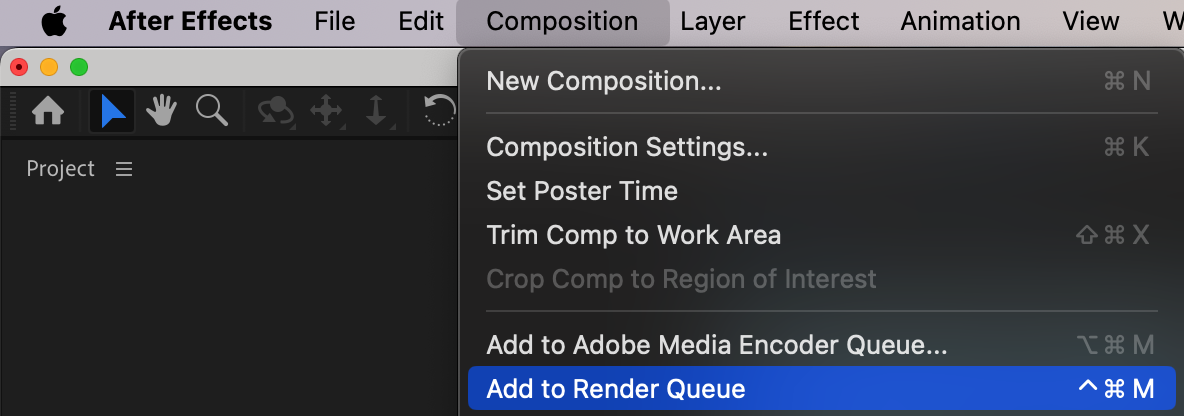
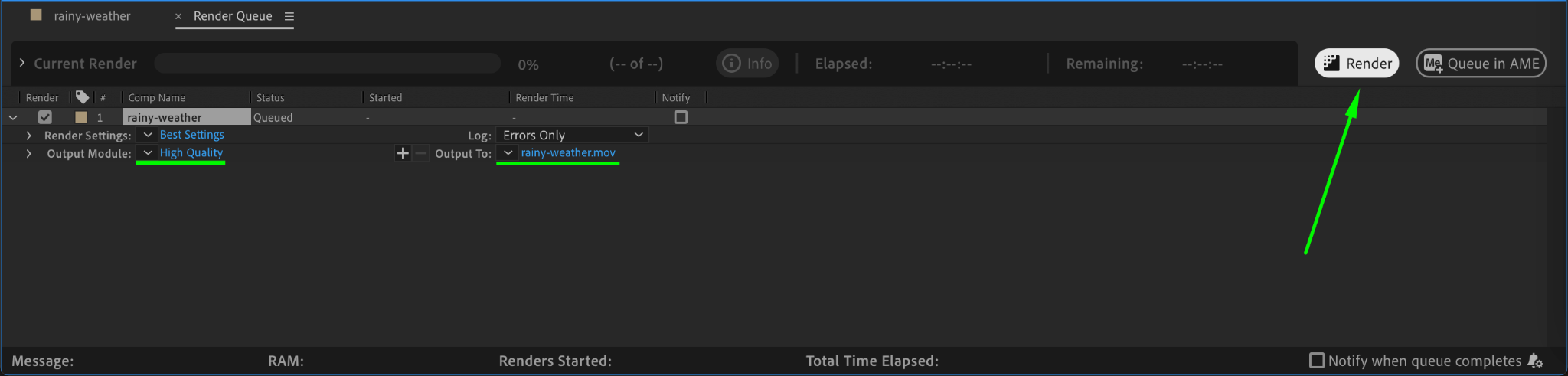
Once you’re satisfied with the reversed video, it’s time to render and export it. Go to the Composition menu and select Add to Render Queue. Choose the format and settings that suit your project requirements, and then render the final output with the reversed video.
Conclusion
Reversing a video in After Effects is a straightforward process that can add a dynamic touch to your projects. Whether you’re using it for creative effects or specific storytelling purposes, this technique is easy to apply and can make a big impact. By following these simple steps, you can reverse any video clip in After Effects quickly and effectively.
Our Bestsellers
Our Bestsellers


