Introduction
Plugins in After Effects expand the software’s capabilities by adding new effects, tools, and features. If you’ve installed a plugin and can’t find it, it may be located in a specific menu or require a restart.
This guide explains where to find your plugins and how to make sure they are properly installed.
Step 1: Restart After Effects
After installing a plugin, always restart After Effects. Many plugins will not appear until the program is reopened.
Step 2: Check the Effects & Presets Panel
Most plugins appear as effects.
Go to: Window → Effects & Presets
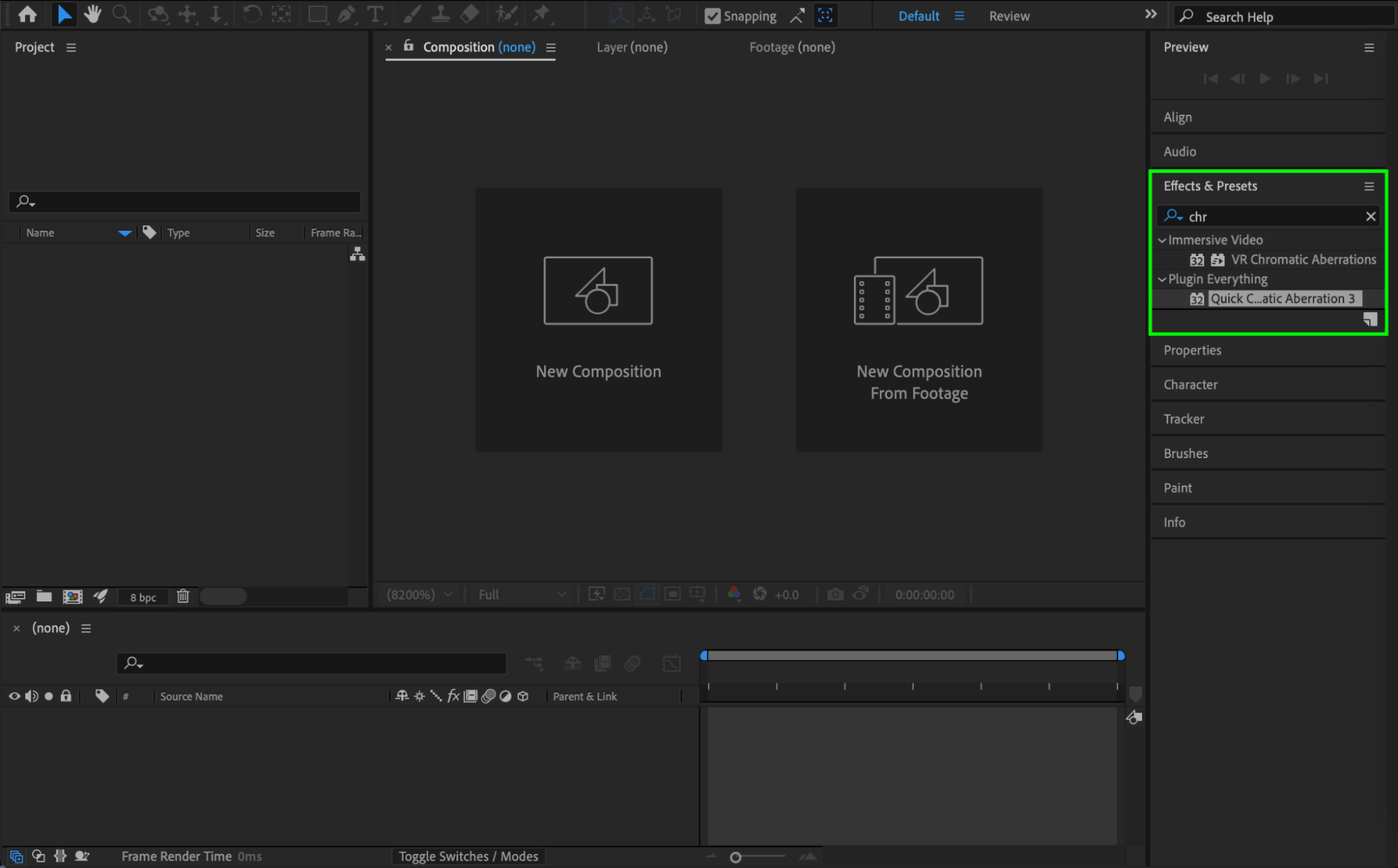
In the search bar, type the name of the plugin.
If installed correctly, it should appear in the list. You can drag it onto a layer to apply it.
You can also find plugins under: Effect → [Plugin Category]. Many third-party plugins are grouped under their own folder inside the Effect menu.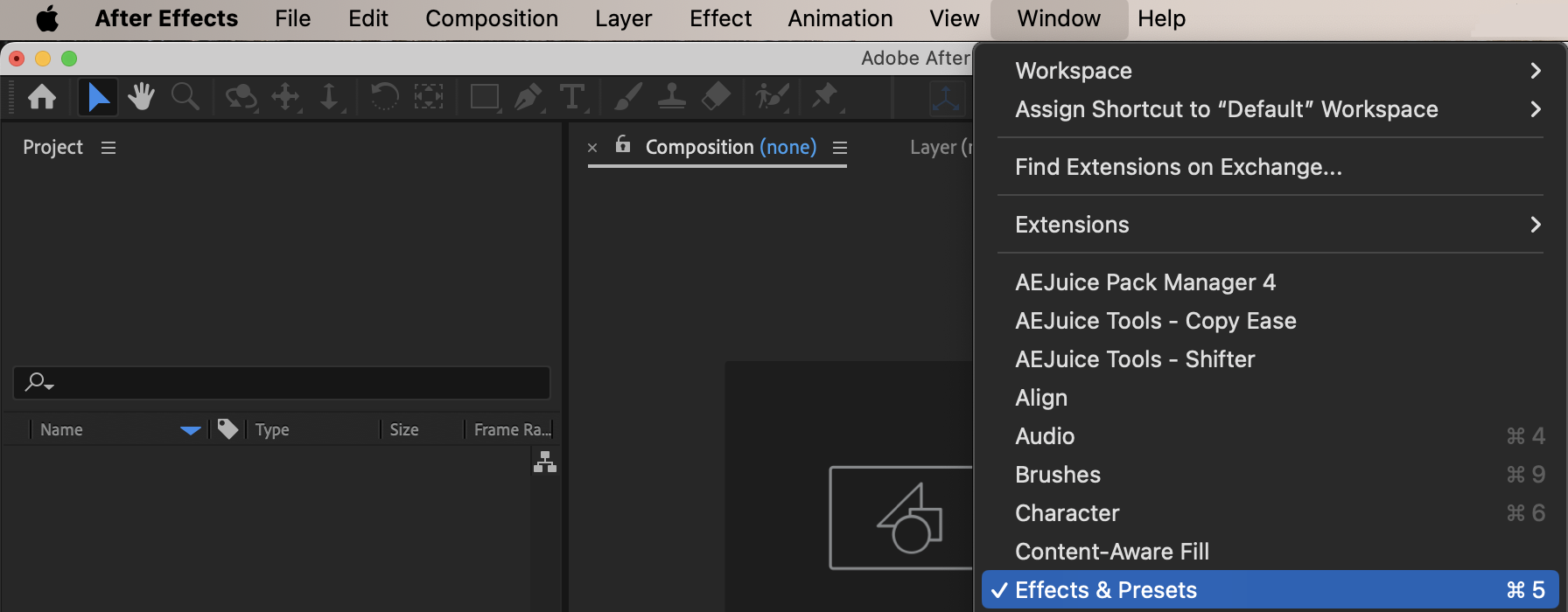
Get 10% off when you subscribe to our newsletter

Step 3: Check the Window Menu (For Script-Based Plugins)
Some plugins are actually scripts or extensions.
Go to: Window
Look for:
Extensions
Extensions (Legacy)
The name of your installed extension
If it’s an extension panel, it will appear there instead of in the Effects menu.

Step 4: Verify Plugin Installation Folder
If you still can’t see the plugin, check that it is installed in the correct folder:
Windows: C:\Program Files\Adobe\Adobe After Effects\Support Files\Plug-ins
Mac: Applications/Adobe After Effects/Plug-ins
Make sure the plugin files are inside the Plug-ins folder.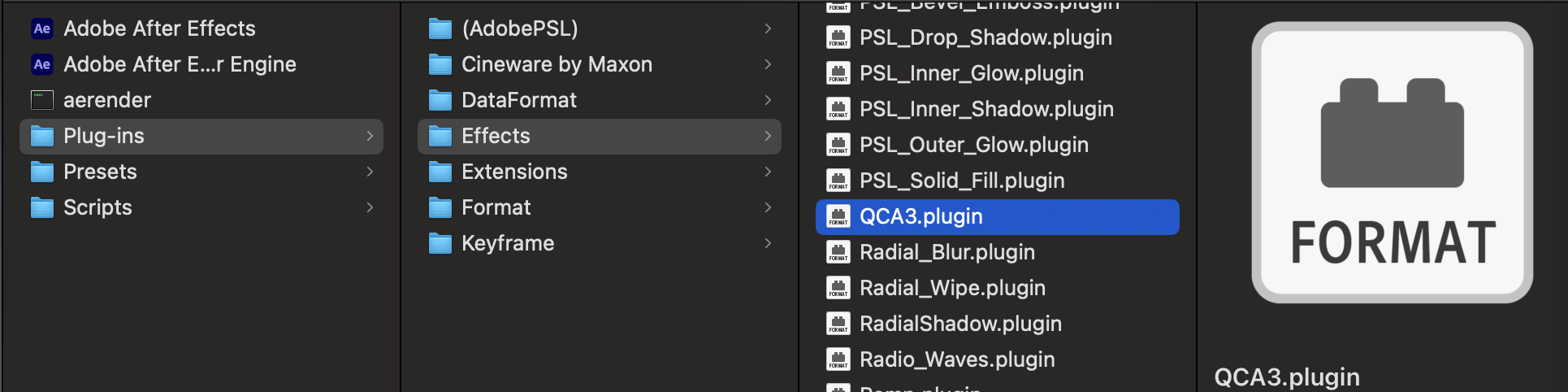
Step 5: Check Compatibility
If a plugin does not appear:
Make sure it is compatible with your version of After Effects
Confirm that it supports your operating system
Check if it requires additional installation steps
Conclusion
To see your plugins in After Effects:
Restart the application
Check the Effects & Presets panel
Look in the Effect menu
Check the Window → Extensions menu
Verify correct installation
If installed properly, your plugin should appear in one of these locations.
Our Bestsellers

