
Introduction
If After Effects crashes, freezes, or shows plugin errors, checking the error (fail) log can help you identify the problem. The log file records system messages, plugin loading errors, and crash information.
This guide explains where to find and how to read these logs.
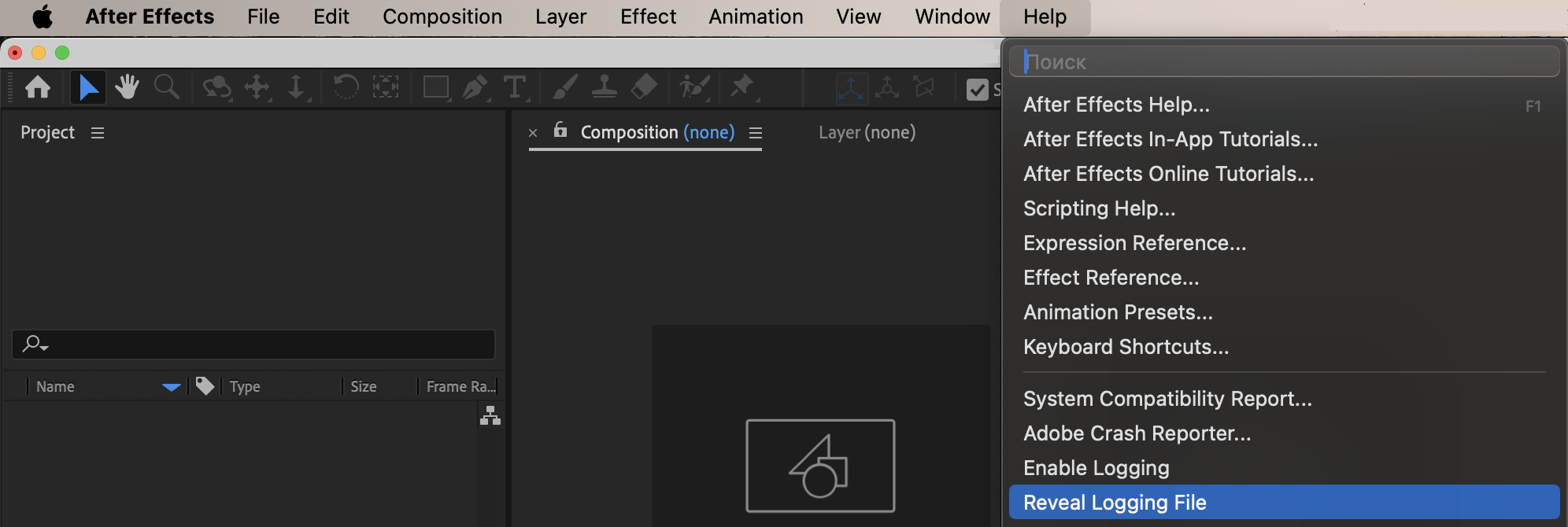
Method 1: View the Log Inside After Effects
After Effects keeps a log file that you can open directly from the program.
Go to: Help → Reveal Log Files
This will open the folder containing the log files.
Look for: After Effects Log.txt
Open it with a text editor to review recent error messages.
Method 2: Manually Locate the Log File
If you cannot access it through the menu, you can find it manually.
On Windows:
Go to:
C:Users[Your Username]AppDataRoamingAdobeAfter Effects[Version]logs
You may need to enable “Show Hidden Files” to see the AppData folder.
On Mac:
Go to:
Users/[Your Username]/Library/Preferences/Adobe/After Effects/[Version]/logs
The Library folder may be hidden. In Finder, hold Option and click Go to reveal it.
Method 3: Check Crash Reports
If After Effects crashes completely, you can check crash reports:
Windows:
C:Users[Your Username]AppDataLocalTemp
Look for files related to After Effects crashes.
Mac:
Users/[Your Username]/Library/Logs/DiagnosticReports
Search for files starting with “After Effects”.
What to Look For in the Log
Inside the log file, check for:
Plugin loading errors
Missing file warnings
GPU errors
Memory issues
Expression errors
Error messages are usually listed near the bottom of the file.
Conclusion
To see the fail log in After Effects:
Use Help → Reveal Log Files
Manually navigate to the logs folder
Check system crash reports if needed
Reviewing the log file helps you identify plugin conflicts, missing files, or system problems causing crashes.
Our Bestsellers
Our Bestsellers


