Introduction
When working in After Effects, separating X, Y, and Z dimensions allows you to animate each axis independently. This gives you more control and flexibility, especially when creating complex motion or working in 3D space.
In this tutorial, you’ll learn how to separate position dimensions and work with individual X, Y, and Z rotation values.
Step 1: Open Your Project
Open your composition and select (highlight) the layers you want to adjust.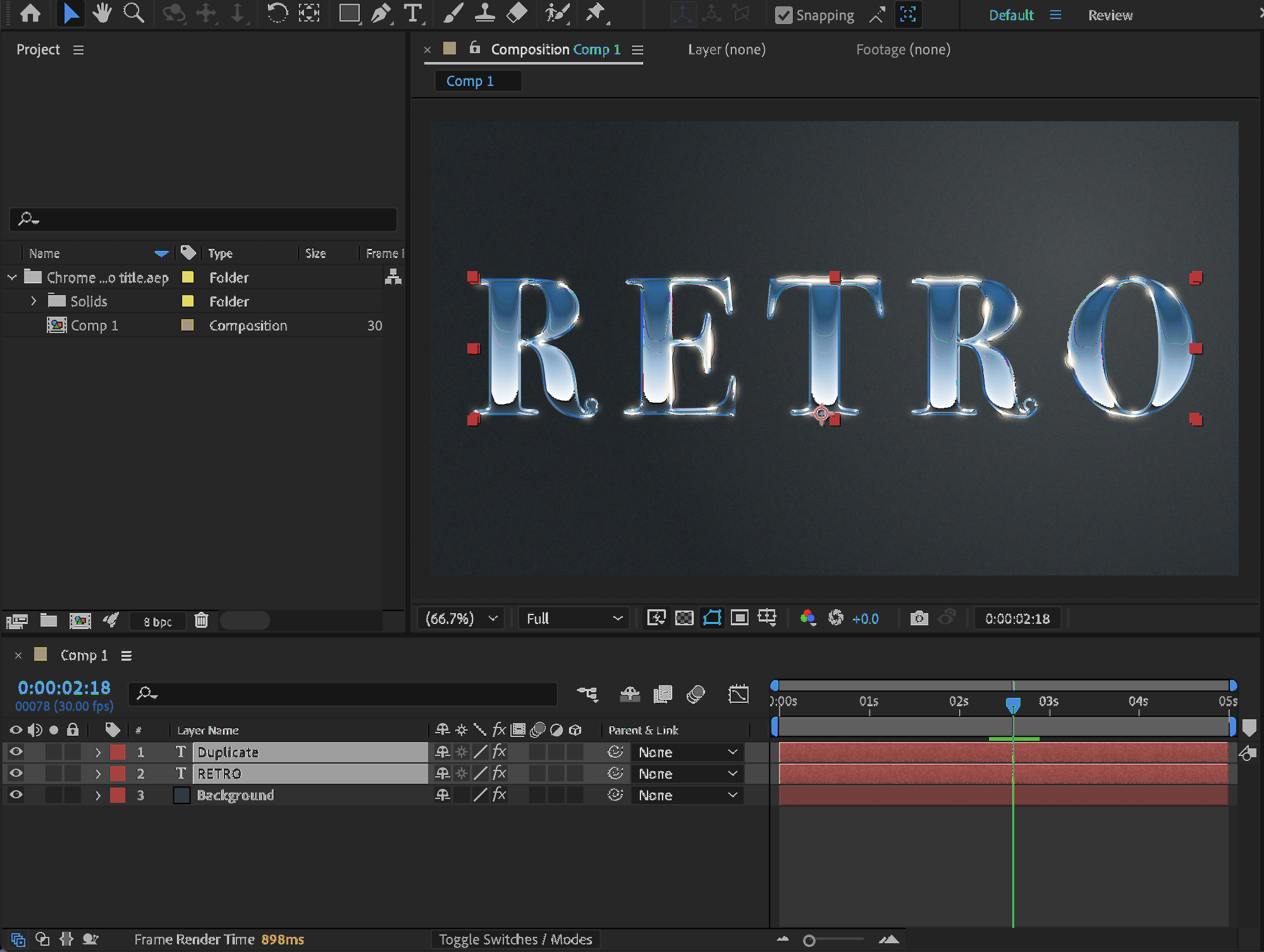 Step 2: Enable 3D Layers
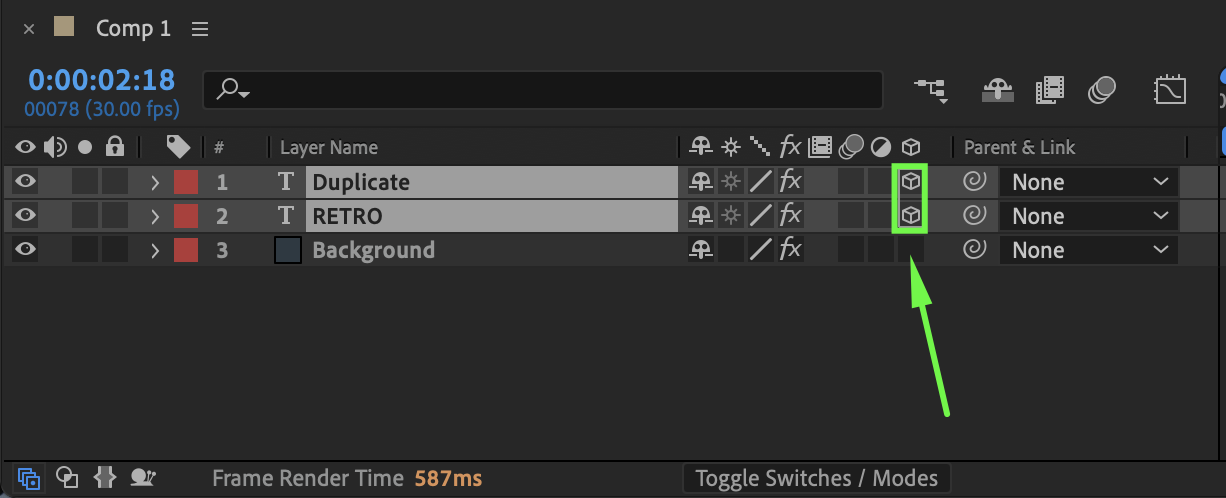
To work with the Z axis, you need to enable 3D: In the Timeline panel, click the 3D Layer switch (cube icon) for your selected layers. Once enabled, the layer will support X, Y, and Z axes.
Get 10% off when you subscribe to our newsletter

Step 3: Access X, Y, and Z Rotation
Press R on your keyboard to open the Rotation properties. If the layer is set to 3D, you will see:
X Rotation
Y Rotation
Z Rotation
You can now animate each rotation axis separately.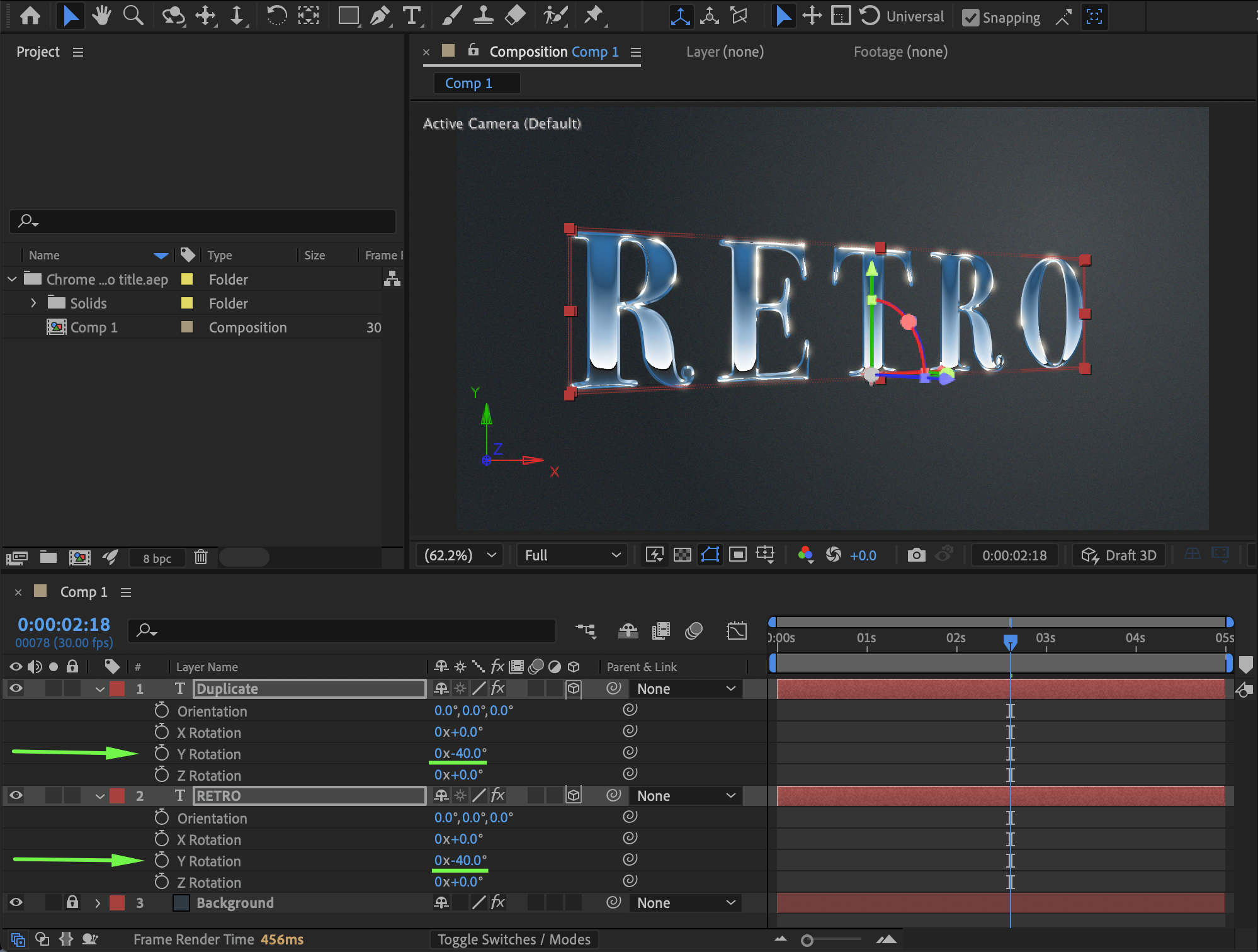 Step 4: Separate X, Y, and Z Position
By default, Position values may appear as a single combined property. To separate them:
Select your layer.
Press P to reveal the Position property.
Right-click on Position.
Choose Separate Dimensions.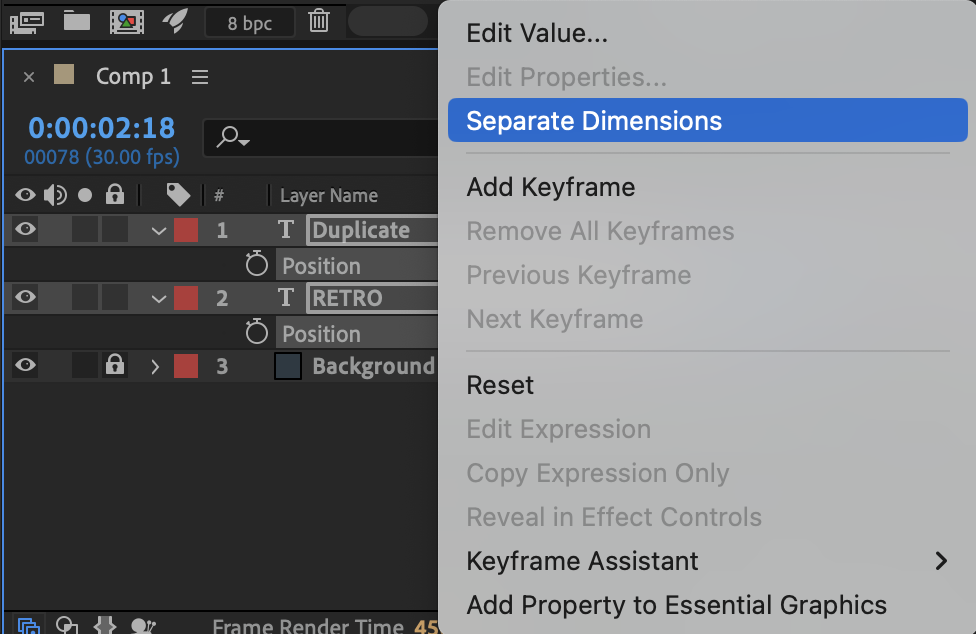
Step 5: Animate Each Axis Independently
After separating dimensions, you will see:
X Position
Y Position
Z Position (if the layer is 3D)
Now you can animate each axis individually without affecting the others. This is especially useful for:
Cleaner graph editing
Expression control
Precise directional movement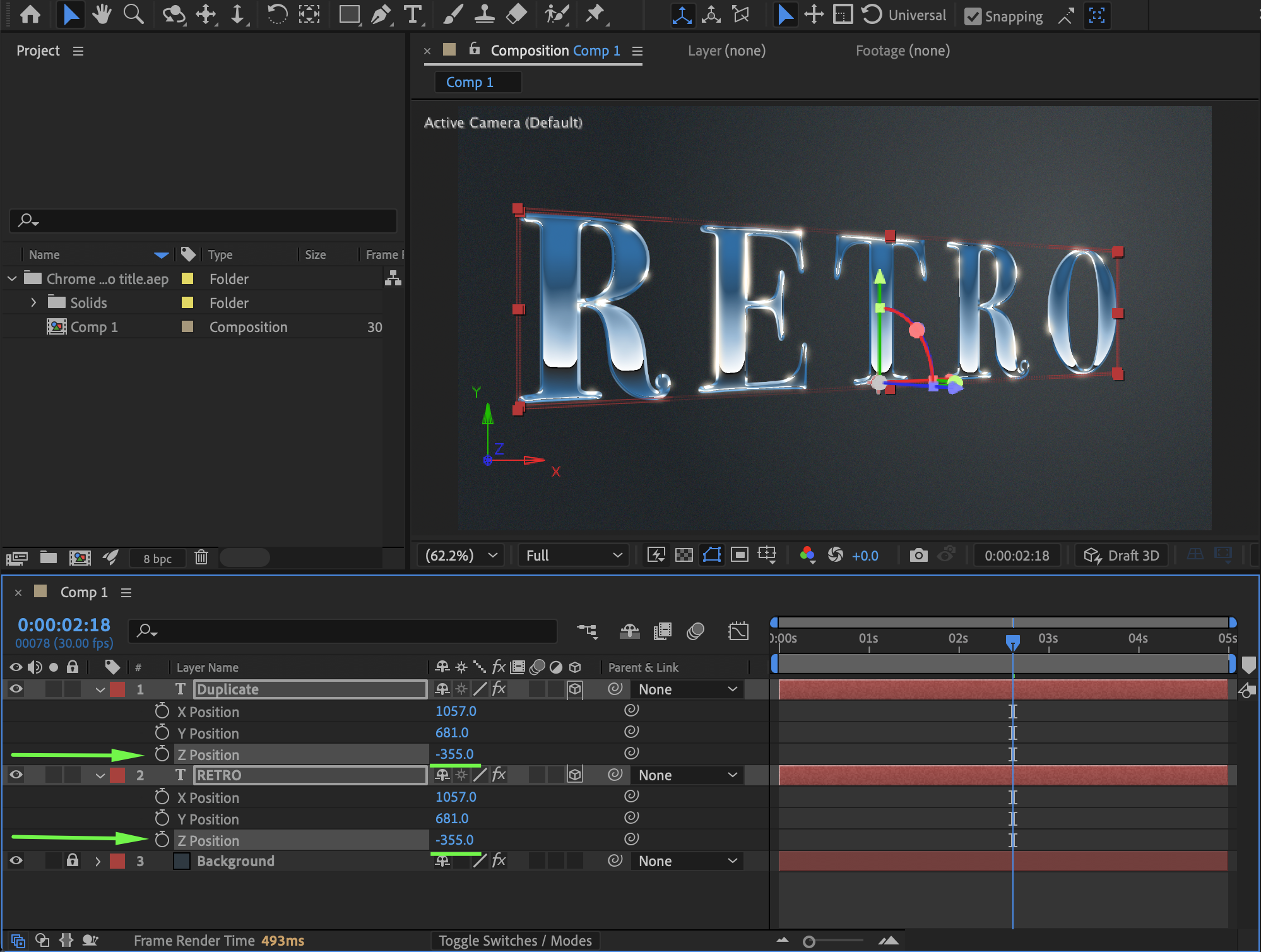 Step 6: Preview the Result
Preview your animation to ensure the motion behaves as expected.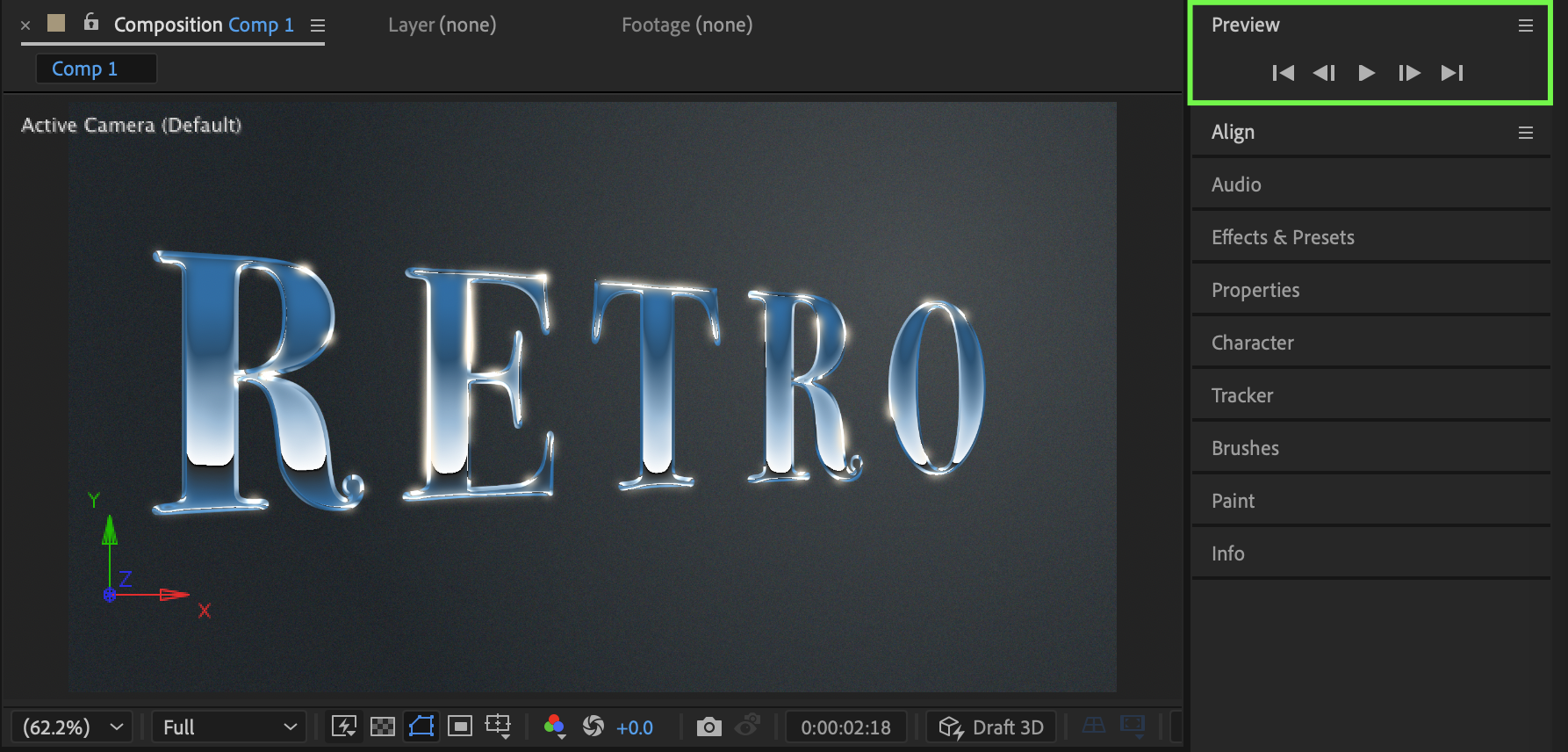
Conclusion
Separating X, Y, and Z dimensions in After Effects gives you full control over movement and rotation in 3D space. By enabling 3D layers and using the Separate Dimensions option, you can create more accurate and flexible animations.
Our Bestsellers

