
Resizing and Stretching Video in After Effects
Introduction
Sometimes, you may need to stretch a video in Adobe After Effects to fit a specific frame size or achieve a unique visual effect. By adjusting the Scale properties, you can modify the width or height of a video independently without maintaining the original aspect ratio. This guide will show you how to stretch a video horizontally or vertically using simple steps.
Step 1: Create a New Composition
Open After Effects and create a new composition by selecting Composition > New Composition, and choose your preferred resolution.
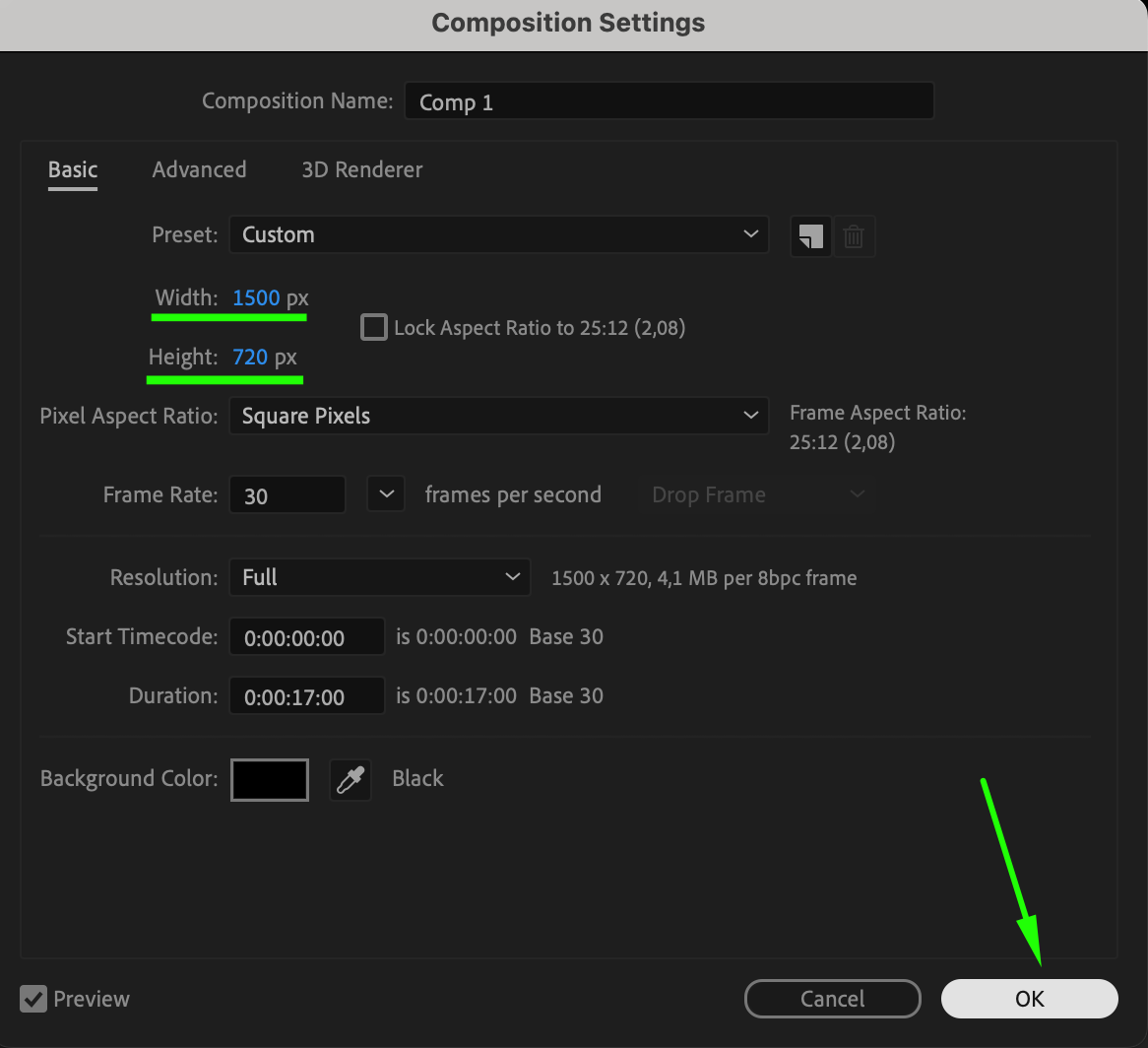 Step 2: Import and Add Video to Timeline
Go to File > Import > File, select your video, and drag it into the Timeline panel. Ensure the video layer is selected before making any transformations.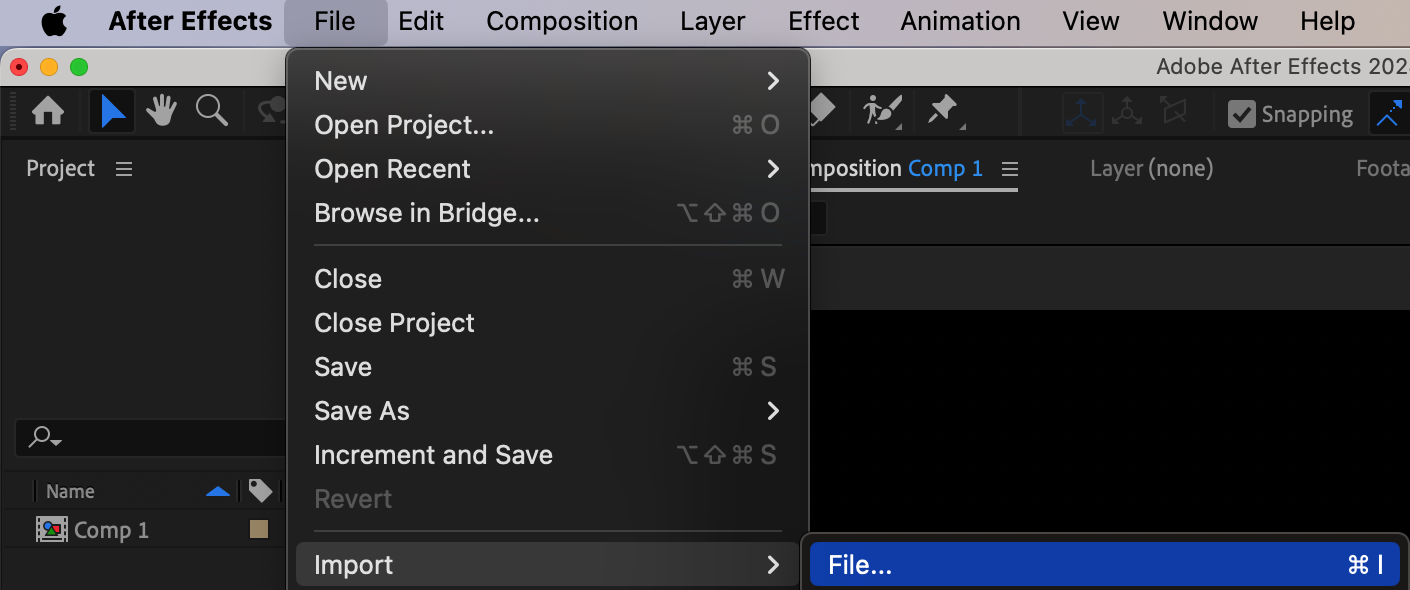
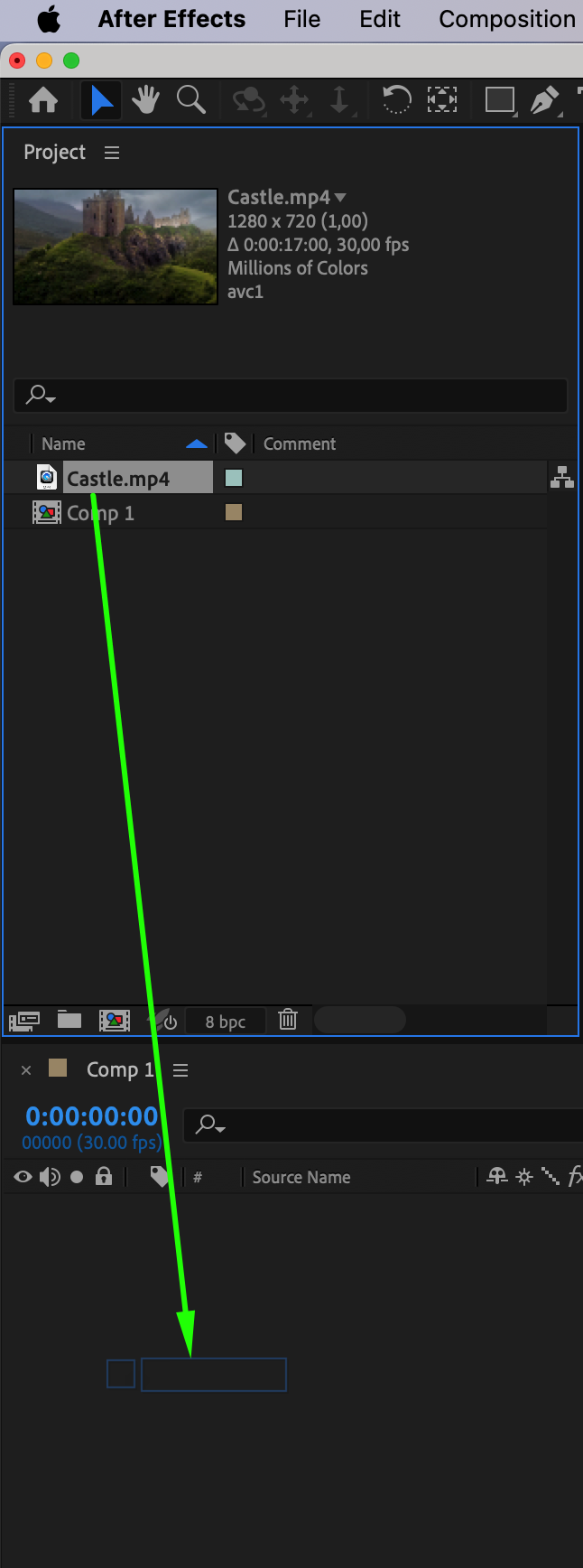 Step 3: Access the Scale Properties
Select the video layer in the Timeline panel.
Press “S” on your keyboard to reveal the Scale property.
You will see two linked values (X and Y) that control the horizontal and vertical scale.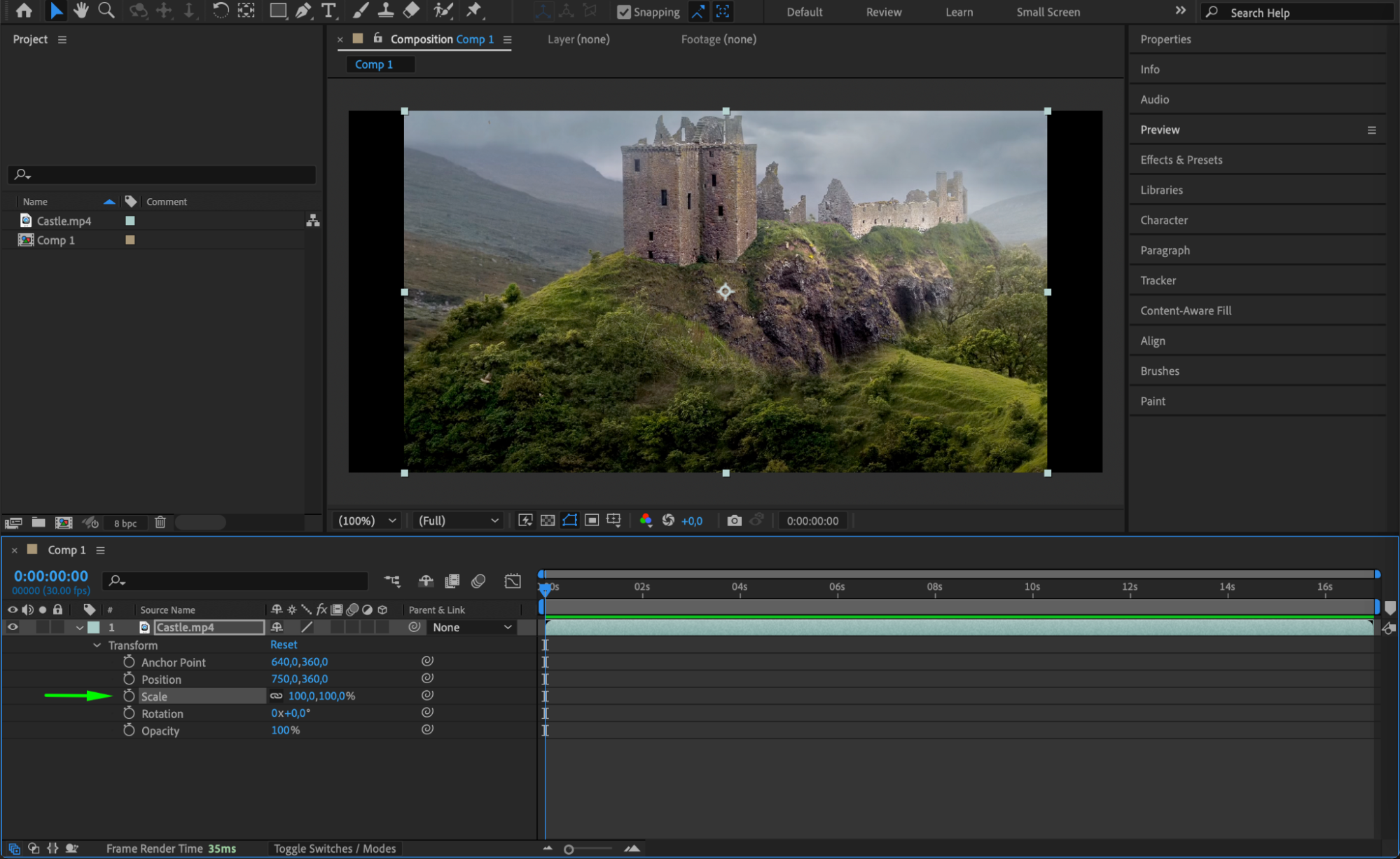 Step 4: Unlock the Aspect Ratio
By default, After Effects maintains the original aspect ratio when resizing. To stretch the video:
Click the chain link icon next to the Scale property. This unlocks the X (width) and Y (height) values, allowing independent adjustments.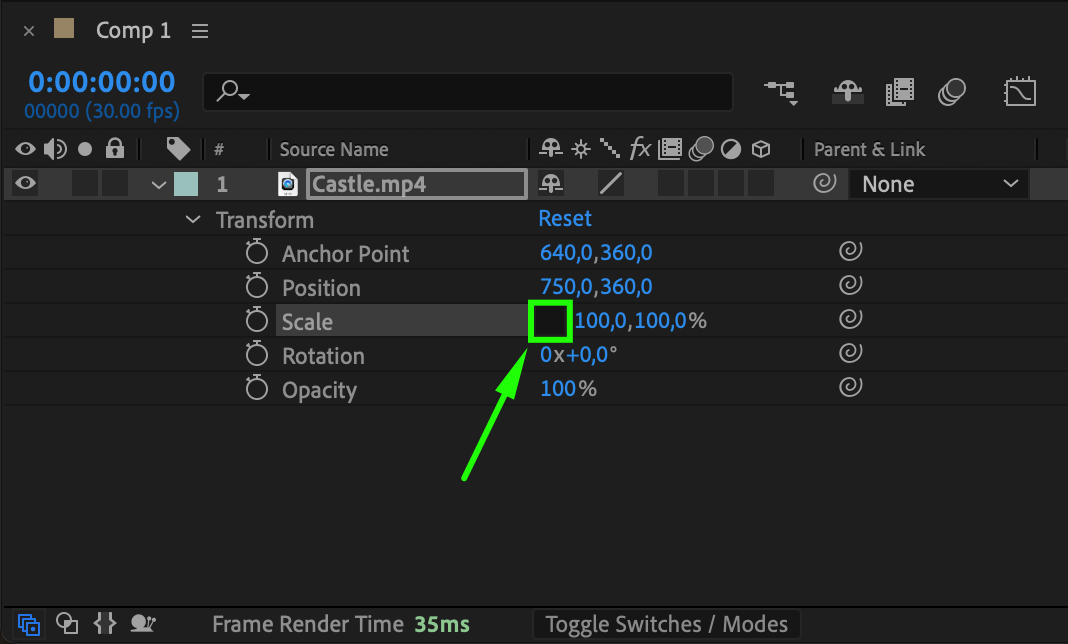 Step 5: Adjust the Scale to Stretch the Video
To stretch horizontally, increase the X value while keeping Y unchanged.
To stretch vertically, increase the Y value while keeping X unchanged.
Experiment with different values to achieve the desired look.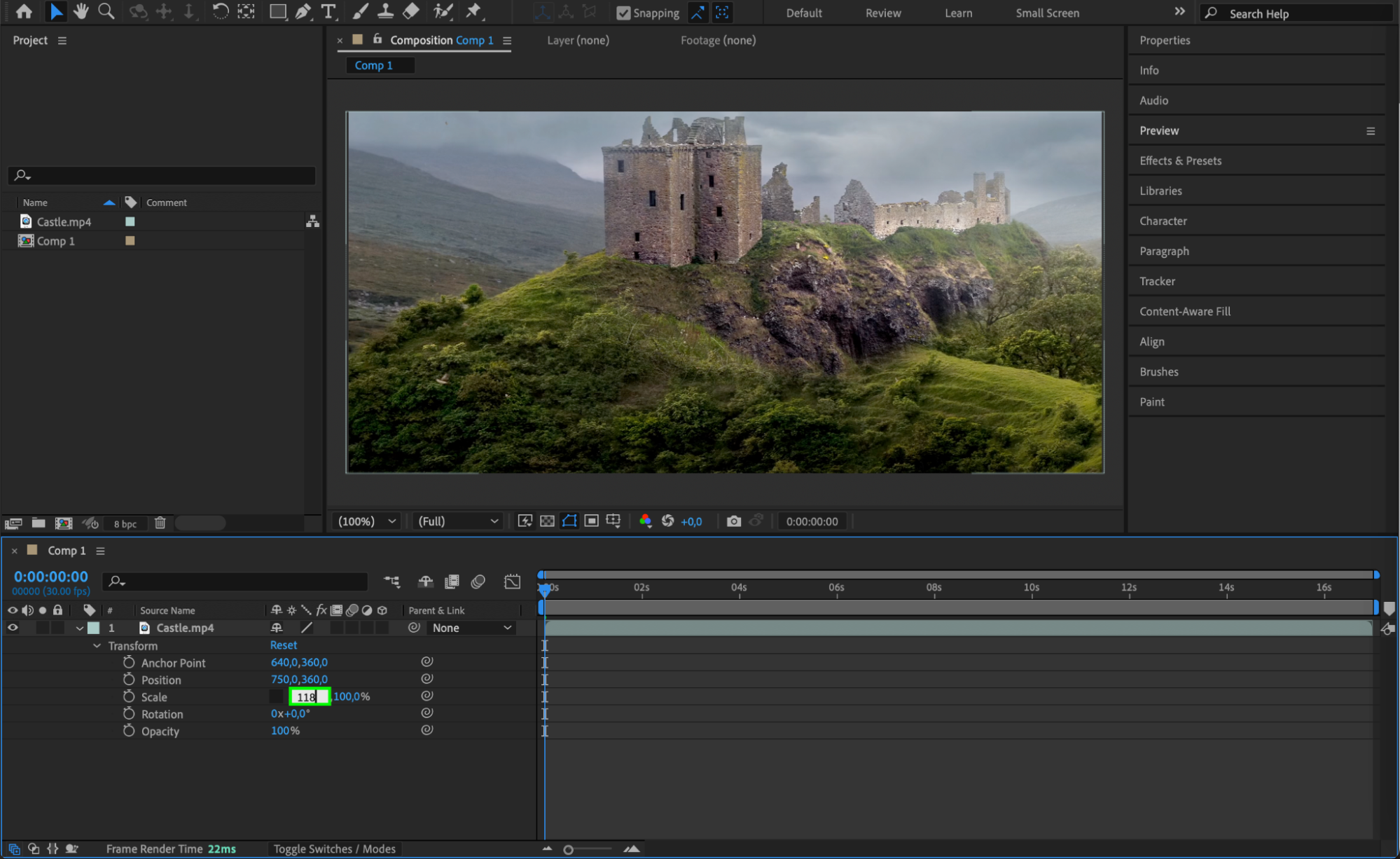 Step 6: Preview the Adjustments
Press Spacebar to preview your changes. If the stretching appears unnatural, tweak the X and Y values to refine the effect.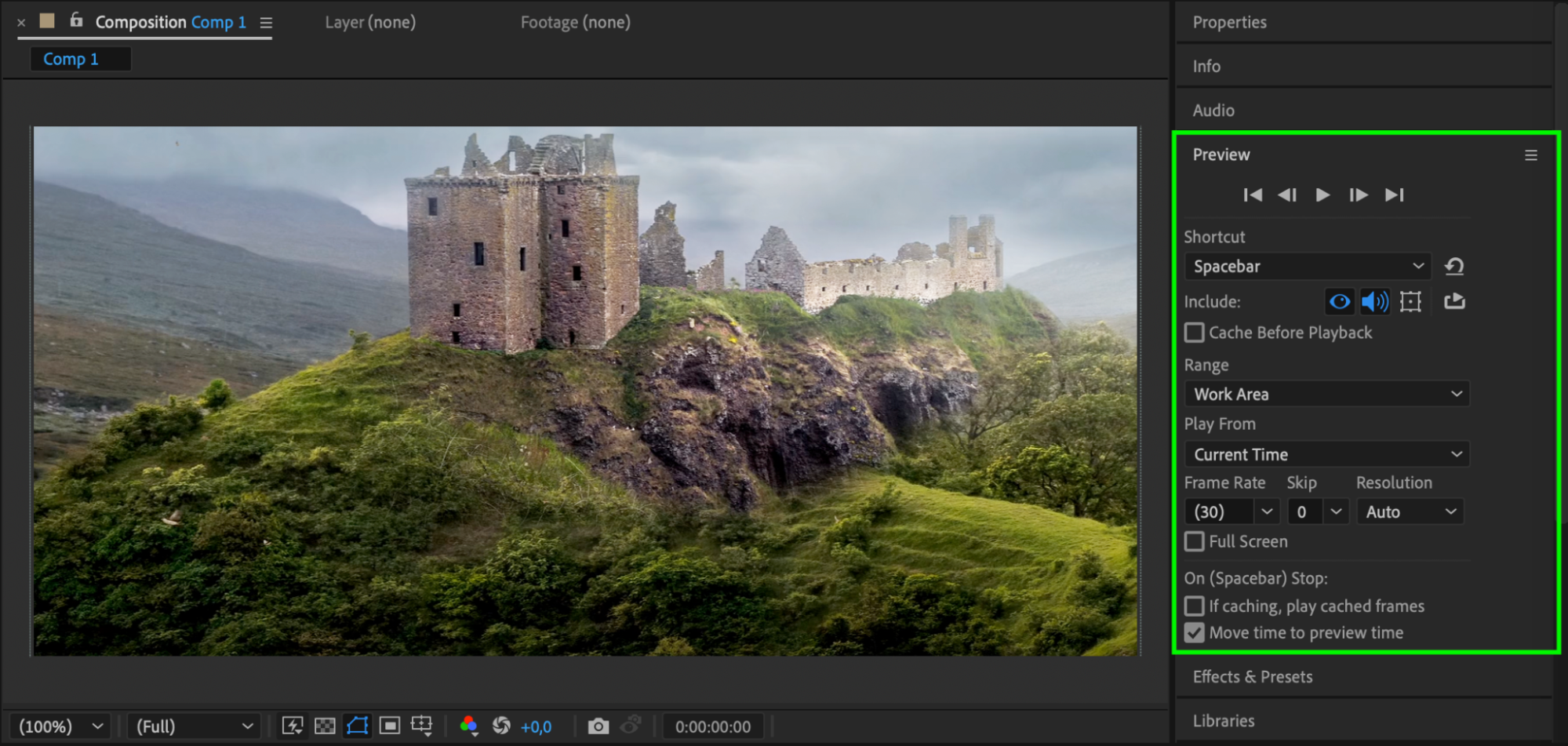 Step 7: Render the Final Video
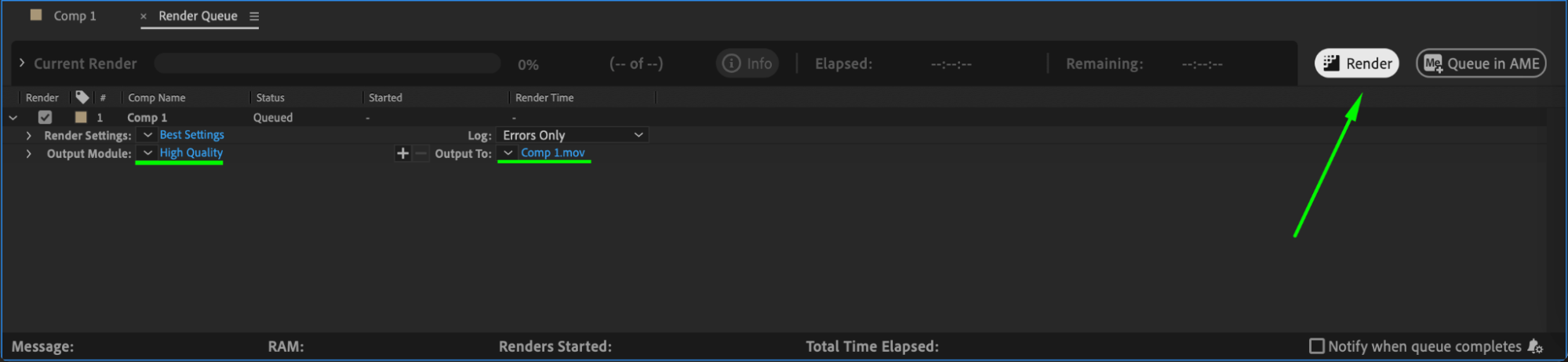
Once satisfied with the stretched video, go to Composition > Add to Render Queue, choose your output format, and click Render to export the final file.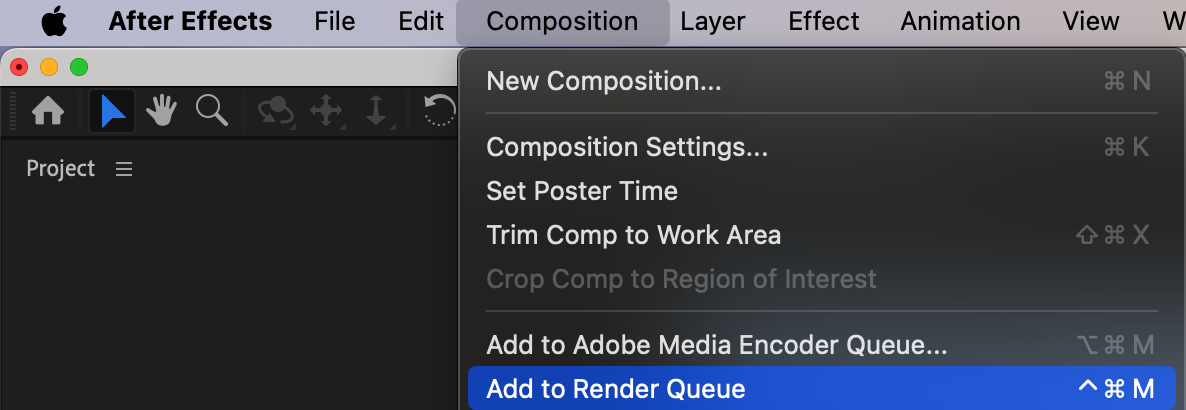
 Conclusion
Stretching a video in After Effects is a simple process using the Scale properties. By unlocking the aspect ratio, you can modify the width and height independently to fit any composition size or creative vision.
Our Bestsellers
Our Bestsellers


