
Introduction to Mastering the Puppet Pin Tool
Are you wondering how to create captivating animations in After Effects with ease? One powerful tool that can help you achieve this is Puppet Pin. In this guide, we’ll take you through everything you need to know about mastering the Puppet Pin tool in After Effects, from the basics to advanced techniques.
1.Import Your Video Clip:
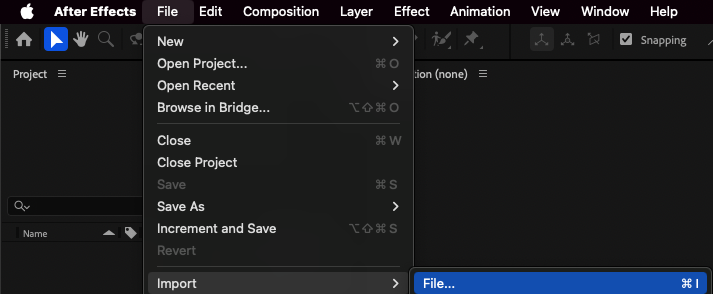
First, import your video clip into After Effects by selecting “File” > “Import” > “File.”
2.Create a New Composition:
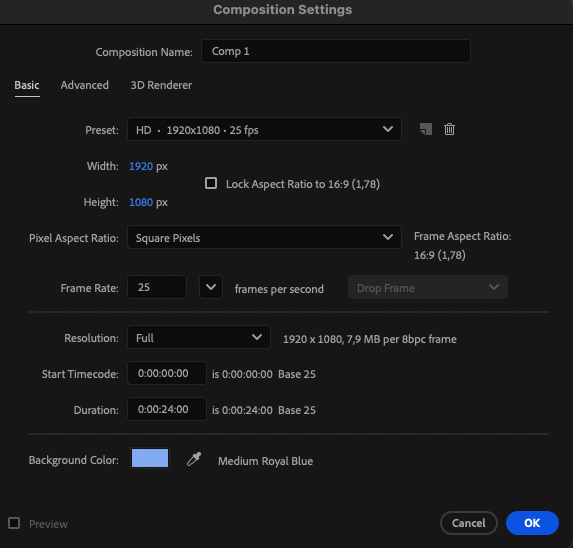
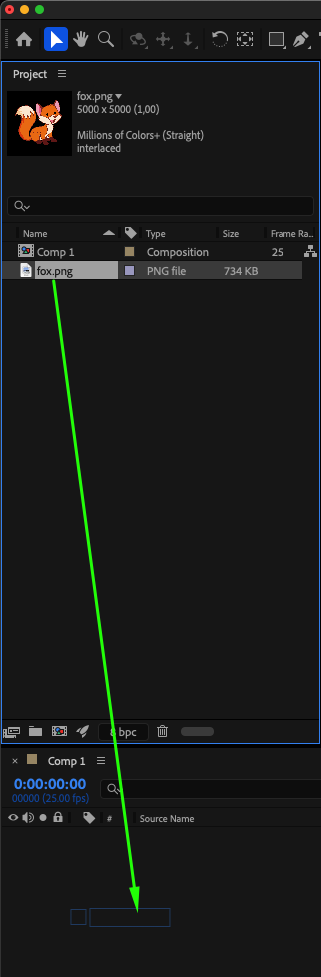
Click on “Composition” > “New Composition” to set up a new composition with your imported footage, and drag your video or image onto the timeline panel.
3.Explore the Puppet Tool (Ctrl/Cmd + P):
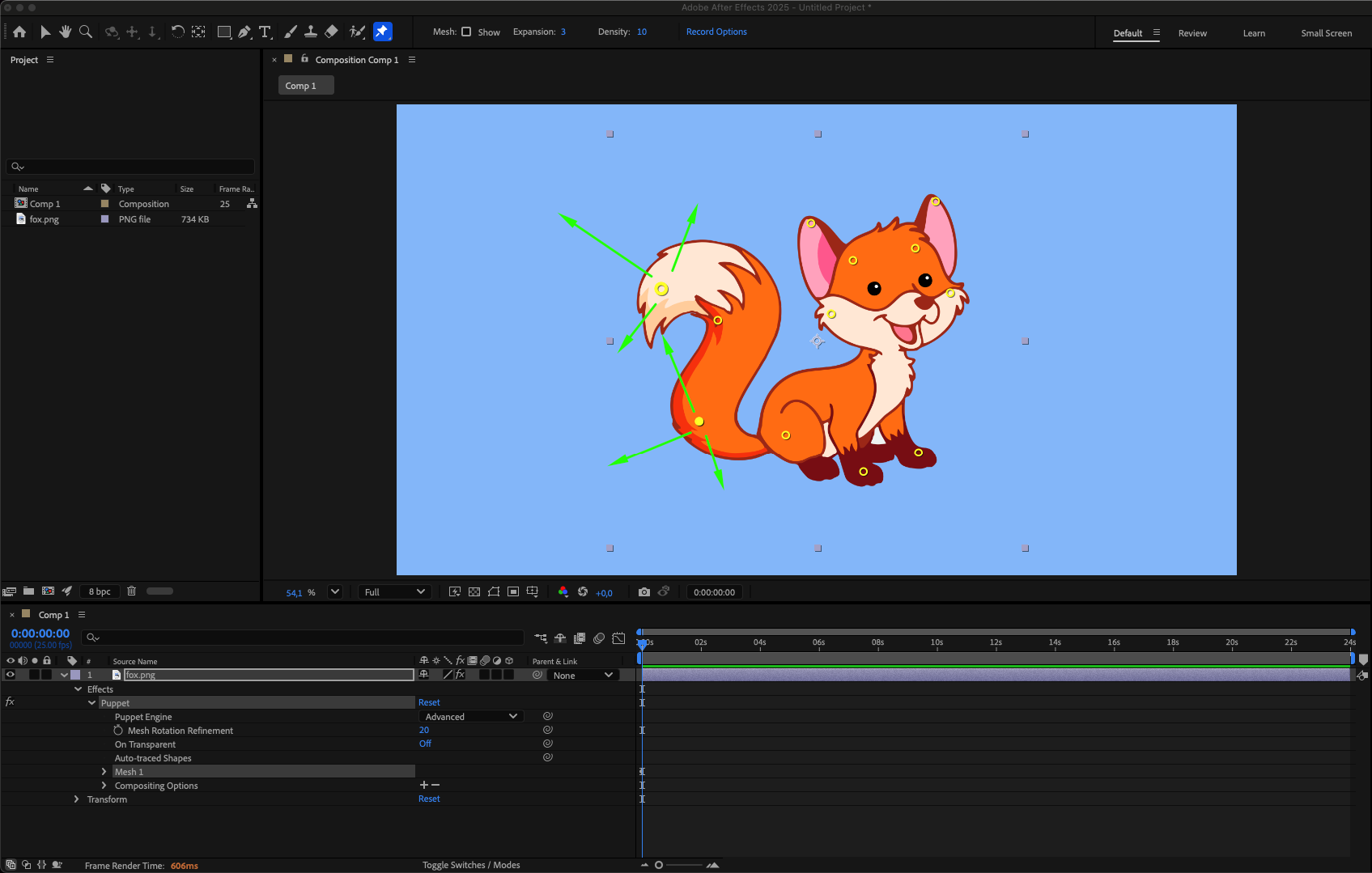
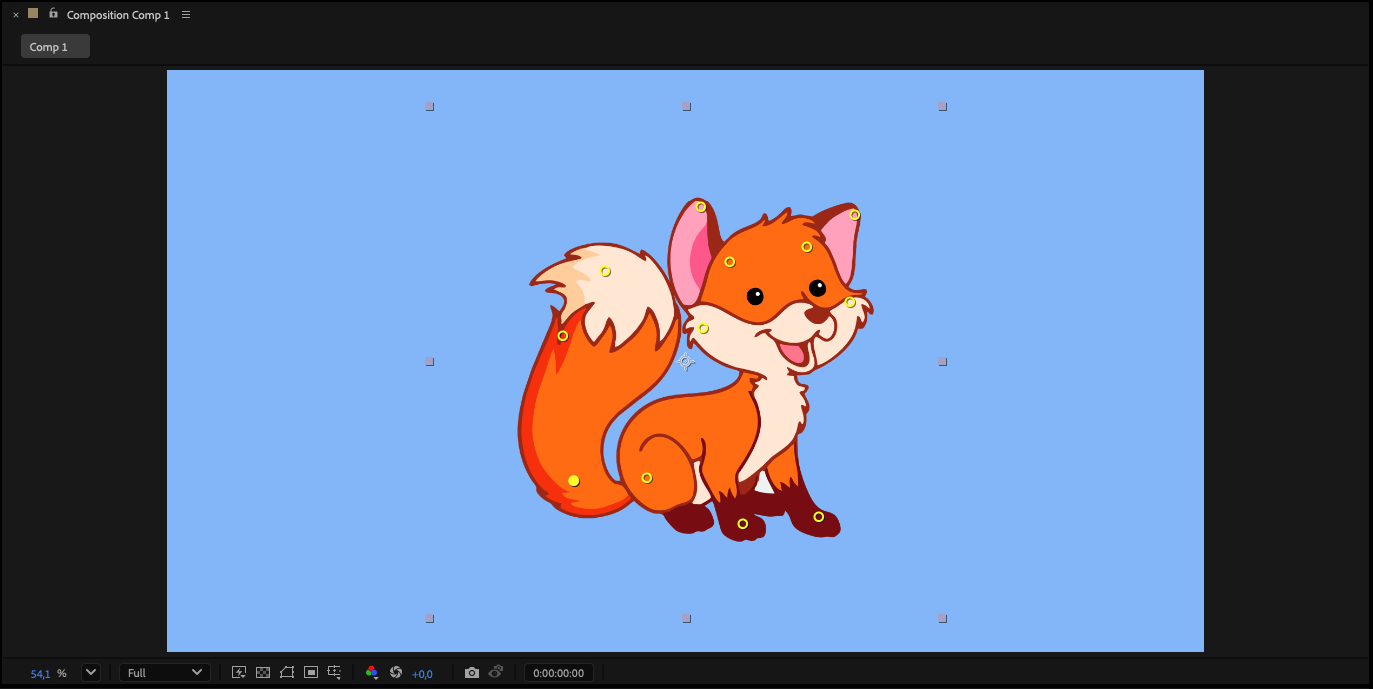
The Puppet Position Pin Tool in After Effects enables the addition of deformation points (Puppet Pins) to alter an object’s position on the scene. These pins allow you to move the object, creating animations of positional changes.
4.Strategic Pin Placement:
Learn the art of strategically placing pins for optimal control over image deformation.Adjust pin properties to achieve precise and desired effects in your animations. You can add as many points as needed to control deformation. After adding the points, you can start distorting the object. And now you can drag and reshape the object using the added points.
5.Animate with Puppet Pins:
Hold Ctrl/Cmd and move a pin in the Composition panel — After Effects will automatically create keyframes for each movement in real time, allowing you to animate smoothly and naturally.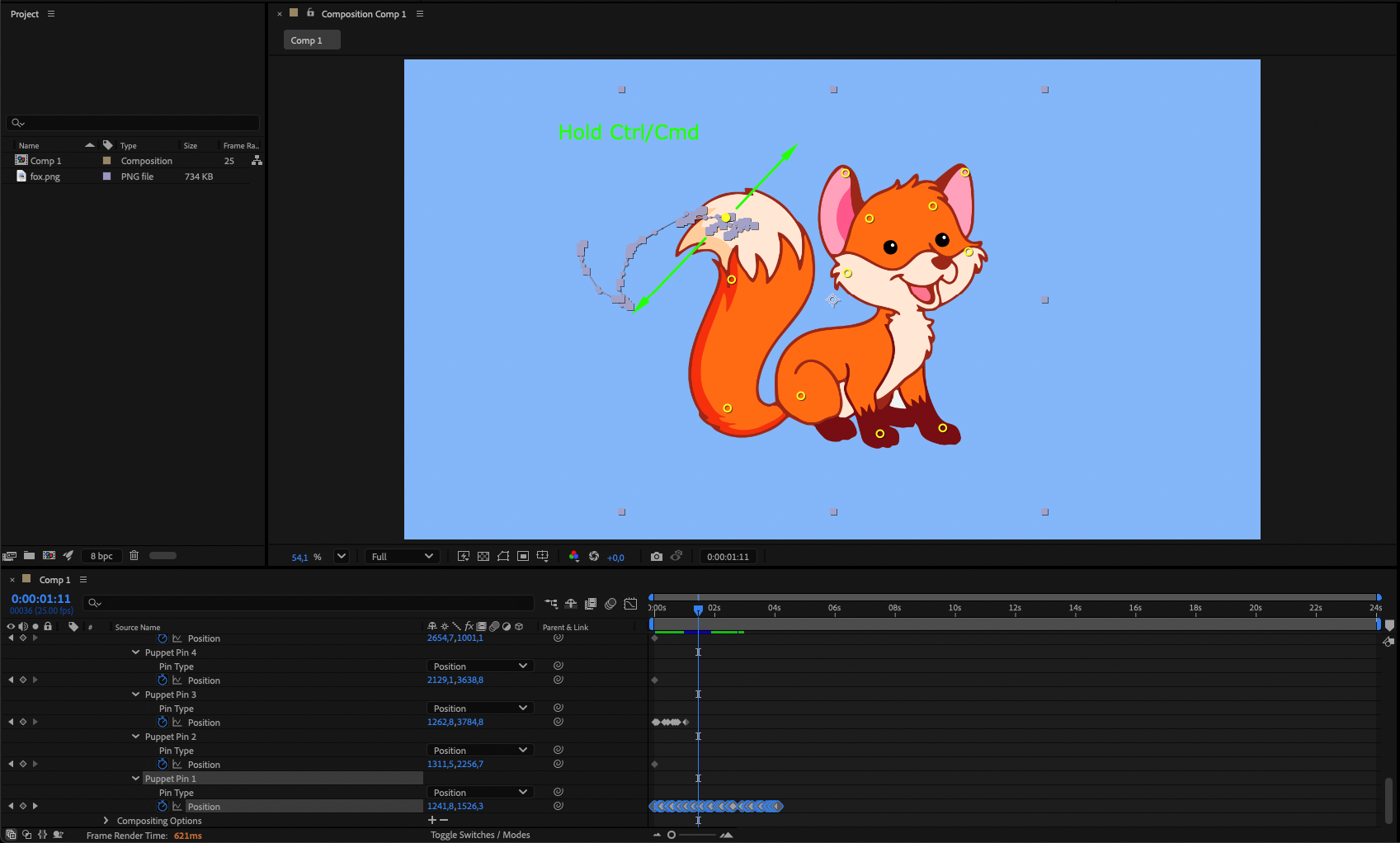
Conclusion: Unleashing Your Animation Potential with Puppet Pin
In this comprehensive guide, we’ve covered the ins and outs of using Puppet Pin in After Effects, from basic functionalities to advanced techniques and creative inspirations. By mastering Puppet Pin and incorporating it into your animation workflow, you can unleash your creativity and produce animations that leave a lasting impression. So, dive into the world of Puppet Pin and discover the endless possibilities for creating dynamic and captivating animations in After Effects.
Our Bestsellers
Our Bestsellers


