
Mastering the Brush Tool in After Effects
Introduction
The Brush Tool in After Effects allows you to create hand-drawn designs, animated lines, or even simulate handwriting directly on your layers. This guide will walk you through how to set up and use the Brush Tool efficiently.
Step 1: Open Your Project
Start by opening your project in After Effects. Select the composition and the layer you want to draw on. Make sure the layer is unlocked and ready for editing.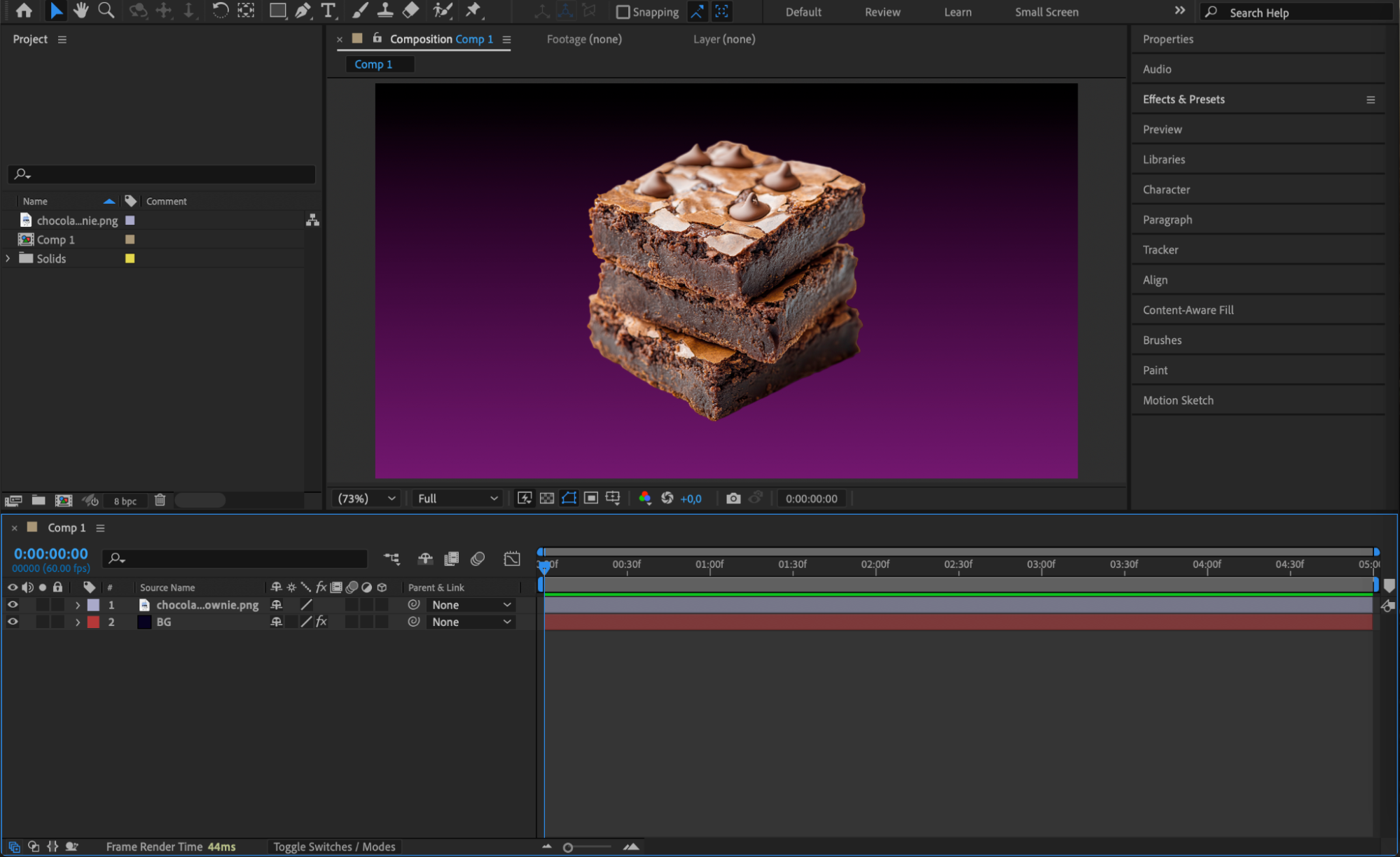
Step 2: Open the Layer Panel and Select the Brush Tool
Double-click on the layer you want to paint on. This action opens it in the Layer Panel (not the Composition Panel). Then, select the Brush Tool by pressing “Ctrl/Cmd + B” or choosing it from the top toolbar. In the Brushes Panel, adjust the Diameter to set the size of your brush.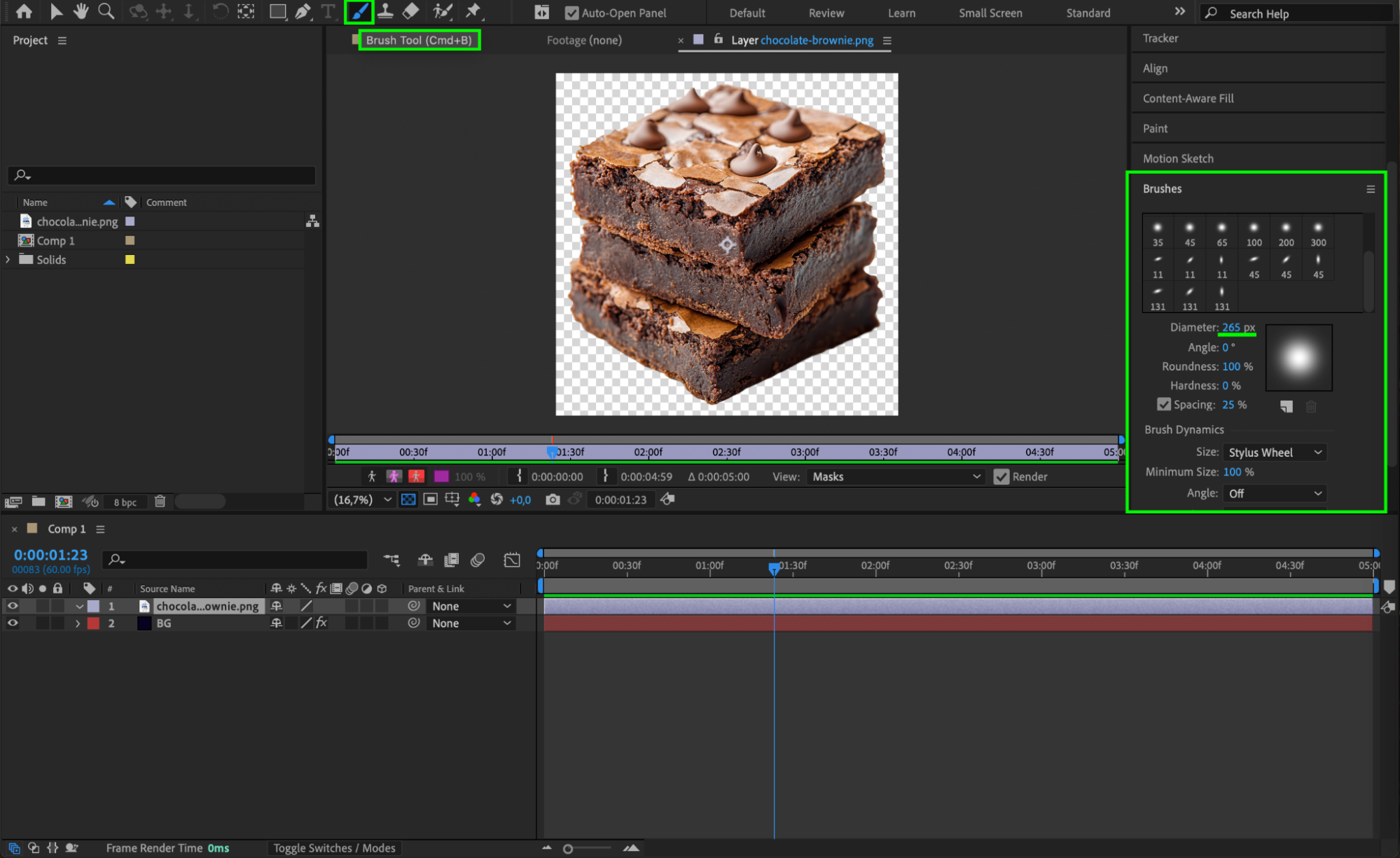
Step 3: Set Paint Settings and Start Drawing
In the Paint Panel, customize your brush settings. Choose a Color, set the Mode to Normal, Channels to RGBA, and Duration to Write-on. Now, draw directly on your layer. The strokes will animate based on how you paint across the timeline.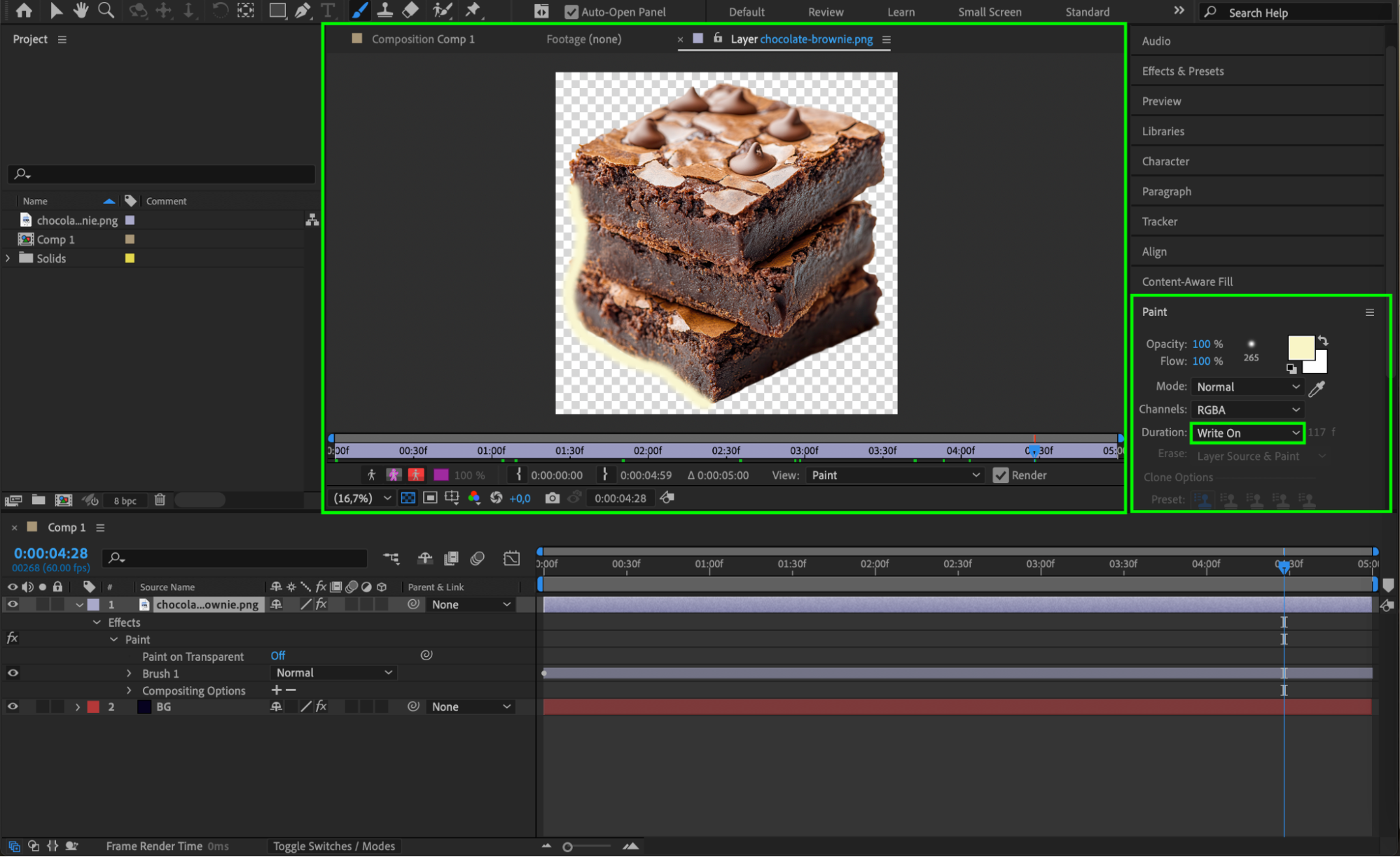 Step 4: Adjust Stroke Properties
Return to the Composition Panel. Expand the modified layer’s properties in the timeline. Under the Effects > Paint section, you can fine-tune settings such as Color, Diameter, Spacing, and other stroke details to refine your artwork.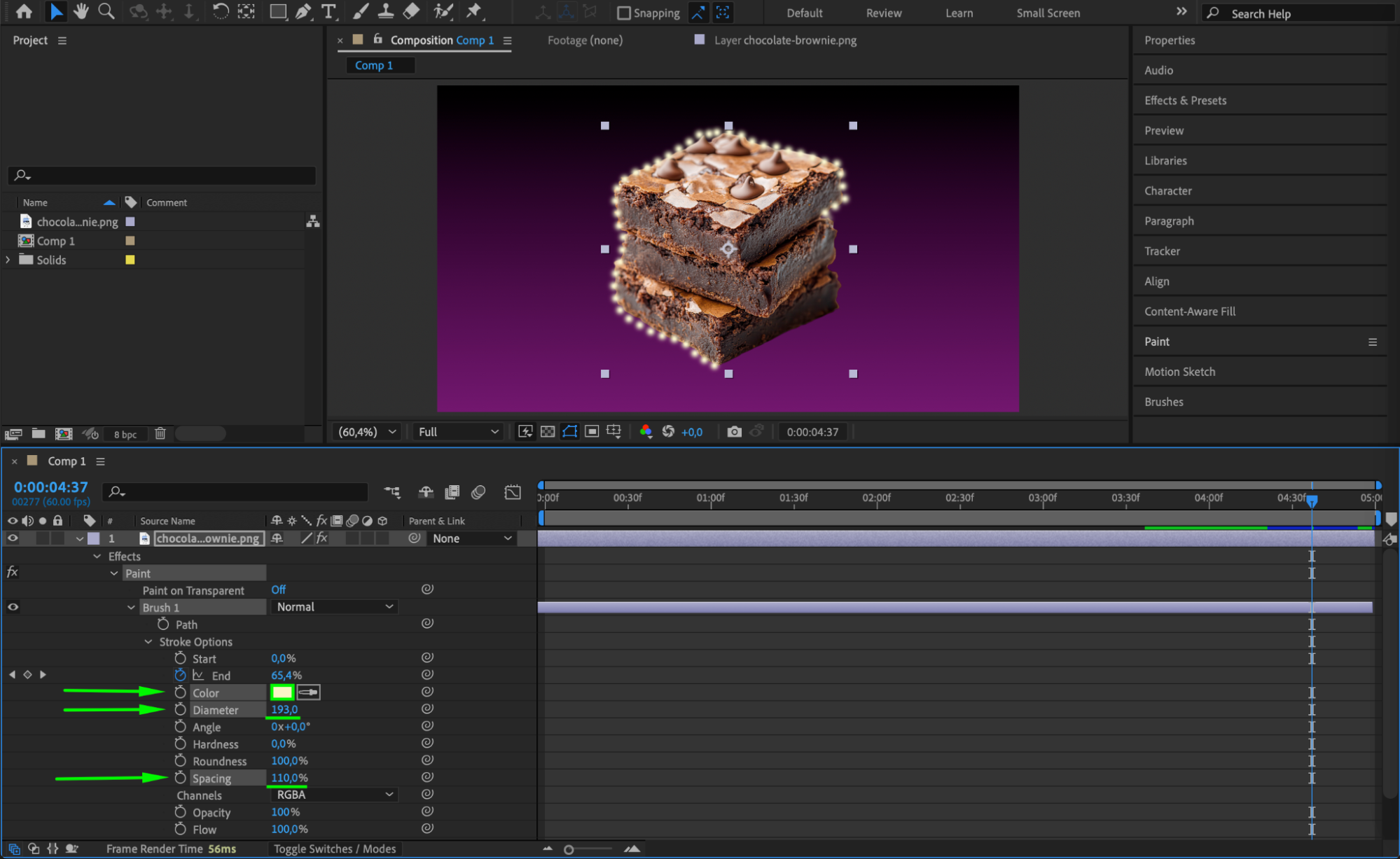
Step 5: Preview Your Animation
Press the spacebar to preview your animation. Watch how your strokes appear over time and make any adjustments if necessary to improve timing or appearance.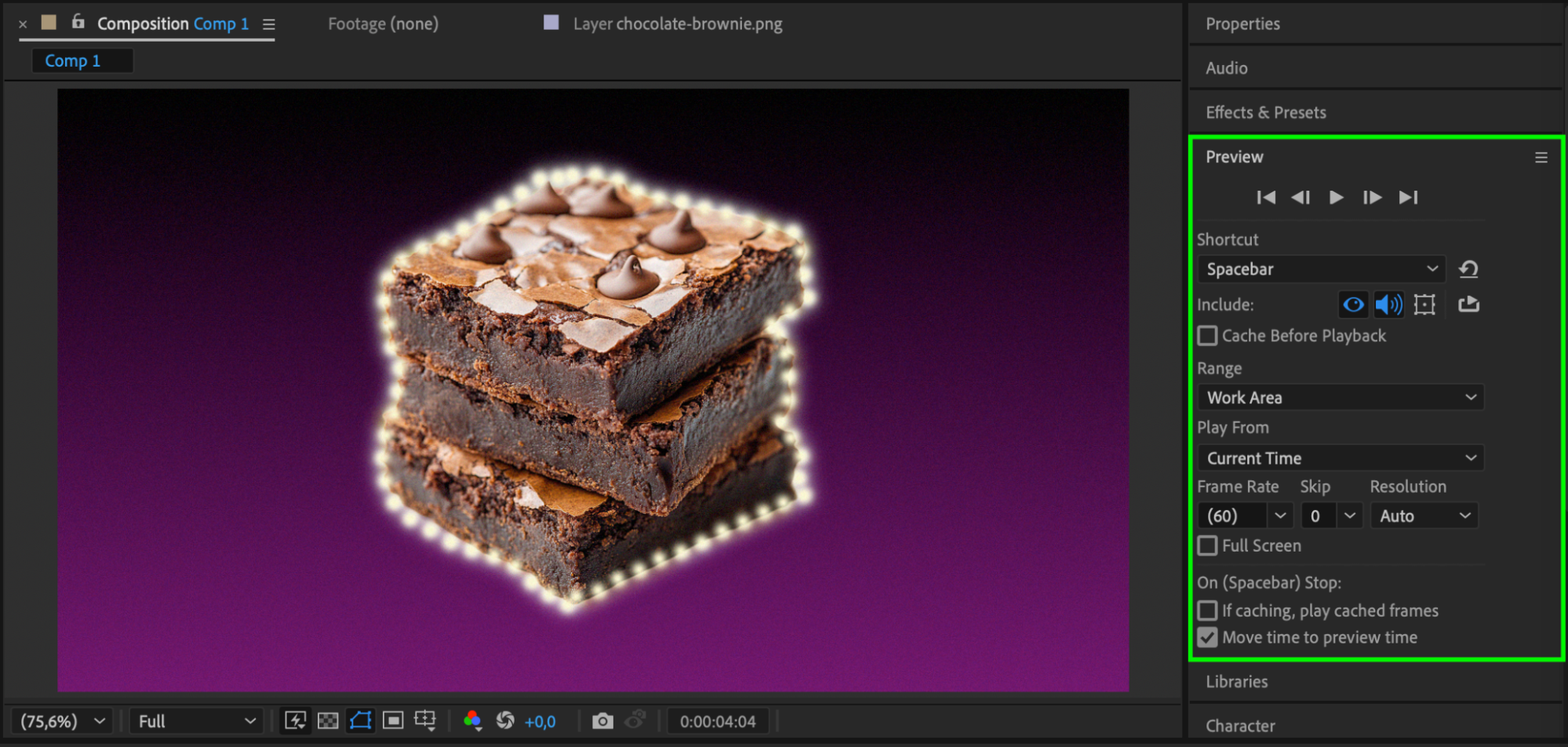 Step 6: Render the Final Result
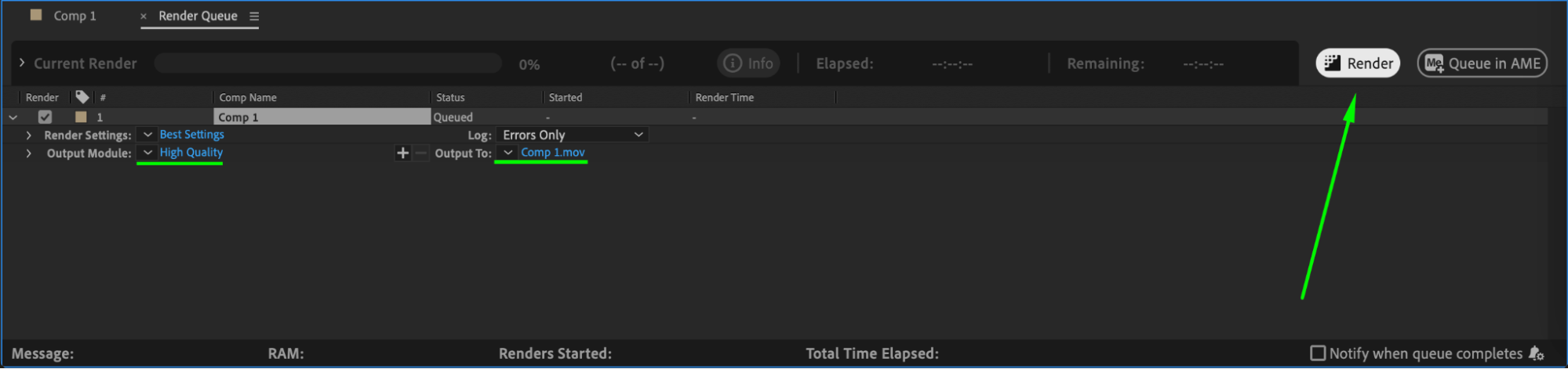
When you’re happy with your animation, go to Composition > Add to Render Queue and export your project. Choose your preferred render settings to create a final video with your custom brush animations.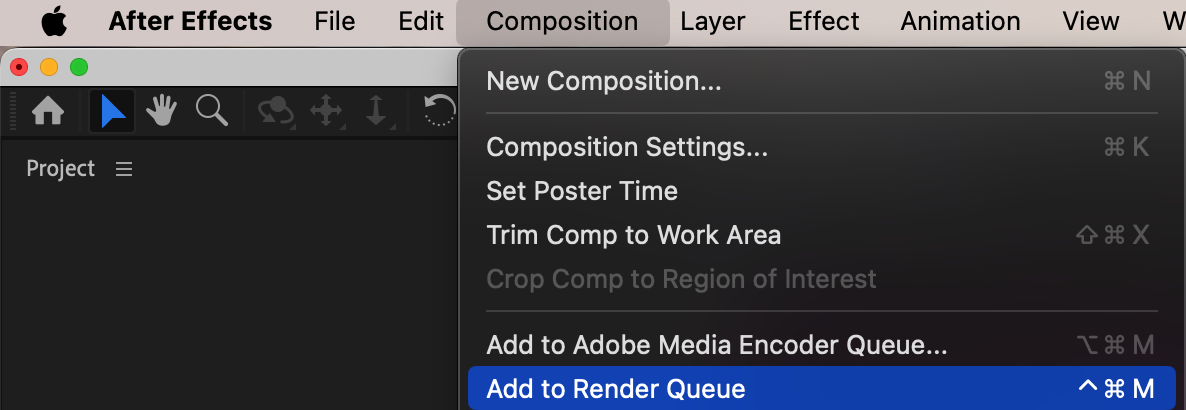
 Conclusion
The Brush Tool in After Effects is a simple but powerful feature that opens up endless creative possibilities, from animated drawings to stylish text reveals. With just a few adjustments, you can create unique, hand-drawn animations that bring your projects to life.
Our Bestsellers
Our Bestsellers


