Free Plugins
Products
All Access
Resources
HomeBlogQuickly adjust work area to selected layers in After Effects

Quickly adjust work area to selected layers in After Effects

TipsJacob Syrytsia
506487
After Effects
13 Nov, 2023
Save with an AEJuice promo code

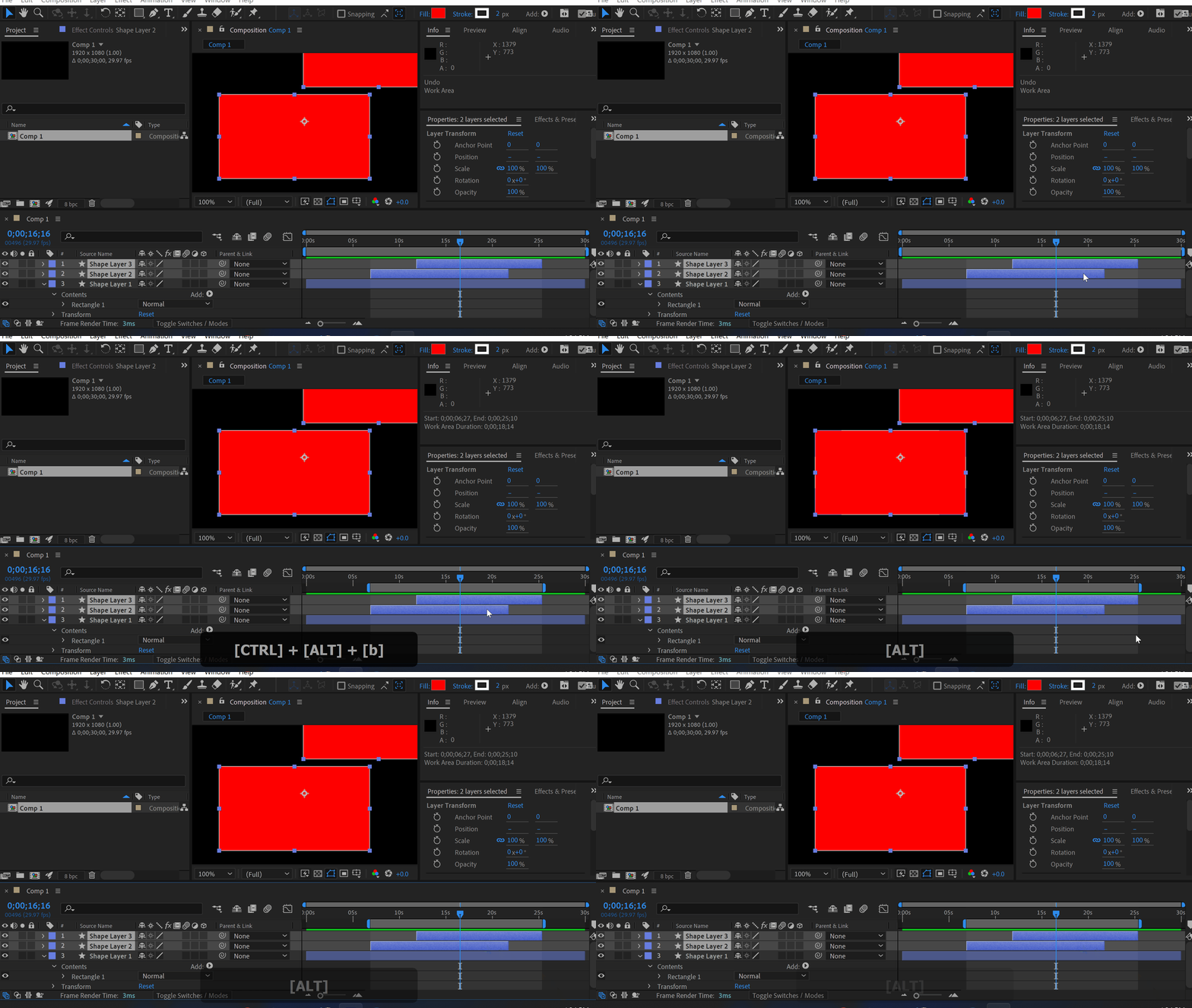
I just found this out. Use this shortcut to adjust the work area to selected layers Ctrl+Shift+B (Option+Command+B).
Click here to receive more tips by email.

-%
-%
00hrs : 00mins : 00sec
Sale sitewide
Shop now
Jacob Syrytsia
Similar Articles
thumbnail-fallback.16c3af4eHow to Create a VHS Effect in After Effects
Tutorials
thumbnail-fallback.16c3af4eHow to Create a VHS Effect in After Effects
Tutorials
thumbnail-fallback.16c3af4eHow to Make an Object Fade in After Effects
Tutorials506487After Effects
thumbnail-fallback.16c3af4eHow to Make an Object Fade in After Effects
Tutorials506487After Effects
thumbnail-fallback.16c3af4eHow to Make Animation in Adobe After Effects
Tutorials506487After Effects
thumbnail-fallback.16c3af4eHow to Make Animation in Adobe After Effects
Tutorials506487After Effects
3526675
Email usAnswer within 24 hoursHelp centerDetailed documentation
Quick Links
HomeAffiliatesPrivacy PolicyTerms of UseRefundsContact
Support
ProductsFree PluginsWhat's new?BlogAboutStart Selling
Get 10% Off – Straight to Your Inbox!
By subscribing you agree to your email being stored and used to receive the emails in accordance to our Privacy Policy
Copyright © 2021 - 2026 AEJuice LLC. All rights reserved.
support@aejuice.com