
Exploring the Power of Anchor Points in After Effects
Anchor points in After Effects control the center of rotation, scaling, and positioning of your objects. Correctly setting them can drastically improve the precision and quality of your animations — whether it’s rotating a logo around a specific spot, scaling while keeping a fixed position, or creating complex kinetic typography.
Step-by-Step: Adding and Adjusting Anchor Points
1.Launch After Effects and open your composition.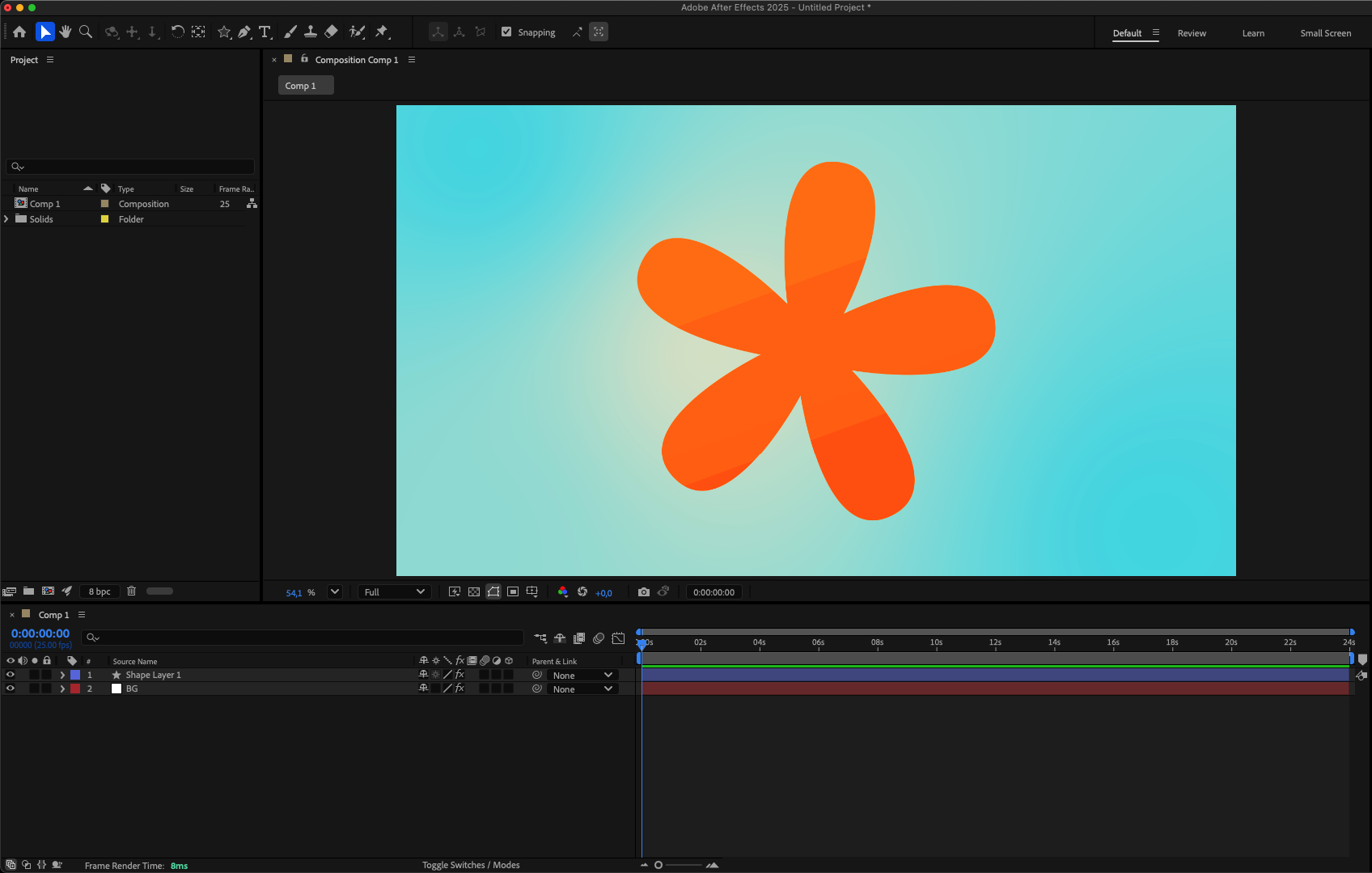 2.Select the layer you want to work on.
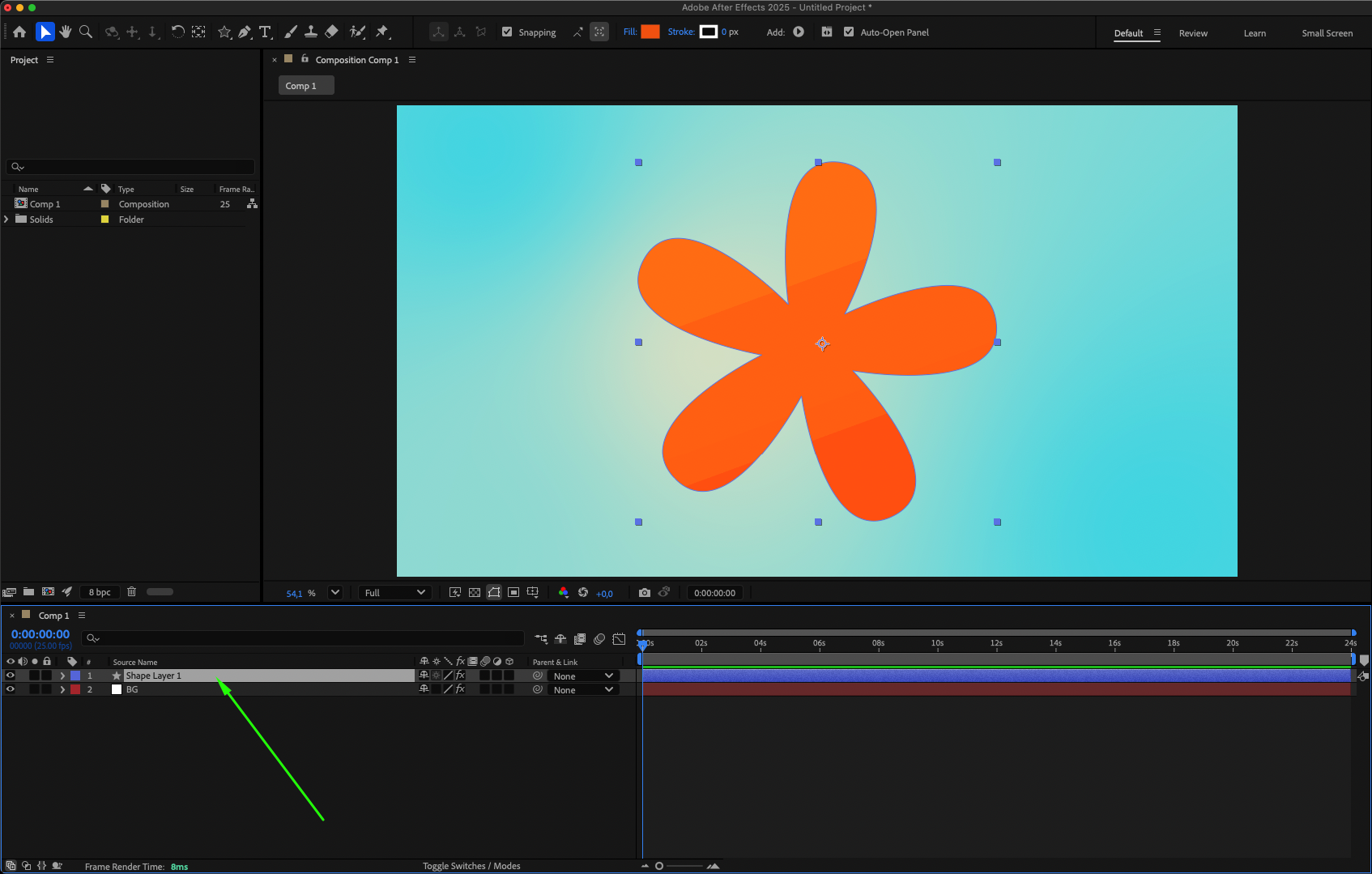
3.Find the Anchor Point property in the layer’s transform options.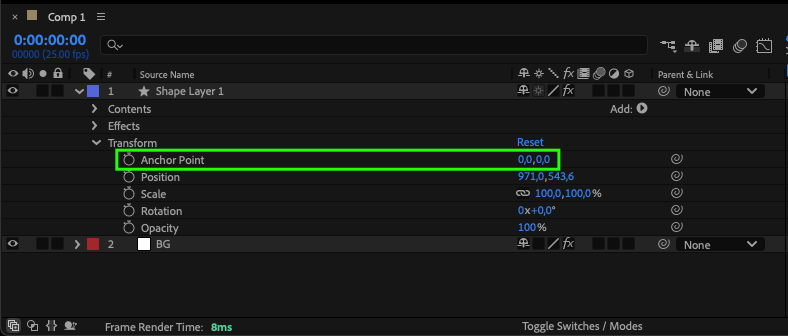
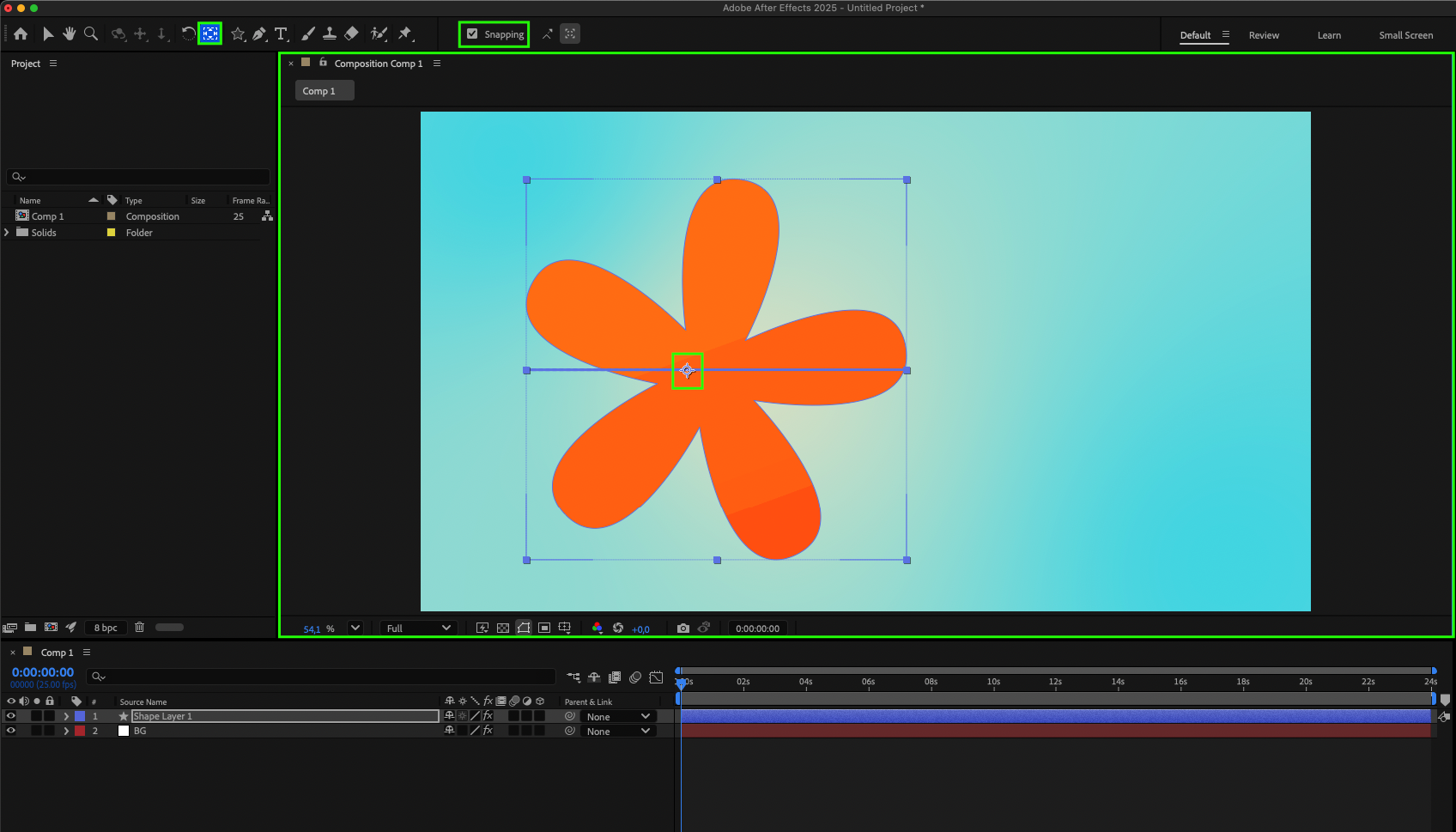
4.Enter new numeric values to reposition the anchor point and see how it affects the layer.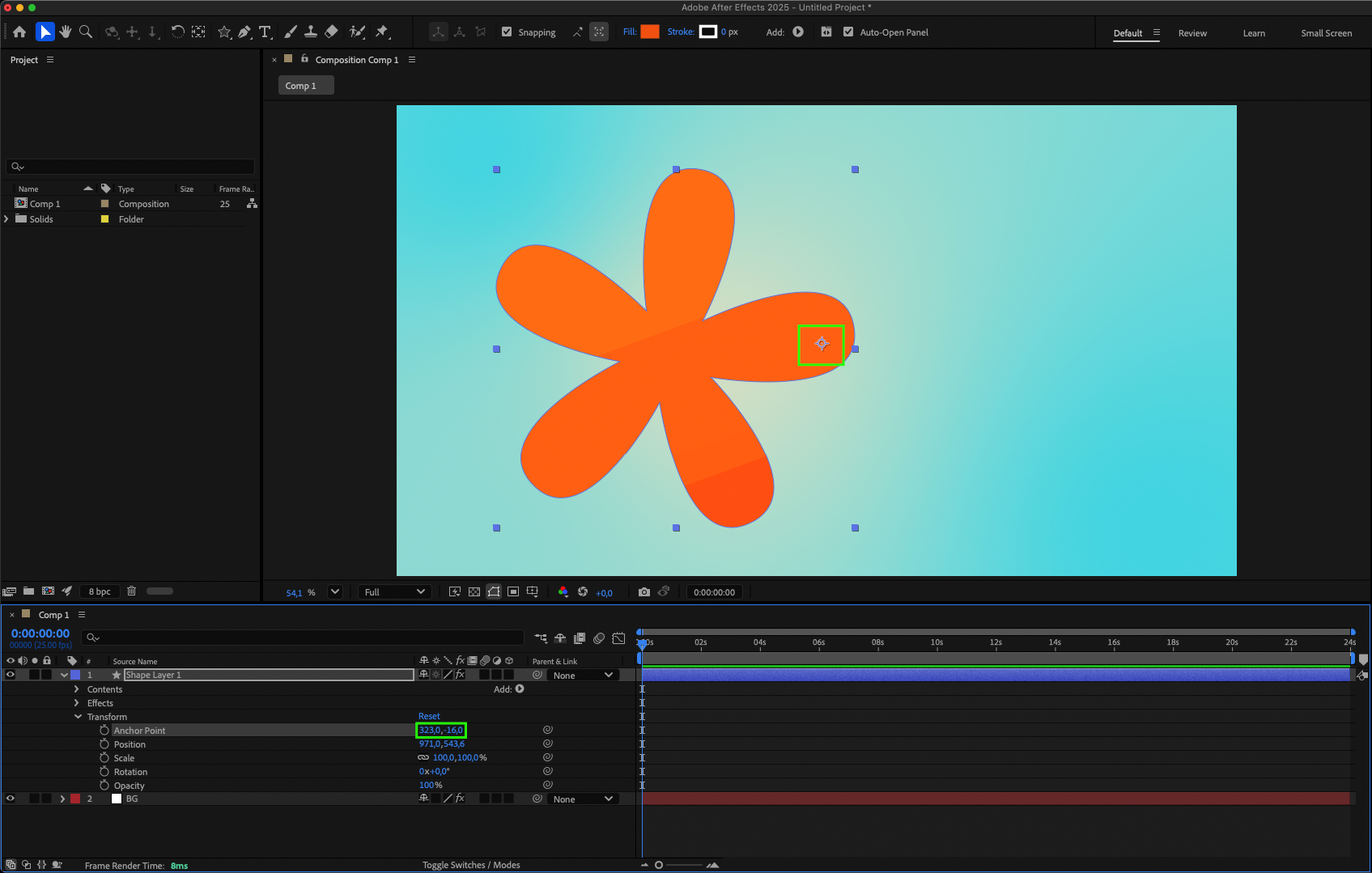 5.Use the Pan Behind Tool (Y) to manually move the anchor point; enable the Snapping button for precise placement.
 6.Animate the anchor point with keyframes, combining this with Scale or Rotation for dynamic effects.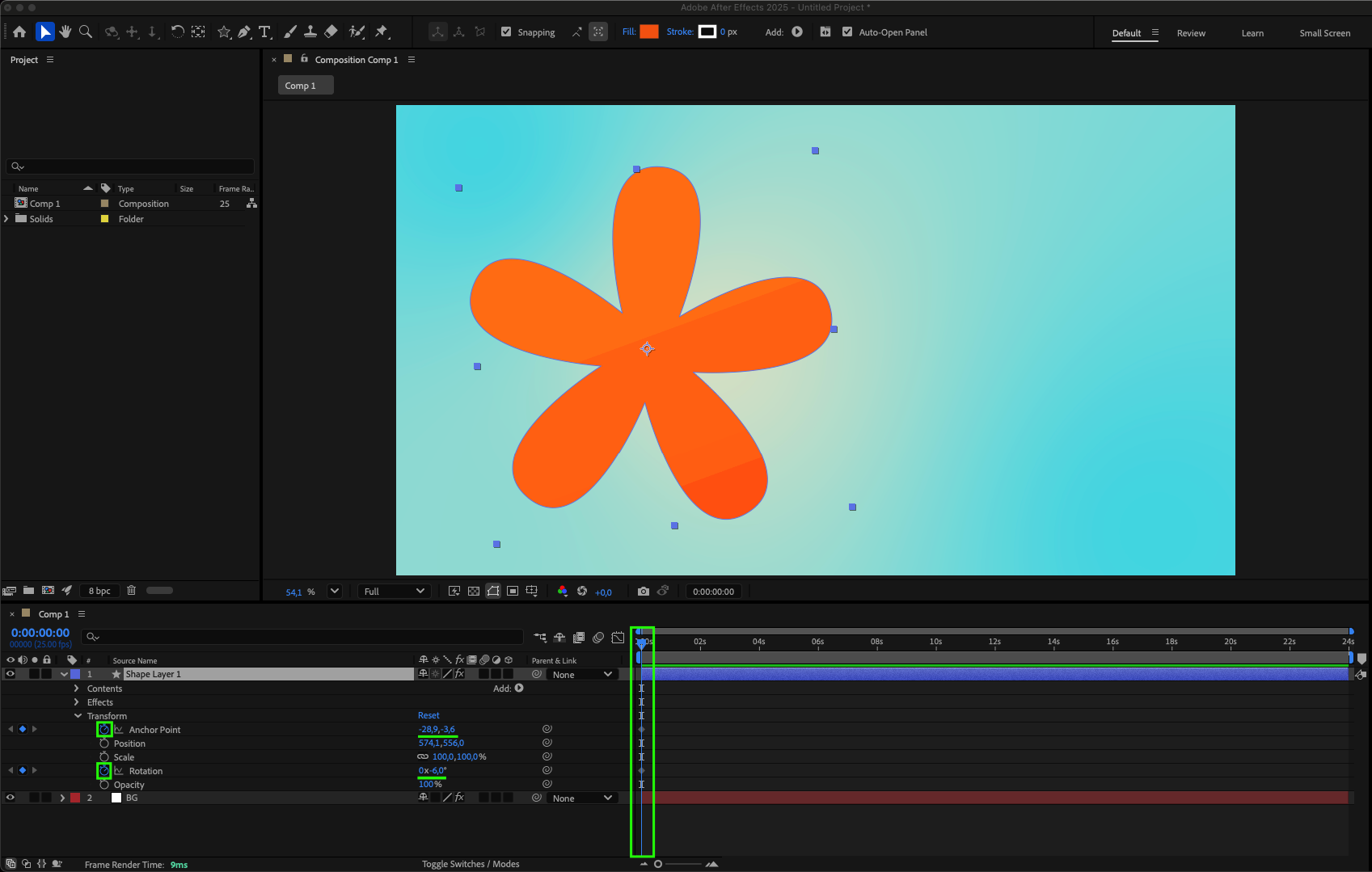
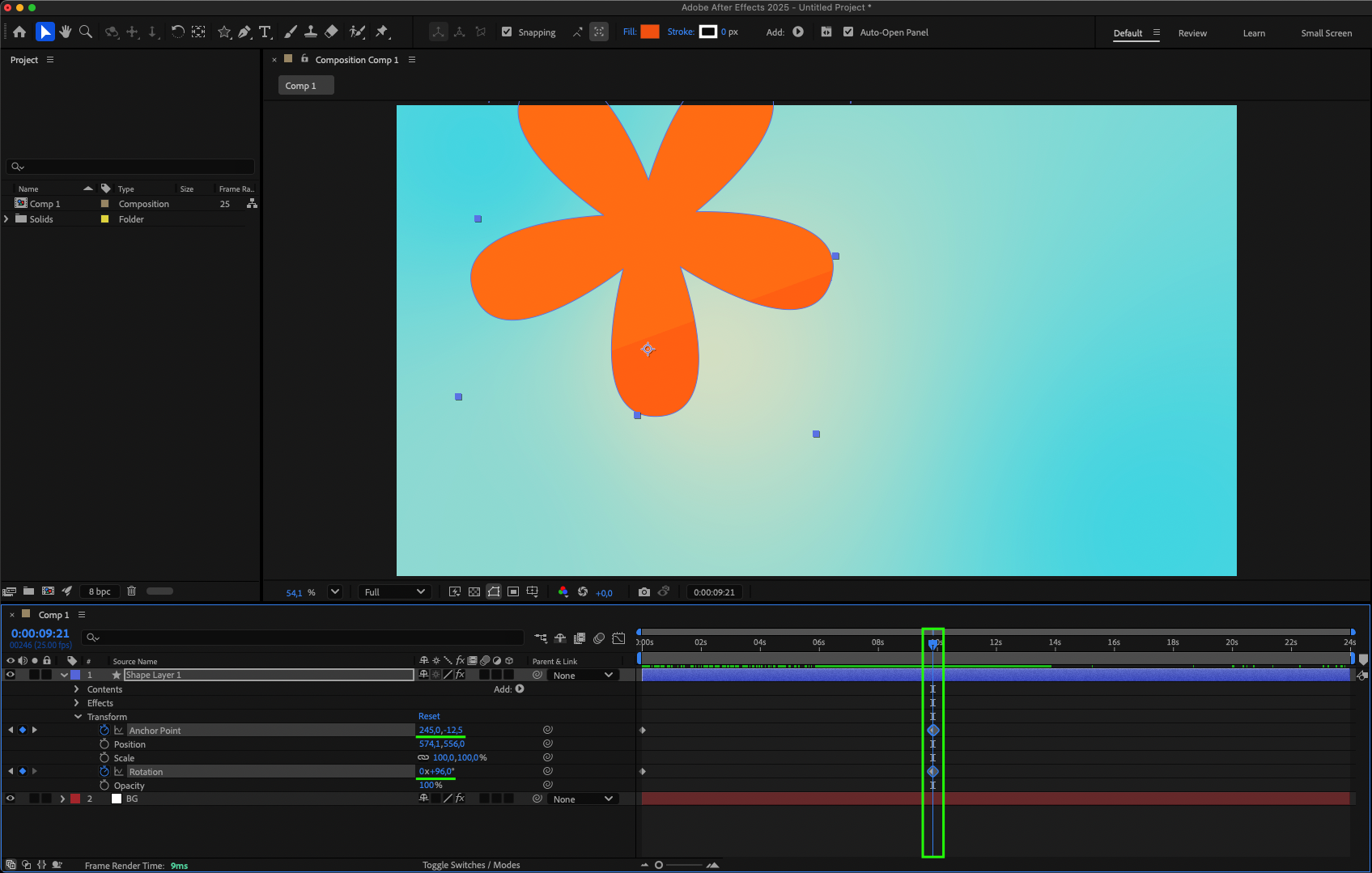
By following these steps and tinkering with anchor points in After Effects, you’ll soon realize the power they hold in elevating your animations. Get creative, play around with different positions, and watch your designs come to life with precision and flair.
But wait, there’s more to uncover! Let’s explore some advanced tips and techniques for maximizing the potential of anchor points in After Effects:
1.Parenting and Anchor Points: Link layers together for interconnected movements by adjusting anchor points.
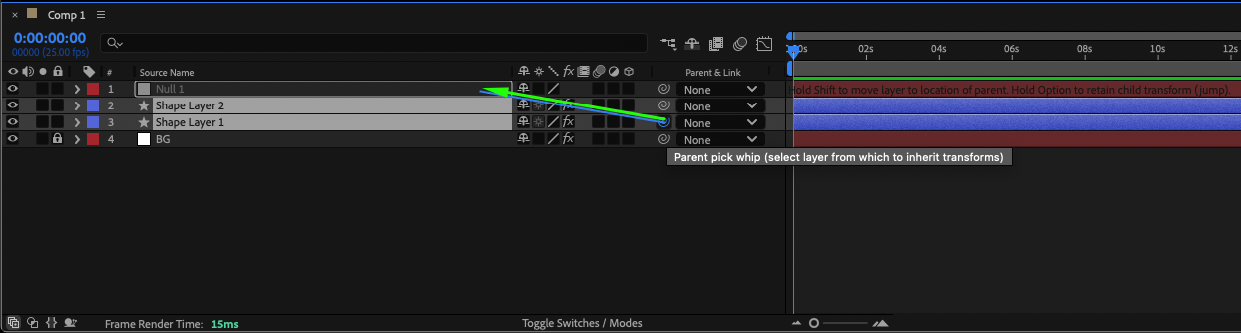
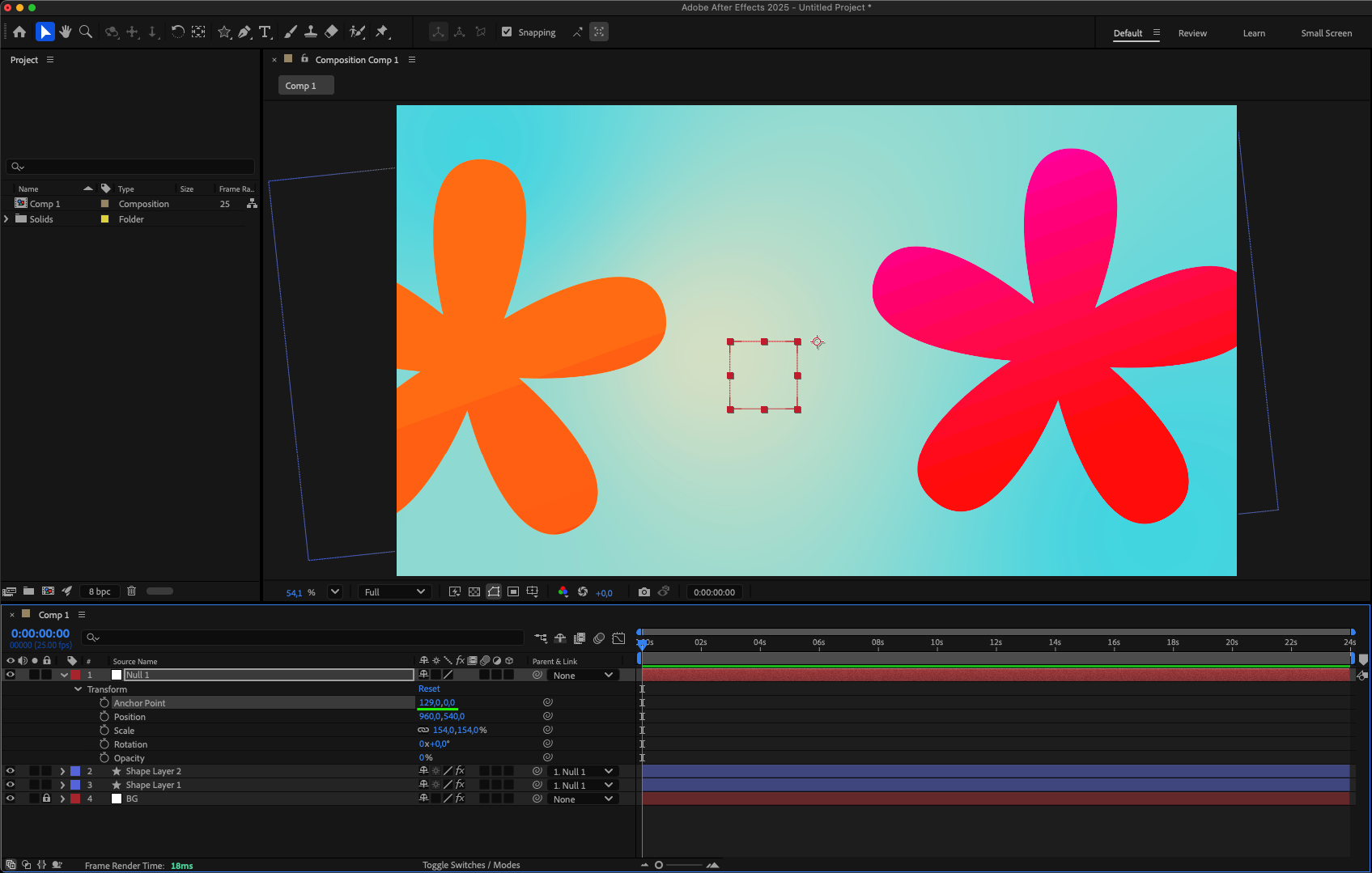
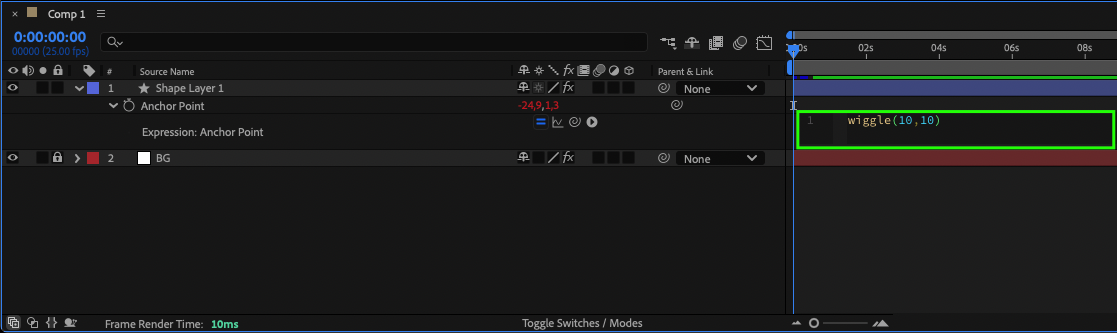
2.Expression Controls for Anchor Points: Dynamically manipulate anchor points with expressions for complex animations.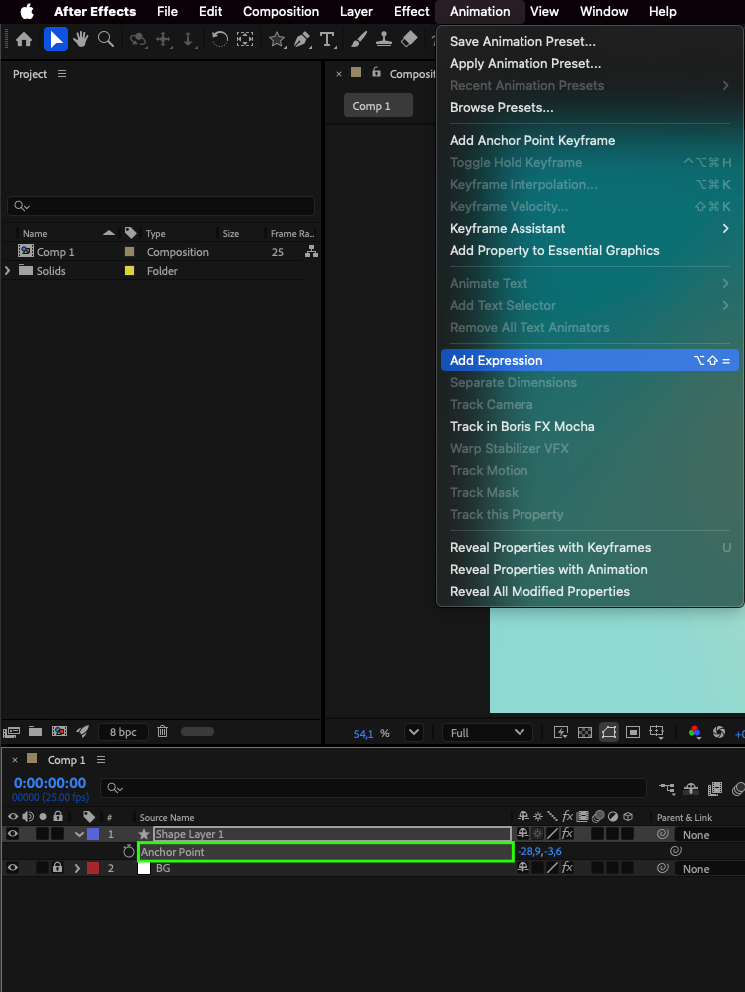
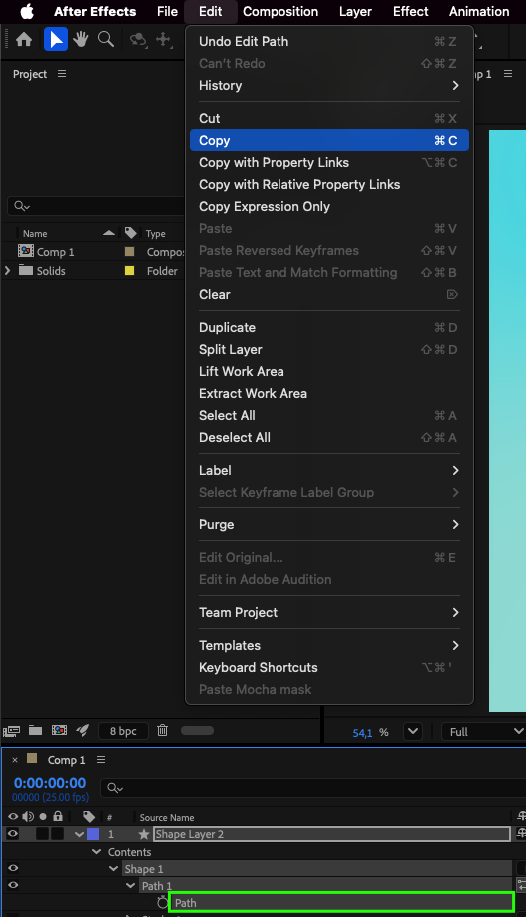
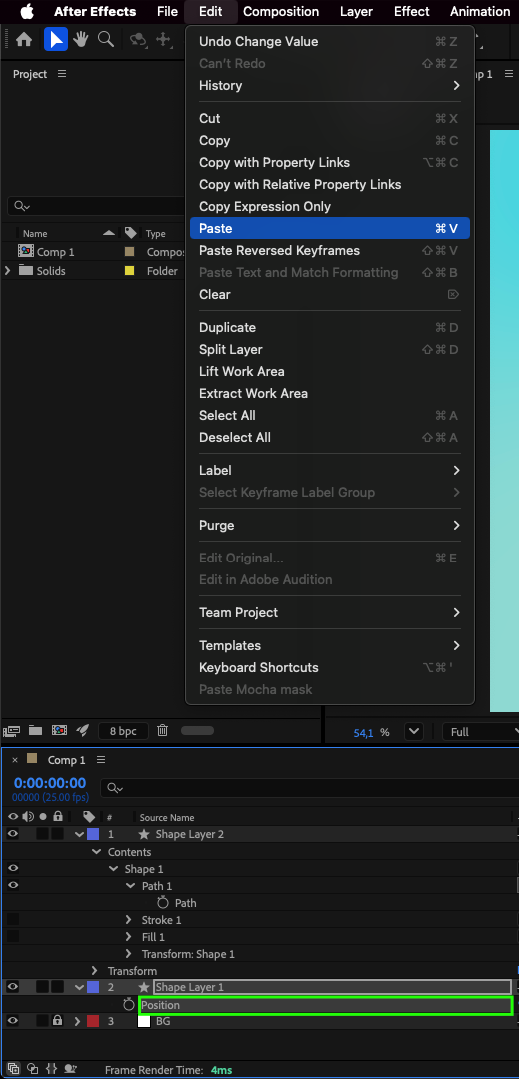
 3.Use the Pen Tool (G) to create a custom path, copy it, and paste into the Position property for path-based animation.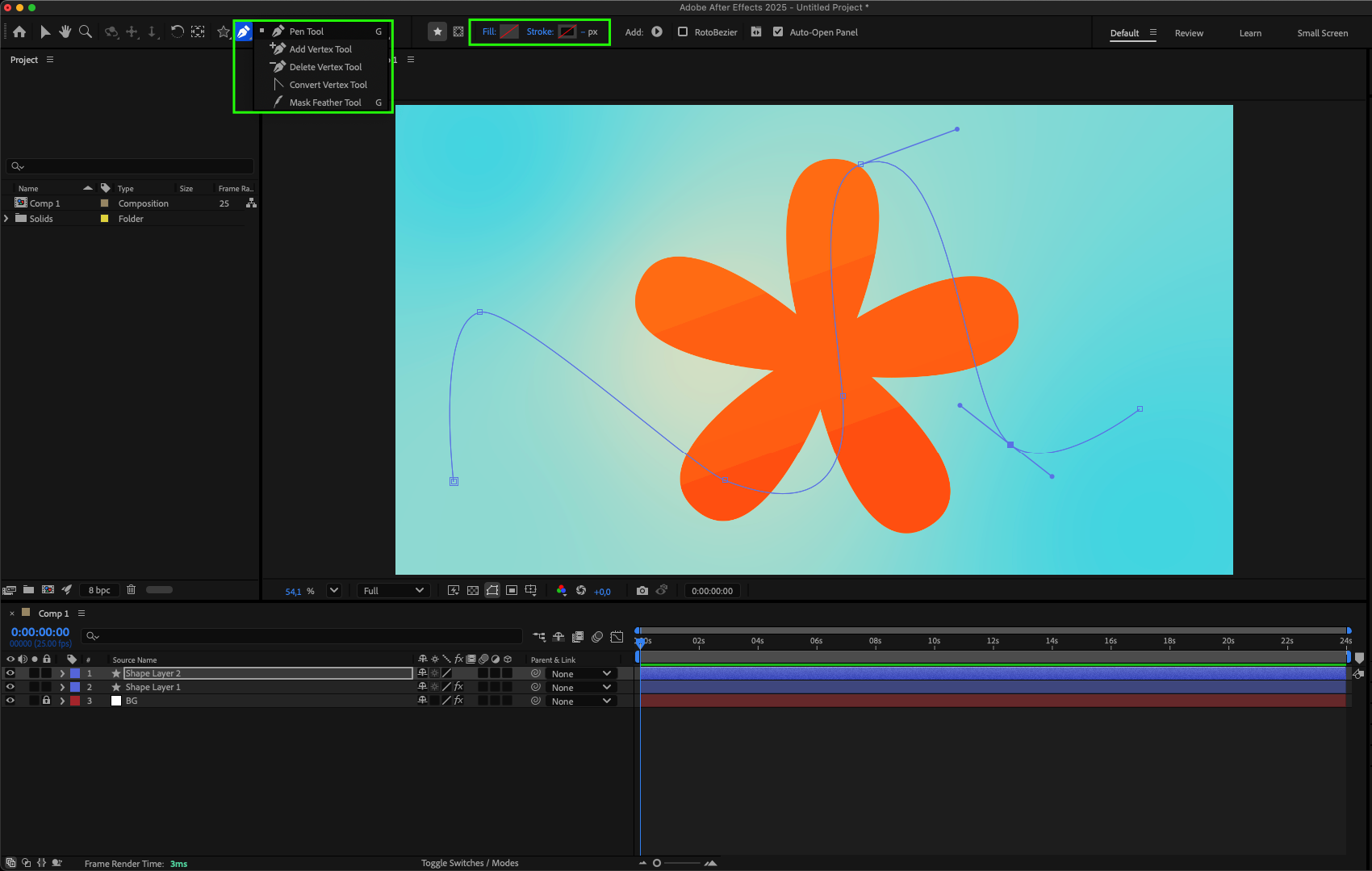
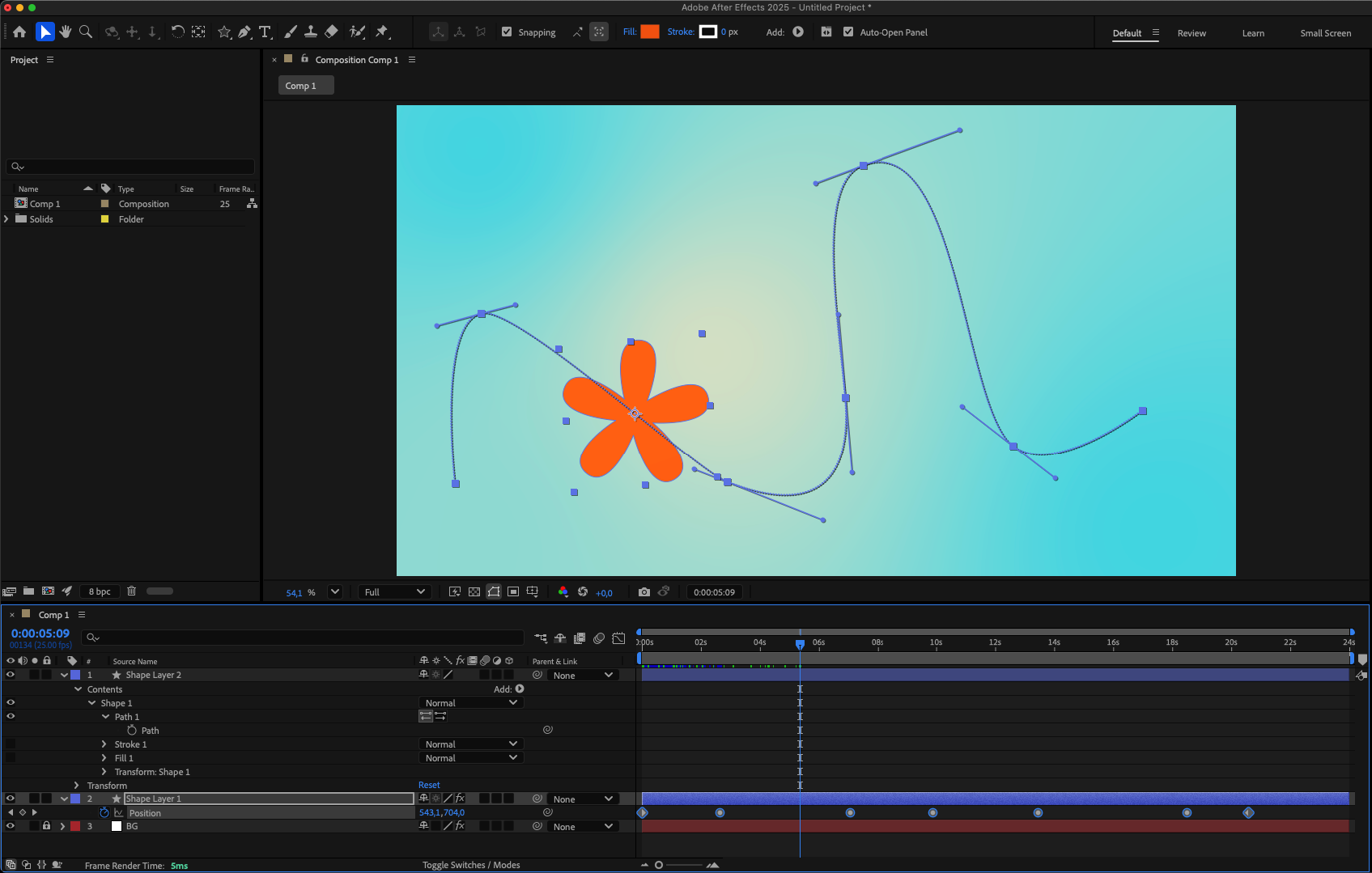 4.Blend anchor point animation with rotation, scaling, and path animation for unique effects.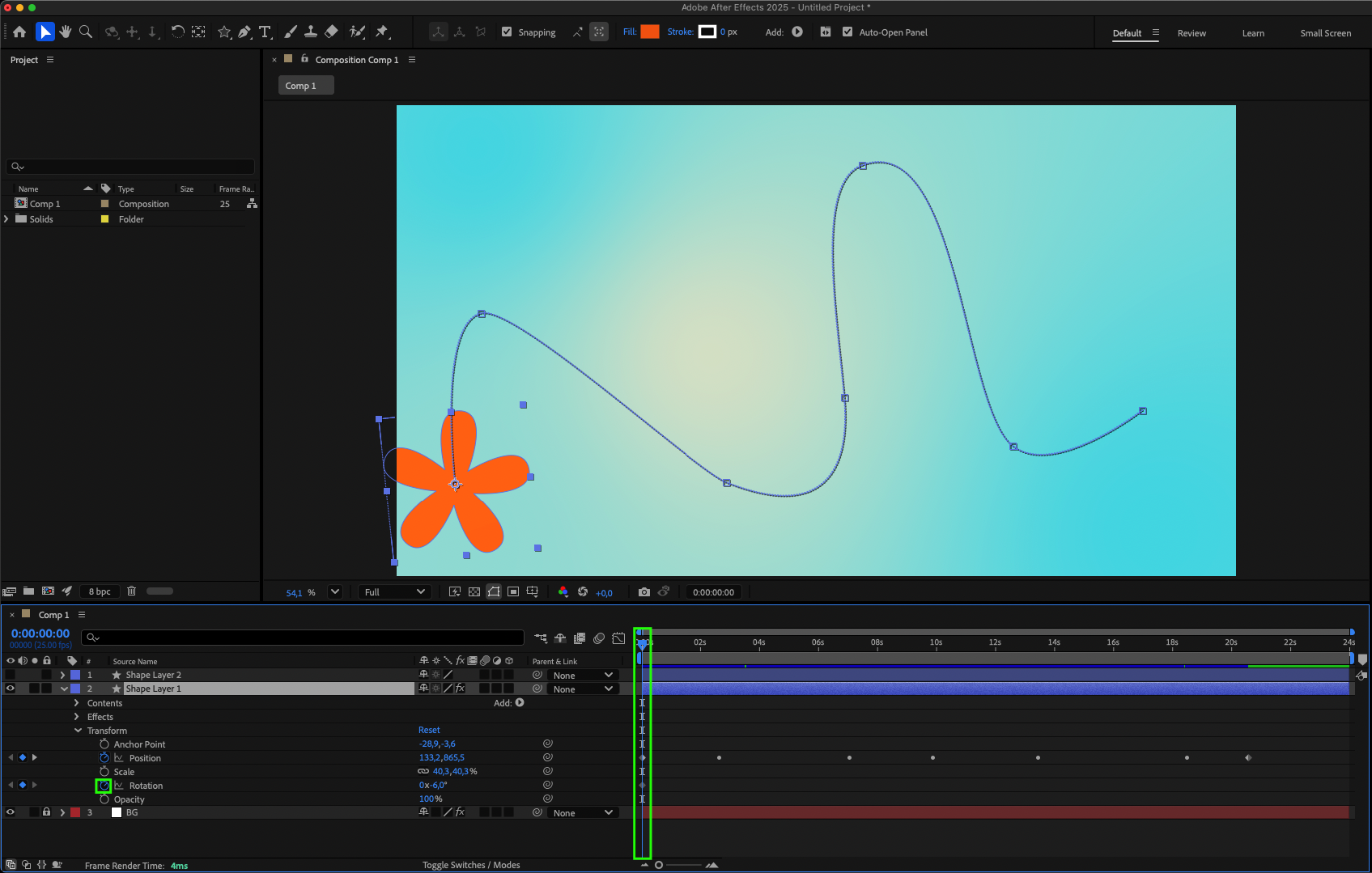
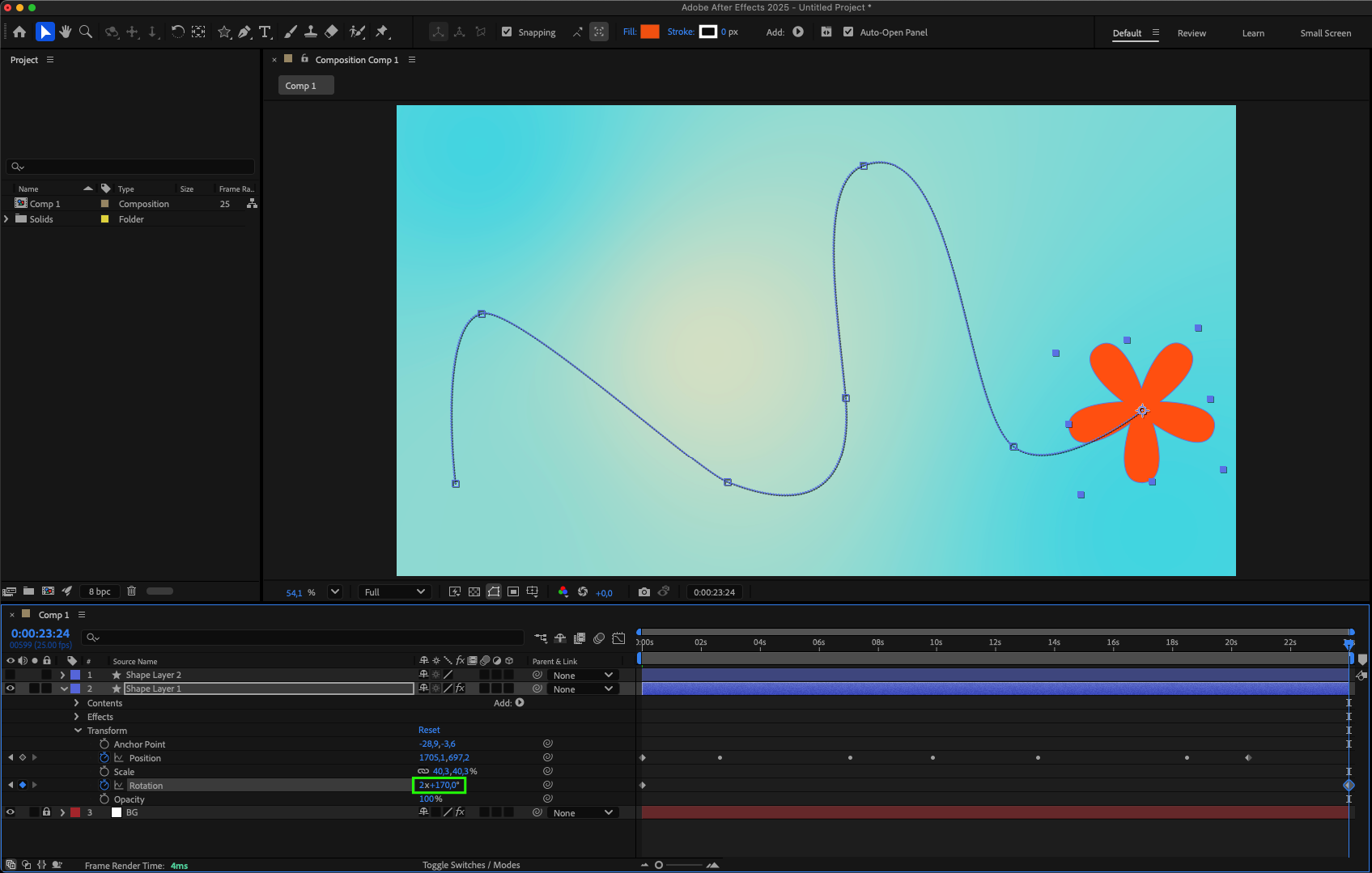 5.Apply Easy Ease to smooth transitions.
6.Enable Motion Blur in the layer and in the timeline panel for more realistic movement.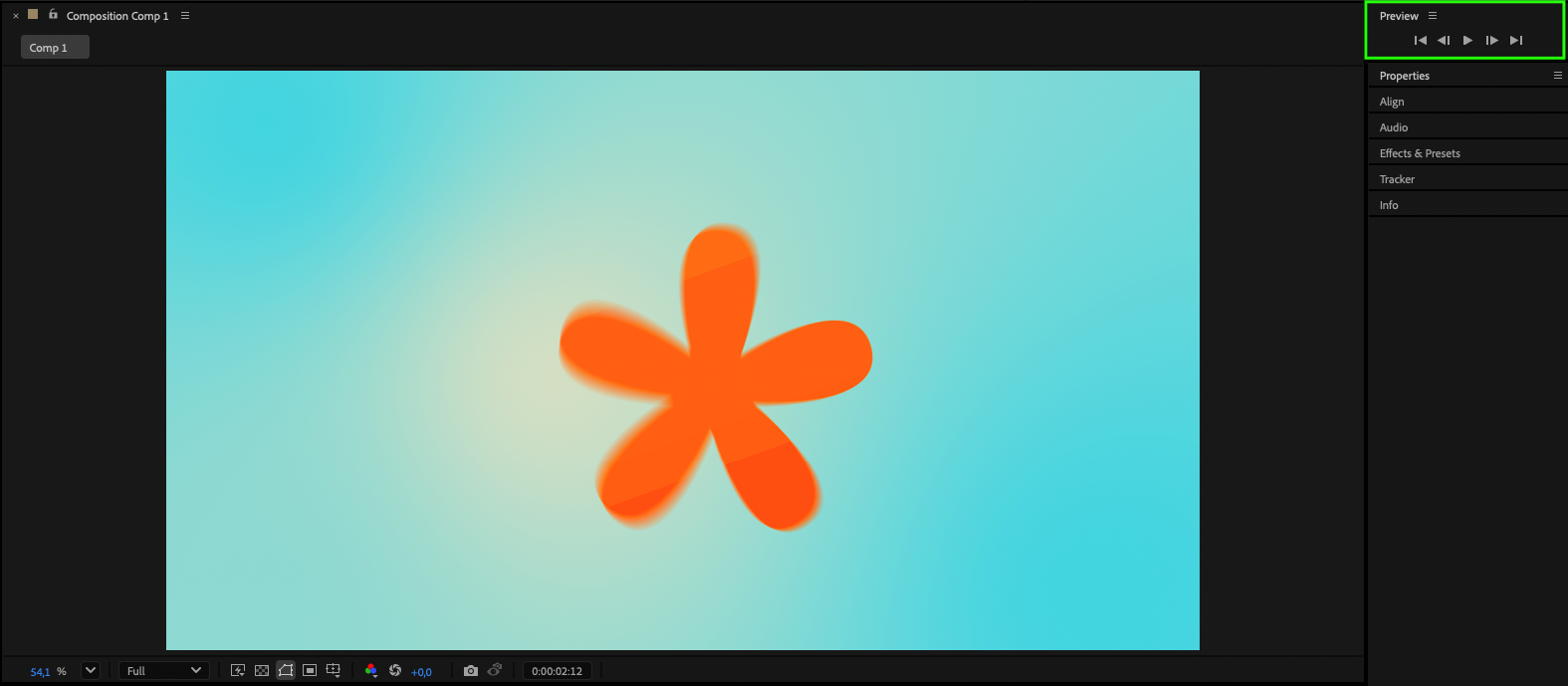
7.Preview your animation.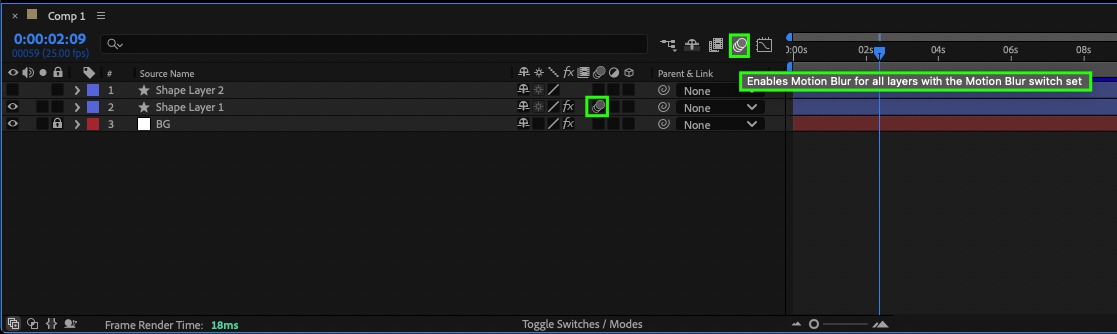
Conclusion
Mastering anchor points gives you precise control over motion and design in After Effects. Experiment with different positions, animation styles, and advanced techniques to create professional, polished results
Our Bestsellers
Our Bestsellers

