
Time remapping in After Effects allows you to manipulate the speed and duration of a layer or composition by adding keyframes to the timeline.
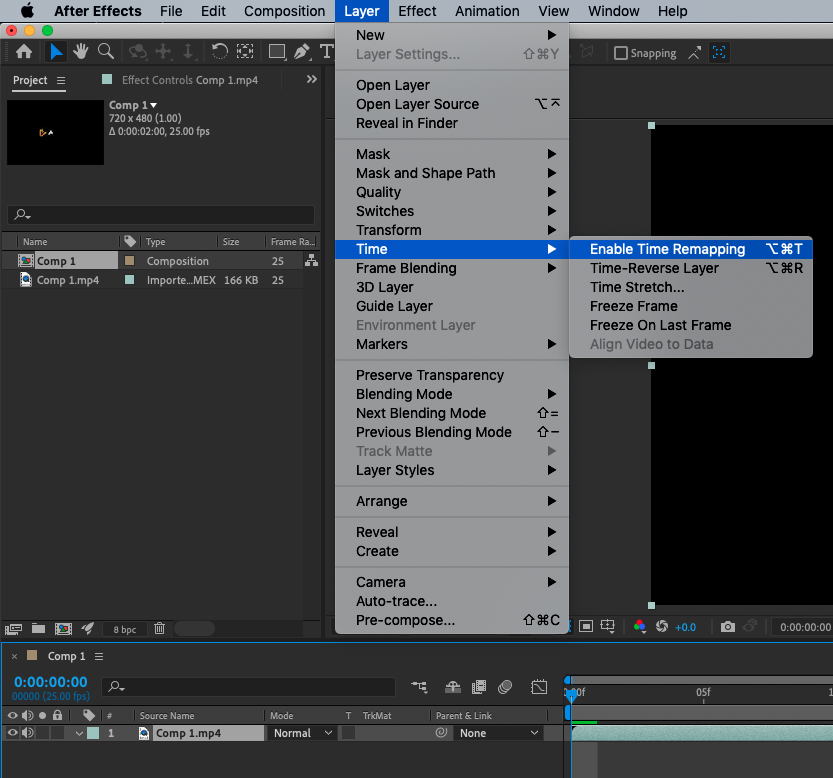
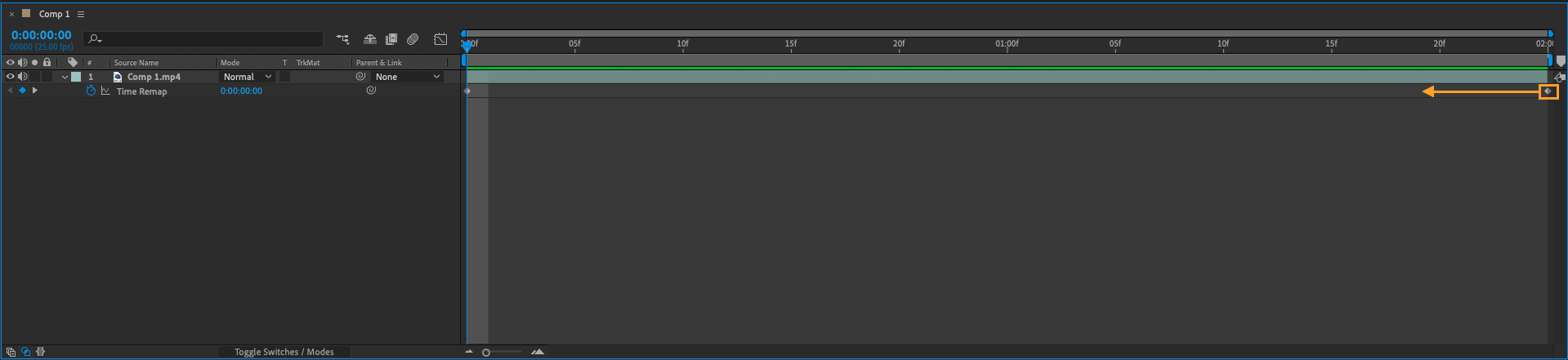
When you enable time remapping for a layer, two keyframes are added to the timeline: one at the beginning of the layer and one at the end. You can then adjust the position of these keyframes to change the speed and duration of the layer.
In the case of creating a looping video, you can use time remapping to repeat a specific section of the video by moving the second keyframe to the beginning of the video. This will cause the video to play from the beginning again after reaching the end.
Keep in mind that you can also use time remapping to create slow motion or fast motion effects, as well as other creative uses like creating a freeze frame or stuttering effect.
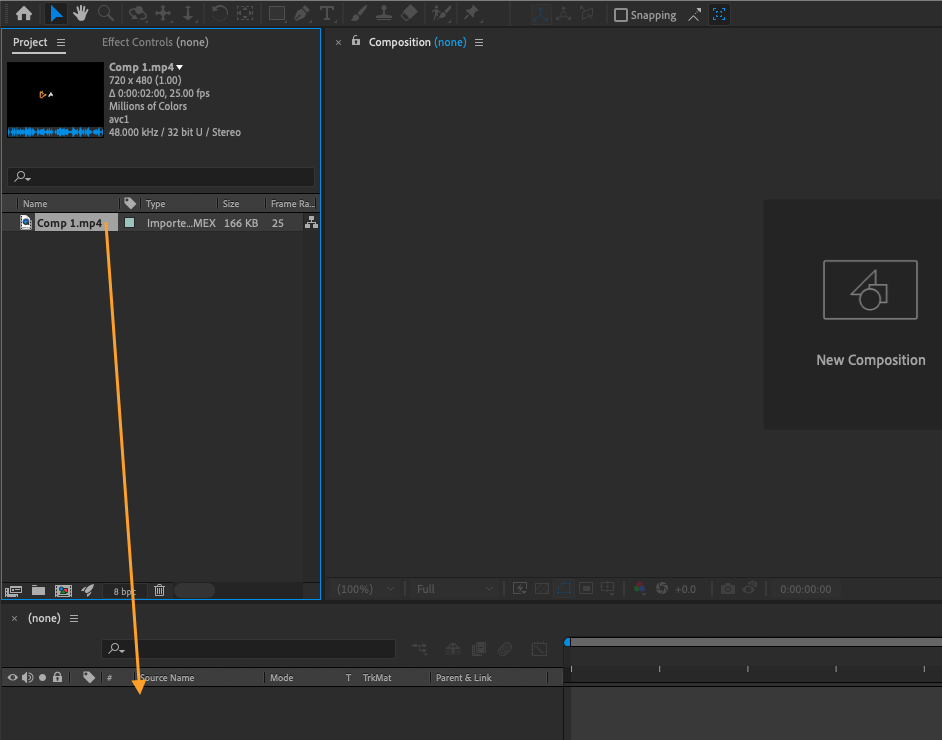
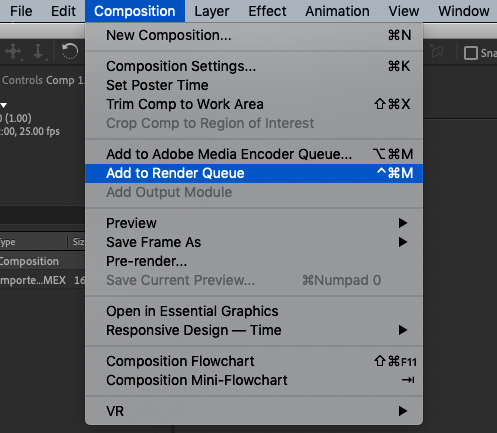
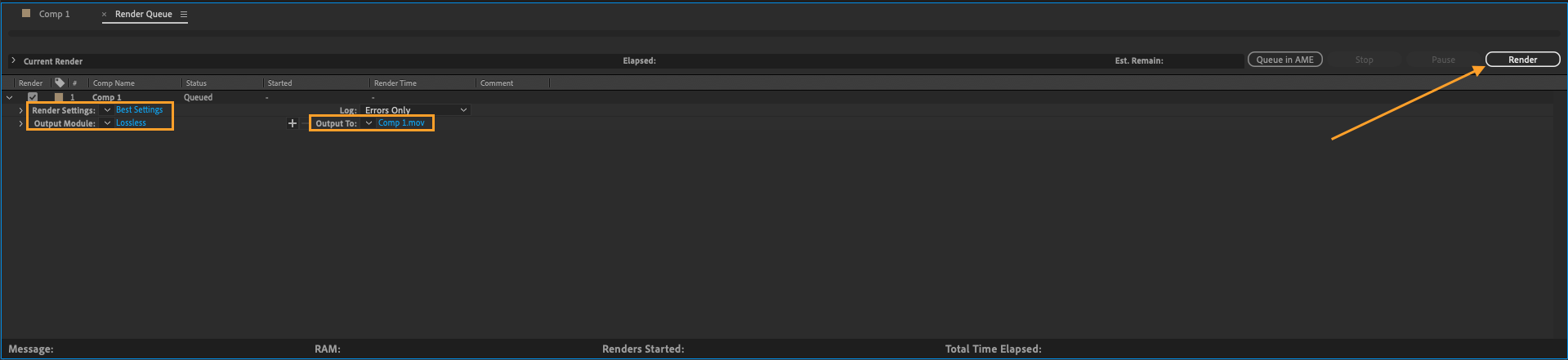
If you want to create a looping video using After Effects, follow these steps:
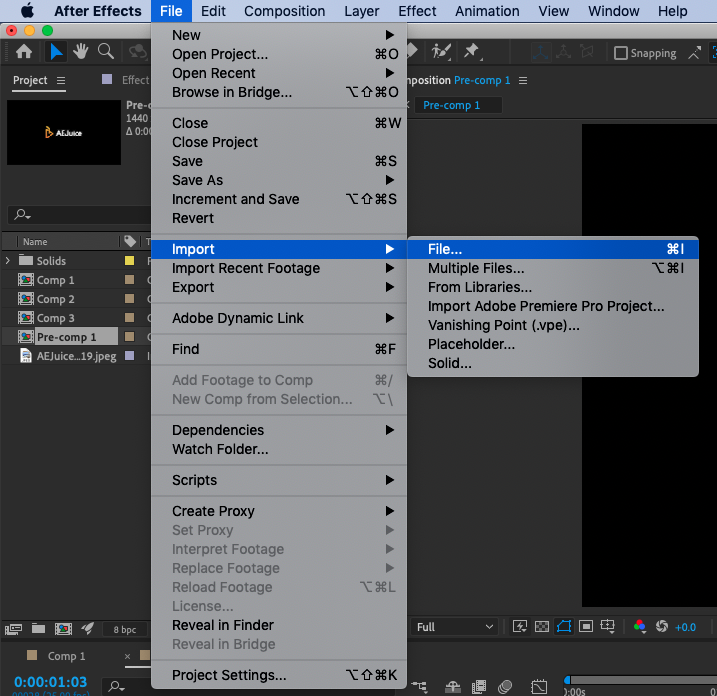
- Import the video file into the software. This can be done by going to File > Import > File… in the top menu.
If you have any questions or need further assistance with creating a looping video in After Effects, don’t hesitate to ask.
Our Bestsellers
Our Bestsellers


